Free Thermal Receipt Generator
Create Free Thermal POS Receipts Online - Add Business, Items & Totals. Print or Download Instantly.
Create a thermal-style POS receipt with business name, items, tax, and total. Download or print instantly for small business, market stalls, or pop-up shops.

Choose
Thermal Receipt selected

Customize
Fill in your details

Download
Save or share receipt
Edit essentials once-the preview updates instantly.

Quick summary
Thermal Receipt template overview
Use this Thermal Receipt template to build a clean, editable receipt record with the merchant, date, line items, tax, totals, and payment details already laid out for faster review.
Related Other Receipt Templates
Browse our collection of receipt templates for various purposes.
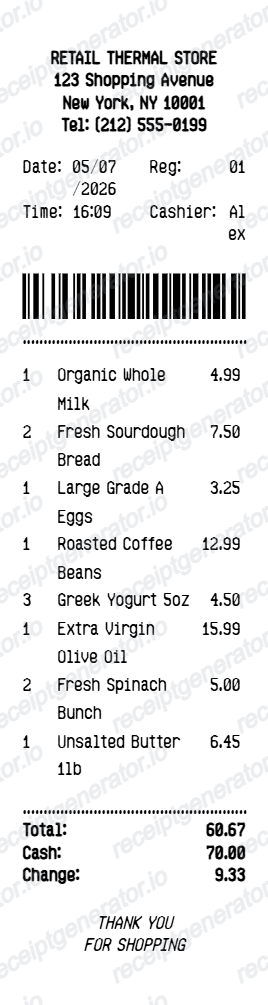
Why Use Our Free Thermal Receipt Generator?
Create 80mm thermal-style POS receipts with business name, itemized purchases, tax, and payment summary — print or download as PDF instantly for any retail or vendor use.
80mm POS format
Narrow thermal receipt format matching real 80mm POS printer output for small business and vendor use.
Itemized line items
Add multiple products with quantity and price — subtotal, tax, and total update automatically.
Business branding
Add your business name, address, phone, and website to the receipt header.
Print or download
Print directly from your browser or download as PDF — compatible with thermal printers and standard printers.
No account needed
Create and preview your thermal receipt instantly without signing up or installing software.
Print-ready thermal POS receipts
Edit the layout, watch it update live, then print, download PDF, or email.
Live thermal receipt preview
Watch the receipt update in real time as you add items and business details.
One-click print
Print your thermal receipt directly from the browser to any connected printer.
Download as PDF
Export a clean narrow-format thermal receipt PDF.
Mobile-friendly editor
Create thermal receipts from any device.
Thermal Receipt Generator Alternative
Need a thermal receipt for your small business or market stall? Use this free generator — add business name, items, tax, and total — print or download PDF instantly.
Market stall receipts
Issue thermal receipts to customers at market stalls and craft fairs.
Pop-up shop documentation
Generate thermal receipts for pop-up retail transactions.
Cash sale records
Create printed records for cash-based point-of-sale transactions.
Small business POS
Generate thermal receipts for small business retail without a dedicated POS system.
Thermal Receipt Types
Choose the thermal receipt format that matches your business type.
Generic Thermal Receipt
Standard 80mm POS thermal receipt for any retail or vendor transaction.
Market Stall Receipt
Thermal receipt for outdoor market, craft fair, and festival vendor sales.
Cash Payment Receipt
Thermal receipt for cash-based point-of-sale transactions.
Thermal Receipt Generator FAQ - POS Receipt Printing & Documentation
Learn how to create thermal POS receipts with business details, items, tax, and PDF or print export for small business and market stall use.
Choose the thermal receipt template, add your business name, address, items with prices, tax rate, and payment method. Preview and download or print instantly.
Yes. Add as many line items as needed — each with name, quantity, and price. Subtotal, tax, and total calculate automatically.
Yes. Add a transaction barcode or QR code to the receipt for scanning and record-keeping purposes.
Yes. Use the one-click print option to print directly from your browser to any printer, including thermal printers connected to your device.
Add the store name, purchase date, line items, totals, tax, payment method, and any optional notes you need on your Free Thermal template.
Standard thermal receipts use 80mm wide paper (the most common POS roll size). This generator creates a narrow-format receipt matching real thermal printer output.
Yes. Thermal receipts are used by market stalls, food vendors, pop-up shops, retail kiosks, and any small business that uses a thermal printer at point of sale.
Yes. Creating and previewing is completely free — no login needed. Watermark-free PDF downloads are available on paid plans.
Yes. The thermal receipt template is ideal for market vendors, pop-up retail, food stalls, craft fairs, and any cash-based point-of-sale environment.
Create professional receipts online in seconds
Use the Receipt Generator editor with ready-made templates. Compare pricing or start generating print-ready PDF receipts in your browser no account required.