Uber Receipt Generator
Create an Uber-style trip receipt with pickup and dropoff details, fare breakdown, surge, tip, tax, and payment summary. Export a clean PDF quickly.
Create an Uber-style receipt with pickup, dropoff, fare breakdown, surge, tip, and payment details. Download a PDF for ride records.

Choose
Uber Receipt selected

Customize
Fill in your details

Download
Save or share receipt
Edit the details once and the preview updates instantly.
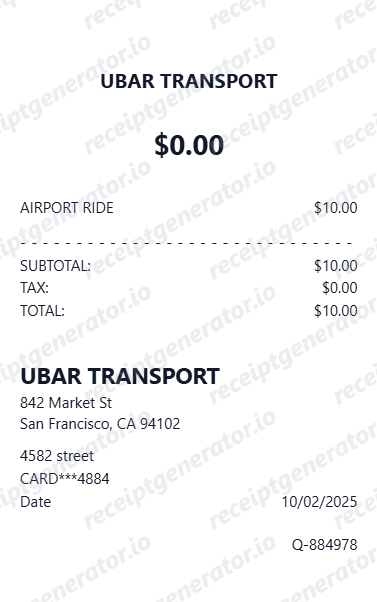
Design options
Choose an Uber receipt design
Both layouts generate the same trip-receipt intent with a different presentation.
Quick summary
Uber receipt template overview
Use this Uber receipt template to create a trip receipt with pickup and dropoff addresses, fare breakdown, surge pricing, tip, tax, and payment summary.
What Is on a Real Uber Receipt?
Before you rebuild an Uber receipt, it helps to know exactly what the original contains. Uber trip receipts follow a consistent structure, and a credible replacement copy should match it line for line.
Fare broken into components
The receipt does not just show a total. It itemizes the fare - base fare plus distance and time charges on metered trips, or the upfront price on upfront-pricing trips - so every dollar of the total is accounted for.
Booking fee as its own line
Every Uber trip carries a booking fee, shown separately from the fare. It is a flat charge that covers operational costs like safety programs and customer support, and it varies by city.
Surge shown separately
When demand is high, the surge amount appears as its own line rather than being hidden in the fare. Older receipts show a multiplier (like 1.5x); newer ones show the increased dollar amount built into the trip price.
Tolls and surcharges passed through
Highway tolls, airport pickup and dropoff fees, and local rideshare taxes are listed as separate lines at cost. On real receipts these appear even when the rider prepaid an upfront price.
Route map with timestamps
The emailed receipt includes a trip map with the pickup and dropoff addresses, the exact pickup and dropoff times, and the trip distance and duration - the details expense reviewers check first.
Driver name and payment method
Real receipts say 'You rode with' followed by the driver's first name, and show the payment method charged. If a tip was added after the ride, Uber sends an updated receipt with the tip as a separate line.
How to Create an Uber Receipt
Follow these steps to build an Uber-style ride receipt with a real fare breakdown.
- 1
Add the route and ride date
Enter the pickup and drop-off addresses along with the ride date and time.
- 2
Break the fare into its components
Enter the base fare, booking fee, surge amount (if any), and tolls or surcharges as separate lines.
- 3
Add the driver name and payment method
Enter the driver's first name and the card or wallet the ride was charged to.
- 4
Add a tip if one was included
If a tip was added after the ride, show it as its own line like Uber's updated receipt does.
- 5
Review the live preview
Check that the fare breakdown and total match before exporting.
- 6
Download as PDF
Export the finished Uber receipt for expense reports or personal records.
Create a print-ready Uber trip receipt
Edit the layout, watch it update live, then print, download PDF, or email.
Live Uber receipt preview
Watch the receipt update as you add trip details.
One-click print
Print your Uber receipt from the browser.
Download as PDF
Export a clean Uber trip receipt PDF for records.
Mobile-friendly editor
Create Uber receipts from any device.
Get Your Original Uber Receipt First
If the trip still shows in your account, the original is always better: open the Uber app, tap Account, then Trips, pick the ride, and tap Receipt to view it or resend it to your email. On the web, sign in at riders.uber.com to open any past trip and download a PDF. Use this template when the original is unavailable - a deleted account, a ride booked on someone else's profile, or a receipt email that never arrived.
Business travel records
Keep Uber-style trip receipts ready for client visits, airport transfers, and work-related travel logs.
Reimbursement support
Provide a clear ride summary with fare details when finance teams ask for trip documentation.
Trip recordkeeping
Save organized ride receipts for monthly spending reviews, project records, or admin follow-up.
Event and conference travel
Track transportation receipts for conferences, off-sites, and on-site meetings.
Uber Receipt Formats
Choose the Uber-style receipt layout that best matches your ride and documentation needs.
Standard trip receipt
A straightforward Uber-style receipt with route details and a full fare summary.
Surge fare receipt
A ride receipt layout that clearly separates surge pricing from the base fare.
Business travel receipt
A cleaner format for expense teams reviewing work-related rides and reimbursement requests.
Receipt Guides
Read the supporting Uber guides to recover trip details, handle reimbursement records, and keep ride documentation cleaner.
How to Get an Uber Receipt
Learn where Uber receipts usually come from and which trip details matter most for your records.
Explore How to Get an Uber ReceiptUber Bill vs Receipt
Understand the difference between an Uber bill and receipt and when people mean the same trip document.
Explore Uber Bill vs ReceiptLyft Receipt for Reimbursement
See how rideshare receipts are typically reviewed for travel and client-billing records.
Explore Lyft Receipt for ReimbursementRelated Templates
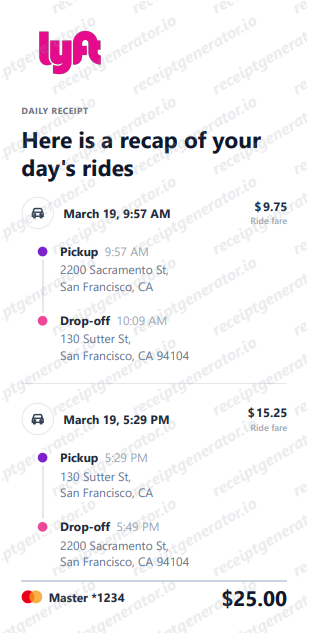
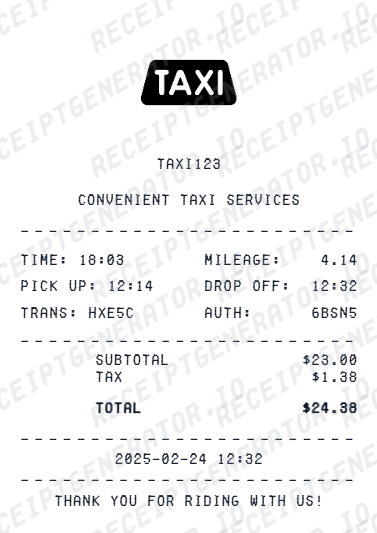
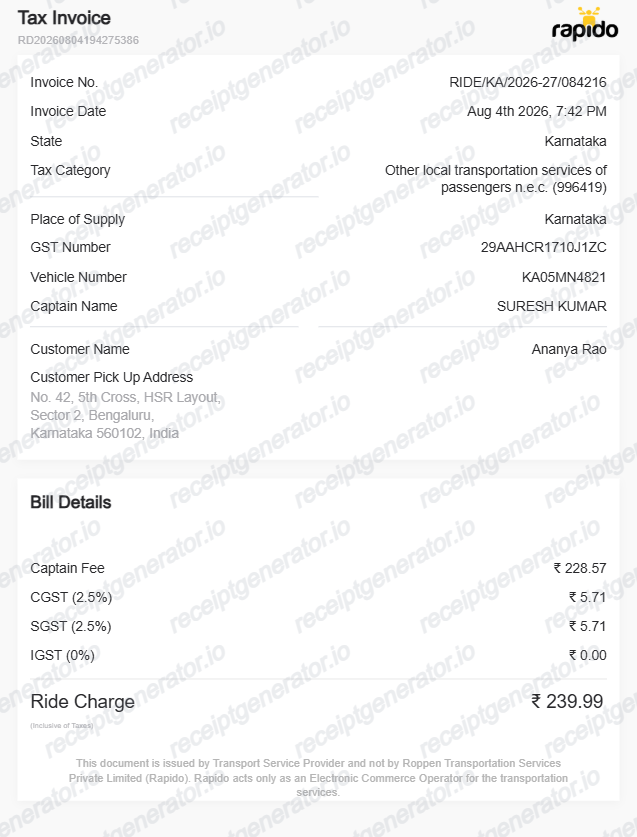
Browse our collection of receipt templates for various purposes.
Uber Receipt FAQ
Common questions about creating an Uber-style trip receipt for travel records, reimbursement support, and ride documentation.
Choose the Uber receipt template, add pickup address, dropoff address, distance, duration, base fare, surge, Uber fee, tip, and payment. Preview and download as PDF.
Yes. Business travelers submit Uber receipts for corporate travel expense claims - add trip details and payment for complete documentation.
Yes. Download a clean PDF for business expense reimbursement, corporate travel billing, or personal ride records.
A real Uber trip receipt shows the trip date, the driver's first name ('You rode with...'), a route map with pickup and dropoff addresses and timestamps, trip distance and duration, and a fare breakdown: the fare (or base fare plus distance and time charges), a booking fee as its own line, any surge amount, tolls and surcharges passed through at cost, tax where applicable, the tip, and the payment method charged.
Add the store name, purchase date, line items, totals, tax, payment method, and any optional notes you need on your Uber template.
Yes. Add full pickup and dropoff addresses with timestamps - matching the standard Uber trip receipt format.
Yes. Add driver name, vehicle make and model, and license plate for a complete Uber trip receipt.
Open the Uber app, tap Account, then Trips (or Activity), select the ride, and tap Receipt to view it or resend it to your email. You can also sign in at riders.uber.com on the web, open the trip, and download a PDF. Uber emails a receipt automatically after every completed trip, so searching your inbox for the trip date often works too. See our full guide for a complete step-by-step walkthrough.
Uber's upfront price only holds if the trip goes as planned. The final charge can be higher if the route or destination changed, extra stops were added, the driver waited past the free wait window, surge pricing applied, or tolls and airport surcharges were incurred along the way. A tip added after the ride also raises the emailed total. The receipt itemizes each of these so you can see exactly what changed.
Both. You can use these templates for reimbursements, bookkeeping prep, and internal documentation workflows.
Receipt Generator · Receipt Maker · 300+ Free Templates
Create your Uber receipt
Use the editable Uber receipt generator to add items, tax totals, and payment details, then export a clean PDF.