Free Comfort Cabs Receipt Generator
Create Free Comfort Cabs & Taxi Service Receipts Online - Add Meter Fare, Distance & Tips. Download PDF Instantly.
Create a Comfort Cabs-style receipt with trip details, fare, tolls, tip, and payment info. Download a PDF for records or reimbursement.

Choose
Comfort Cabs Receipt selected

Customize
Fill in your details

Download
Save or share receipt
Edit the details once and the preview updates instantly.
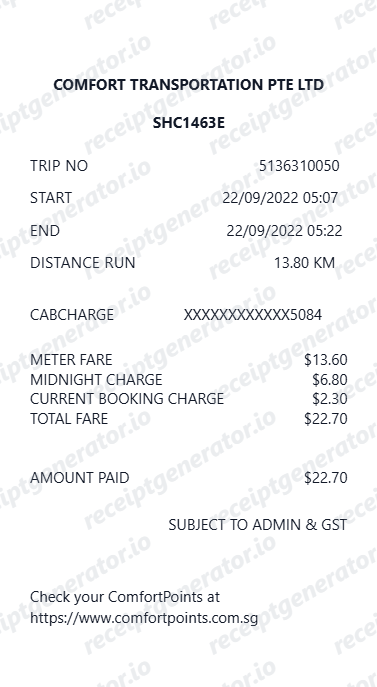
Quick summary
Comfort Cabs receipt template overview
Use this Comfort Cabs receipt generator to create authentic itemized receipts with editable products, tax calculations in $, and printable PDF export.
What Is on a Real Comfort Cabs Receipt?
Comfort (part of ComfortDelGro) is one of Singapore's largest taxi operators, and its metered-fare receipts follow the fare and surcharge structure set for Singapore street-hail and app-booked taxis.
Metered fare as the base line
The receipt starts with the metered fare calculated from flag-down rate plus distance and waiting-time units, matching what the meter displayed at trip end - this is separate from any booking fee.
Booking fee shown separately
Trips booked through the app carry an additional booking fee - historically tiered by fare size - itemized as its own line rather than folded into the metered fare.
GST at Singapore's 9% rate
Singapore's prevailing GST rate is 9%, and it applies to administrative charges (such as card payment surcharges) as well as to the fare on receipts that itemize GST separately.
Card payment admin charge
Paying by credit or charge card typically adds a percentage-based administrative charge on top of the fare, with GST applied to that charge - shown as a distinct line from the fare itself.
Peak-hour and location surcharges
Time-of-day surcharges (peak hours, midnight), plus location surcharges for CBD, airport, or Marina Bay pickups, are itemized separately from the base metered fare.
Vehicle and driver identifiers
The receipt includes the taxi's vehicle registration number and driver/badge identifier, which riders can use to reference a specific trip when contacting ComfortDelGro.
Print-ready taxi and cab service receipts
Edit the layout, watch it update live, then print, download PDF, or email.
Live cab receipt preview
Watch the receipt update as you add fare and trip details.
One-click print
Print your cab receipt from the browser.
Download as PDF
Export a clean taxi service receipt PDF.
Mobile-friendly editor
Create cab receipts from any device.
Get Your Original Comfort Cabs Receipt First
If you booked or paid through the ComfortDelGro app, the trip receipt is available in your ride history within the app or emailed to your registered address. For a street-hailed trip paid by card, check your card statement or ask the driver for a reprint at drop-off if the printer didn't issue one. Use this template when the original truly cannot be recovered.
Corporate cab expense claim
Submit cab receipts for corporate travel reimbursements.
Airport cab transfer billing
Document cab fares for airport transfer expense records.
Client transport documentation
Record cab rides for client-billable business transport.
Local cab service records
Track local cab spending with itemized receipts.
Comfort Cabs Receipt Types
Choose the cab receipt format for your taxi documentation.
Standard Cab Receipt
Taxi cab receipt with meter fare, distance, and tip.
Airport Cab Receipt
Cab receipt with airport surcharge and toll charges.
Corporate Cab Billing
Cab receipt formatted for corporate expense submission.
Related Guides
Explore related guides to understand the receipt details, lookup steps, and documentation workflows.
Uber Receipt for Reimbursement
Learn which trip details finance teams usually need from a rideshare receipt.
Explore Uber Receipt for ReimbursementLyft Receipt for Reimbursement
See how rideshare receipts are typically reviewed for travel and client-billing records.
Explore Lyft Receipt for ReimbursementTaxi Receipt Generator Guide
Explore the difference between taxi, rideshare, and airport-transfer receipt records.
Explore Taxi Receipt Generator GuideRelated Other Receipt Templates
More free receipt templates for taxi & ride and retail expense records.

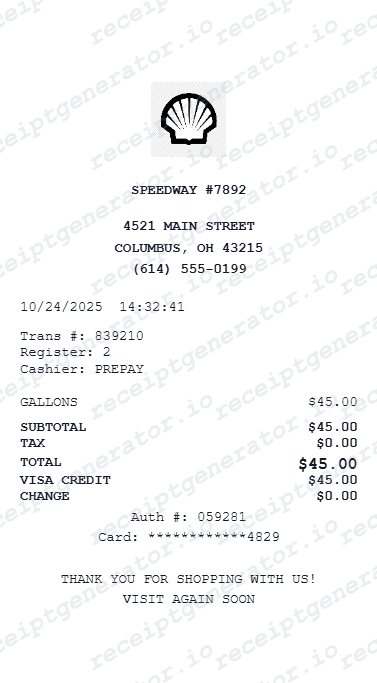
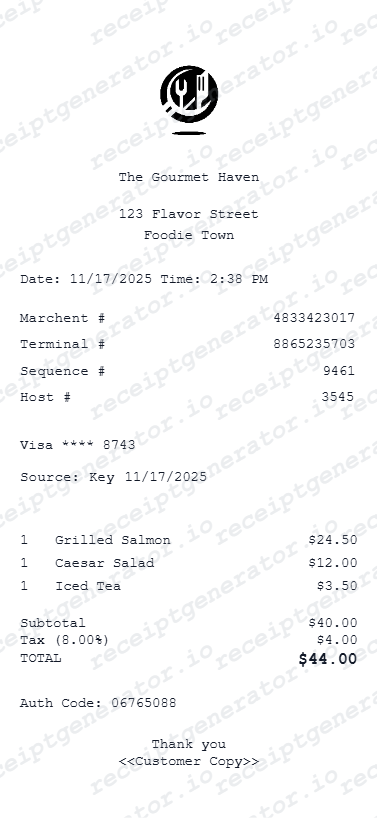
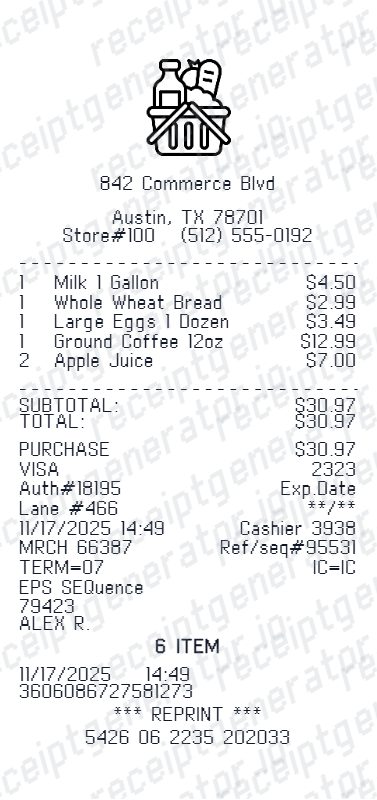
Comfort Cabs Receipt FAQ - Taxi & Cab Service Documentation
Learn how to create Comfort Cabs taxi receipts with metered fare, tolls, tip, and PDF export for expense reimbursement and cab service documentation.
Choose the Comfort Cabs receipt template, add company name, driver details, pickup and dropoff, metered fare, distance, toll, tip, and payment. Download as PDF.
Yes. Cab service receipts are commonly submitted for corporate travel, client meetings, and airport transfer expense claims.
Yes. Download a clean PDF for expense reimbursement, corporate billing, or personal travel records.
A real Comfort/ComfortDelGro taxi receipt shows the metered fare, any app booking fee, time-of-day or location surcharges, a card payment admin charge if applicable, GST at Singapore's prevailing 9% rate, the vehicle registration number, and the total paid.
Add the store name, purchase date, line items, totals, tax, payment method, and any optional notes you need on your Free Comfort Cabs template.
Yes. Add metered fare, trip distance in miles or km, and per-mile/km rate as separate line items.
Yes. Add driver name, driver ID, license plate, and Fleet/Medallion number for a complete cab receipt.
If the trip was booked or paid via the ComfortDelGro app, open your ride history to view or resend the receipt. For a street-hailed trip, check your card statement for a card payment, or ask the driver to reprint the meter receipt if you're still in the cab.
Yes. Singapore's prevailing GST rate of 9% applies to taxi fares and related charges, including administrative surcharges for card payments. The GST-inclusive total is what appears on the printed or digital receipt.
Both. You can use these templates for reimbursements, bookkeeping prep, and internal documentation workflows.
Receipt Generator · Receipt Maker · 300+ Free Templates
Create your Comfort Cabs receipt
Use the editable Comfort Cabs receipt generator to add items, tax totals, and payment details, then export a clean PDF.