Free Hardware Store Receipt Generator
Create Free Hardware Store Receipts Online - Add Tools, Parts & Materials. Preview free; watermark-free PDF export requires a paid plan.
Create a hardware store receipt with tools, parts, tax, and payment details. Download a PDF for billing, repairs, or reimbursement records.

Choose
Hardware Store Receipt selected

Customize
Fill in your details

Download
Save or share receipt
Edit the details once and the preview updates instantly.
Quick summary
Hardware Store receipt template overview
Create Hardware Store Receipts Online - Add Tools, Parts & Materials. Preview the layout before choosing a PDF export plan.
What Is on a Real Hardware Store Receipt?
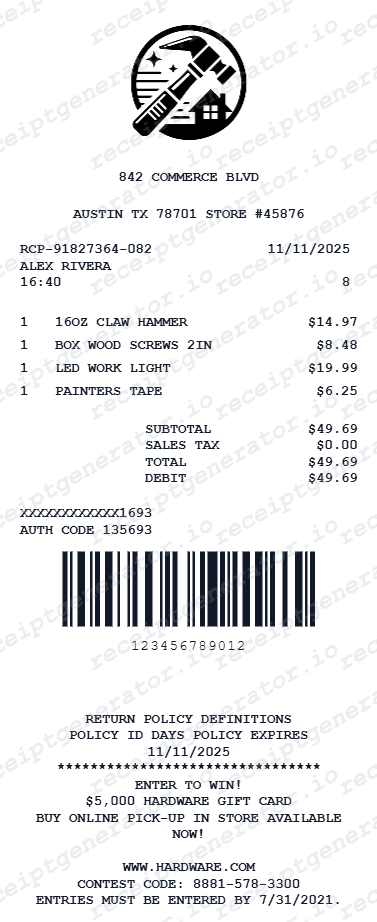
Before you rebuild a hardware store receipt, it helps to know what the register actually prints. Hardware receipts follow a consistent structure across chains and independents, and a credible replacement copy should match it field for field.
Store header and transaction line
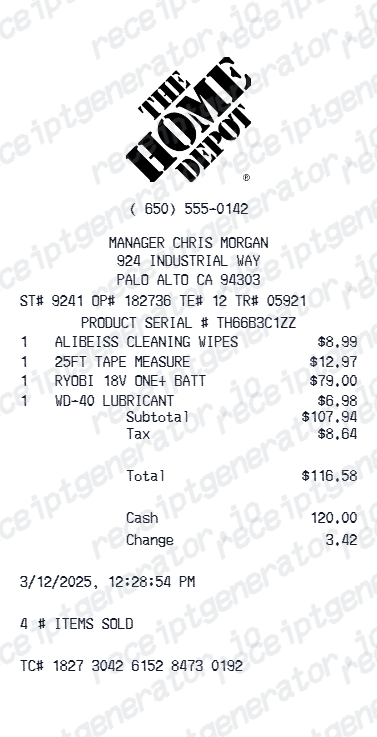
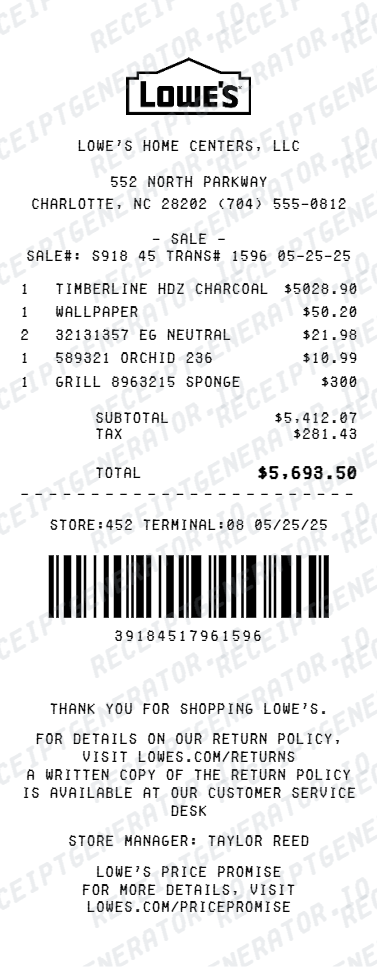
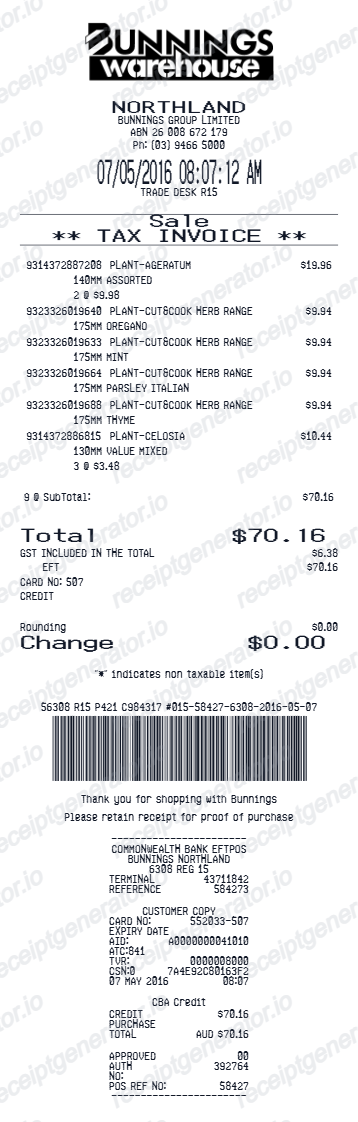
The top shows the store name, address, and phone number, followed by a line with the transaction date, time, register, clerk, and a transaction or ticket number that identifies the sale in the store's POS system.
SKU or part numbers on every line
Hardware POS systems identify items by SKU or part number with an abbreviated description, so a real receipt reads like a parts list - fittings, fasteners, and electrical components print by number rather than full product names.
Quantity-times-unit pricing
Bulk goods print as quantity times unit price with an extended amount: lumber by the board or linear foot, wire and chain cut by the foot, and loose fasteners sold by count or weight.
Contractor account and PO or job field
Purchases made on a trade or contractor account print the account name, and many stores add a PO number or job name field at checkout so the receipt can be assigned to a specific project for job costing.
Sales tax or exemption on materials
US stores charge sales tax on materials at the register and show it as its own line. Tax-exempt contractors and resellers instead have an exemption certificate on file, and the receipt reflects the zero-tax sale.
Return policy footer
The footer states the store's return window and conditions. Many hardware stores require the receipt for a cash refund and issue store credit without one, so the printed policy documents the return deadline.
Print-ready hardware store receipts
Edit the layout, watch it update live, then print, download PDF, or email.
Live hardware receipt preview
Watch the receipt update as you add parts and materials.
One-click print
Print your hardware store receipt from the browser.
Download as PDF
Export a clean hardware receipt PDF for contractor or expense records.
Mobile-friendly editor
Create hardware store receipts from any device.
Get Your Original Hardware Store Receipt First
If you bought from a big-box chain, take the card you paid with to the service desk - most can scan it and reprint the receipt, and purchases on a contractor or trade account usually appear in the account's online purchase history. Independent stores can often search the transaction by date and card if you call. Use this template when the original is unavailable - a cash purchase with no account link, a store that closed, or a receipt held by someone else.
Contractor material billing
Document hardware material purchases for client project billing.
Insurance repair documentation
Create a hardware store receipt for home repair materials after damage.
Business expense tracking
Track hardware purchases for contractor or tradesperson expense records.
DIY home repair records
Document home repair material purchases with hardware store receipts.
Hardware Store Receipt Types
Choose the hardware store receipt format for your purchase.
Parts & Hardware Receipt
Hardware store receipt for fasteners, fittings, and materials.
Contractor Supply Receipt
Hardware store receipt for contractor project material purchases.
Tool Purchase Receipt
Hardware store receipt for power tools and hand tool purchases.
Related Guides
Explore related guides to understand the receipt details, lookup steps, and documentation workflows.
Related hardware and home improvement templates
More free receipt templates for store and retail expense records.
Hardware Store Receipt FAQ - Contractor Billing & Parts Documentation
Learn how to create hardware store receipts with parts, tools, and PDF export for contractor billing and home repair documentation.
Choose the hardware store receipt template, add store name, item names, part numbers, quantities, prices, taxes, and payment method. Preview and download as PDF.
Yes. Contractors and tradespeople use hardware store receipts to document materials purchased for client projects and subcontractor billing.
Yes. Download a clean PDF for contractor billing, insurance claims, home repair documentation, or business expense tracking.
A typical hardware store receipt shows the store name, address, and phone at the top, a transaction line with the date, time, register, and clerk, item lines identified by SKU or part number with abbreviated descriptions, quantity-times-unit-price extensions for bulk goods like fasteners or lumber, sales tax, the total, the payment method, and a return policy statement in the footer.
Yes. Include item name, part number, brand, quantity, and unit price for professional hardware store documentation.
Yes. Add your own hardware store name, address, phone number, and tax ID for a professional receipt.
Ask at the service desk of the store where you bought the items. Big-box chains can usually scan the card you paid with and reprint the transaction, and purchases made on a contractor or trade account appear in the account's purchase history. For independent hardware stores, call with the approximate date and the card used - most modern POS systems keep transactions searchable for months.
Yes. Contractors attach material receipts to client invoices to document job costs, and many stores print a PO number or job name on the receipt when the purchase runs through a trade account. Keeping one receipt per job, with the job reference on it, makes markup calculations and client disputes much easier to resolve.
Receipt Generator · Receipt Maker · 300+ Free Templates
Create your Hardware Store receipt
Use the editable Hardware Store receipt generator to add items, tax totals, and payment details, then export a clean PDF.