Walgreens Receipt Generator
Check myWalgreens purchase history or order lookup first, then organize verified Rx, OTC, rewards, tax, and payment details in a personal PDF.
Create a Walgreens-style personal record with verified prescriptions, OTC items, rewards, tax, and payment details after checking for the original receipt.

Choose
Walgreens Receipt selected

Customize
Fill in your details

Download
Save or share receipt
Edit the details once and the preview updates instantly.
Get Your Original Walgreens Receipt First
If digital receipts were enabled, sign in to myWalgreens and check purchase history. For a Walgreens.com order, use Order History or Guest Order Lookup with the order number and customer details. Pharmacy records follow a separate workflow. Contact the store or pharmacy when the required record is missing; the editable template cannot retrieve or replace a Walgreens-issued receipt.
Official receipt retrieval
Eligible-item organization
Organize verified pharmacy details before locating the Walgreens-issued record required by a benefit administrator.
Prescription cost tracking
Track known copay and medication costs for personal review; use pharmacy-issued documentation for insurance.
Health expense tracking
Track Walgreens spending with itemized pharmacy receipts.
Photo center purchases
Document Walgreens photo center or gift card purchases.
Walgreens Receipt Types
Choose the Walgreens receipt format for your pharmacy purchase.
Pharmacy & Prescription Receipt
Walgreens receipt for prescription copay and medication.
OTC & Health Items Receipt
Walgreens receipt for over-the-counter and personal care products.
Pharmacy Purchase Record
A clearly labeled personal record for organizing verified Walgreens pharmacy purchase details.
Receipt Guides
Read the supporting Walgreens guides to recover purchase details, handle FSA or HSA records, and keep pharmacy documentation cleaner.
Walgreens Receipt Lookup
Learn where Walgreens receipts usually come from and which pharmacy details matter most for your records.
Explore Walgreens Receipt LookupWalgreens Receipt for FSA and HSA
See what reviewers usually need from a Walgreens receipt for benefit claims and health expense records.
Explore Walgreens Receipt for FSA and HSAWalgreens Receipt vs Prescription Receipt
Understand the difference between a broader Walgreens receipt and a more pharmacy-specific prescription record.
Explore Walgreens Receipt vs Prescription ReceiptFSA and HSA Receipt Requirements
Review the itemized fields benefit administrators usually expect before submitting a health-expense record.
Explore FSA and HSA Receipt RequirementsPharmacy Receipt for FSA & HSA
Learn which Walgreens receipt fields qualify for FSA or HSA reimbursement.
Explore Pharmacy Receipt for FSA & HSAWhat a CVS Pharmacy Receipt Should Include
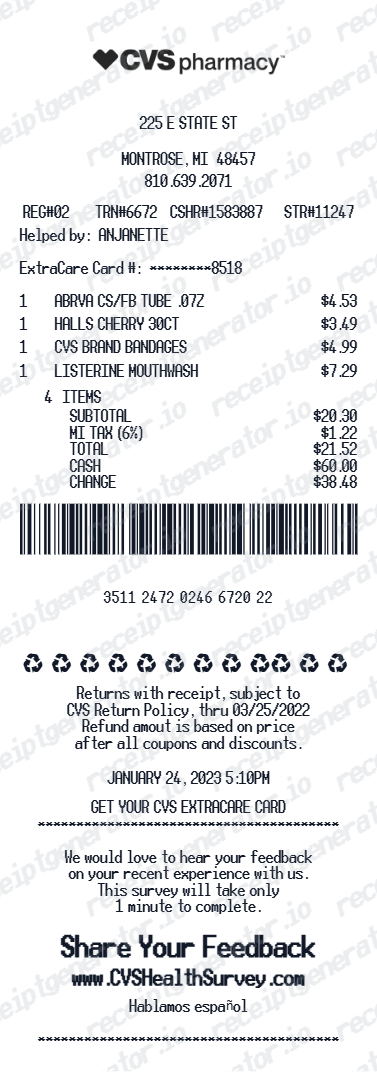
Compare the key fields on Walgreens and CVS receipts for health-expense documentation.
Explore What a CVS Pharmacy Receipt Should IncludeHow to Get a CVS Prescription Receipt
See how pharmacy-side receipt retrieval differs from regular store receipt history.
Explore How to Get a CVS Prescription ReceiptQuick summary
Walgreens receipt template overview
Use this Walgreens-style template to organize verified Rx, OTC, rewards, tax, and payment details after checking myWalgreens for the merchant-issued receipt.
What Is on a Real Walgreens Receipt?
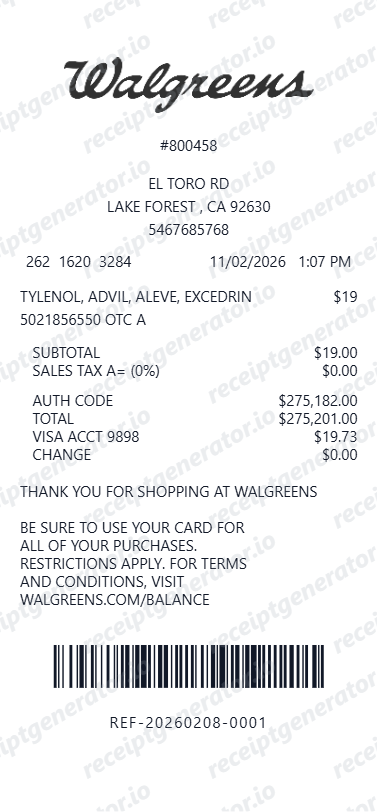
Walgreens retail and pharmacy records contain different store, prescription, rewards, tax, and payment fields. Use these details to understand the layouts and organize verified information without presenting a personal record as Walgreens-issued proof.
Store number and location header
Every Walgreens receipt opens with the specific store's number, street address, and phone number. Walgreens runs thousands of numbered stores, and the store number is what staff use to trace a transaction later.
Register, transaction, and cashier data
Near the bottom, the receipt prints the register number, transaction number, cashier ID, and the date and time, along with a barcode. That data is what a store uses to look up and reprint a receipt at the register.
myWalgreens rewards summary
Members see a rewards block showing Walgreens Cash earned on the purchase, any Walgreens Cash redeemed, and the total saved from sale prices and coupons - a receipt for a member purchase without this block looks incomplete.
FSA-eligible items flagged
Walgreens may mark likely eligible products on the merchant-issued receipt. Eligibility and required evidence depend on the benefit plan, so verify the original record with the administrator.
Rx receipts print separately
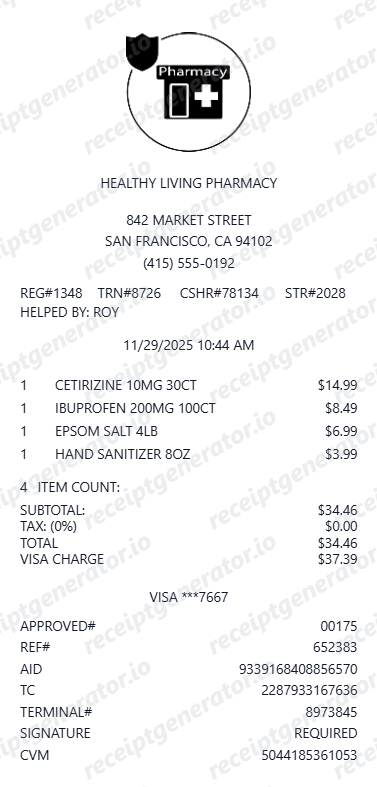
Prescription purchases produce their own pharmacy receipt with the Rx number, drug name, and copay - separate from the front-store receipt, because prescription records contain health information.
Purchase history backs it up
A Walgreens account can hold digital receipts, online order history, and pharmacy records. Check the current account tools first because retention and available documents can vary.
Print-ready Walgreens pharmacy receipts
Edit the layout, watch it update live, then print, download PDF, or email.
Live Walgreens receipt preview
Watch the receipt update as you add pharmacy items and rewards.
One-click print
Print your Walgreens receipt from the browser.
Download as PDF
Export a clearly labeled pharmacy-style PDF for personal organization or layout testing.
Mobile-friendly editor
Create Walgreens receipts from any device.
Related Other Receipt Templates
Browse our collection of receipt templates for various purposes.
Walgreens Receipt FAQ - Lookup, Orders & Rx Records
Learn how to find Walgreens digital receipts, order history, and pharmacy records, then organize verified Rx, OTC, rewards, tax, and payment details.
Choose the Walgreens receipt template, add pharmacy items, prescription copay, myWalgreens Cash rewards, coupons, taxes, and payment method. Preview and download as PDF.
Yes. Add prescription copay, OTC medications, vitamins, photo, and personal care items as individual line items.
Yes. Download a clearly labeled PDF for personal health-expense organization or layout testing. Use Walgreens-issued documentation for claims, insurance, returns, or reimbursement.
A real Walgreens receipt shows the store number, address, and phone at the top, each item with its price, the register number, transaction number, cashier ID, and date and time near the bottom, plus a barcode. myWalgreens members also see a rewards block with Walgreens Cash earned and redeemed, and FSA-eligible items are flagged on the receipt.
Add the store name, purchase date, line items, totals, tax, payment method, and any optional notes you need on your Walgreens template.
Yes. Add myWalgreens Cash earned and redeemed as line items - matching the Walgreens receipt rewards summary format.
Use the Walgreens-issued itemized receipt or pharmacy record for an FSA or HSA claim. This template can organize known details for personal review, but it is not acceptable claim evidence.
For in-store purchases, return to the store where you paid with the card you used or a photo ID - staff can look up the transaction by date, register, or card and reprint the receipt from the register. For prescriptions, sign in at walgreens.com to view and print prescription records covering roughly the last 18 months. Online orders live under your account's order history. See our full guide for a complete step-by-step walkthrough.
Requirements vary by plan. Keep the Walgreens-issued itemized receipt and prescription documentation, then check the administrator's required merchant, date, item, and payment fields. A generated template should not be submitted.
Both. You can use these templates for reimbursements, bookkeeping prep, and internal documentation workflows.
Receipt Generator · Receipt Maker · 300+ Free Templates
Create your Walgreens receipt
Use the editable Walgreens receipt generator to add items, tax totals, and payment details, then export a clean PDF.