Lost Walmart Receipt
Ready to create your own? Use our free receipt generator — no account needed.
Generate Walmart Receipt →On this page
If you lost a Walmart receipt, the best step is to recover the original purchase details first. Walmart usually keeps enough transaction history in the app, online account, or service-desk system to rebuild a clear purchase record.
Quick Answer
If the original Walmart receipt is missing, recover the purchase details from Walmart Purchase History, your email, or the service desk before creating any backup copy for your files.
Where to Recover the Purchase Details
Start with:
- Walmart app Purchase History
- walmart.com Purchase History
- email receipts
- service desk reprint from card details
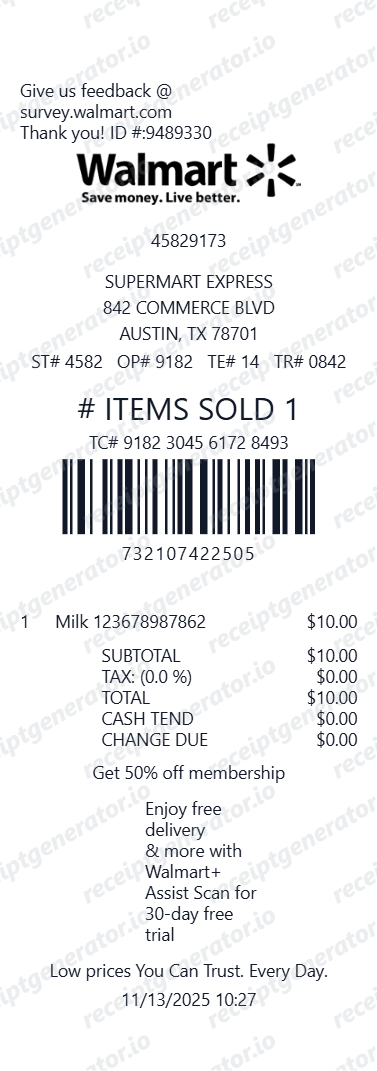
Those sources usually help recover:
- store number
- purchase date
- item lines
- tax and total
- payment method
- transaction reference details
Walmart's own help pages are the best source to confirm whether a purchase is visible in Purchase History or return flows:
Why the Original Store Record Matters
For returns, reimbursement, or budgeting, the verified purchase details matter more than the missing paper copy alone.
The best recovery flow is:
- confirm the purchase details
- save the digital receipt if available
- organize a cleaner backup copy if you need one
When a Backup Copy Helps
A cleaner replacement-style record can help when:
- you want a household purchase archive
- the original paper copy is gone
- you need a simpler expense file
- you are organizing store purchases by month
Create a Cleaner Walmart Receipt
Use the Walmart receipt template to organize verified store details into a structured PDF.
Related Guides
Final Takeaway
If you lost a Walmart receipt, recover the original purchase details first. That gives you a much stronger record than trying to recreate the transaction from memory.
Official Walmart References
FAQ
Start with Walmart Purchase History in the app or website, then check whether the store can reprint the receipt from your payment card.
Those sources usually recover the key store and transaction details.
Yes. Digital receipts, order history, and card-linked purchase records often provide enough detail for your records.
The most important thing is that the purchase details remain accurate and consistent.