Apple Store Receipt V2 Generator
Create an Apple Store receipt with iPhone, Mac, AirPods, AppleCare, trade-in credit, and payment details. Download a free PDF for insurance or warranty records.
Create an Apple Store-style receipt with devices, accessories, AppleCare, tax, and payment details. Download a PDF for records or reimbursement.

Choose
Apple Store Receipt V2 selected

Customize
Fill in your details

Download
Save or share receipt
Edit the details once and the preview updates instantly.
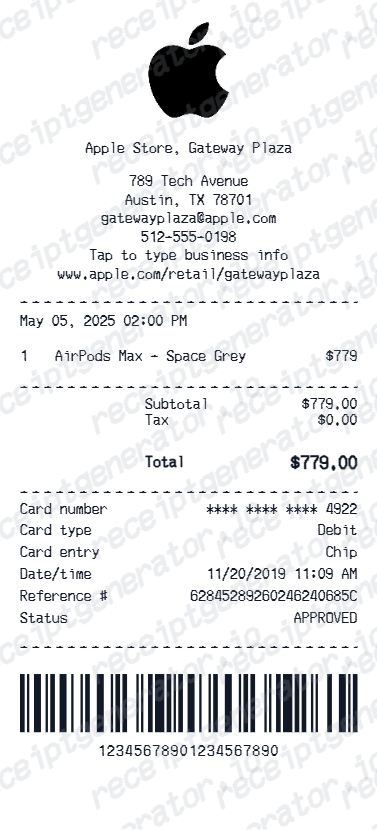
Quick summary
Apple Store Receipt V2 template overview
Use this Apple Store Receipt V2 template to build a clean, editable receipt record with the merchant, date, line items, tax, totals, and payment details already laid out for faster review.
What Is on a Real Apple Store Receipt?
Apple receipts and invoices follow a consistent structure across iPhone, Mac, iPad, and accessory purchases. A credible replacement copy should match the original field for field.
Serial number on the item line
Apple prints the device serial number on hardware purchase receipts. Warranty, AppleCare, insurance, and trade-in reviewers check this detail first, because it ties the document to one specific device.
W-prefixed Web Order Number online
Orders placed on apple.com get a Web Order Number that starts with W, shown on the confirmation email and the invoice. Retail Apple Store receipts show store and transaction data instead of a web order number.
Full configuration, not just the product name
The item line spells out the model, storage, and color - like MacBook Air 13-inch M3 256GB Midnight - plus Apple's part number, which ends in LL/A on US receipts.
AppleCare+ as a separate line
If AppleCare or AppleCare+ was added, it appears as its own line item with the plan name and price - the full term or the monthly plan - and is never bundled into the device price.
Tax, trade-in, and financing shown separately
Sales tax appears as its own line based on the delivery or store location, and any trade-in credit or installment financing is broken out separately rather than blended into a single discounted price.
Where the original invoice lives
Apple keeps online purchase invoices in your order history for up to 18 months - sign in and open the Order Status page to print one. Retail stores can locate and resend a receipt with a valid ID, and digital charges are documented at reportaproblem.apple.com.
Print-ready Apple Store receipts
Edit the layout, watch it update live, then print, download PDF, or email.
Live Apple Store receipt preview
Watch the receipt update as you add Apple products and AppleCare details.
One-click print
Print your Apple Store receipt from the browser.
Download as PDF
Export a clean Apple receipt PDF for insurance or warranty records.
Mobile-friendly editor
Create Apple Store receipts from any device.
Get Your Original Apple Store Receipt First
If you bought from Apple, start with the original: sign in at apple.com, open your order history from the Order Status page, and select View Invoice - online invoices stay available for up to 18 months. Retail purchases can be located and resent by the same Apple Store with a valid ID and the payment card, and digital charges live at reportaproblem.apple.com. Use this template when the original is unavailable - a purchase past the 18-month window, a device bought secondhand, or a receipt lost with an old email account.
Device insurance documentation
Create an Apple Store receipt for iPhone or Mac insurance claims.
Warranty registration
Document Apple purchase details for AppleCare or manufacturer warranty.
Business expense reimbursement
Submit an Apple receipt for business device expense reimbursements.
Resale proof of purchase
Generate an Apple receipt for device resale documentation.
Apple Store Receipt V2 Types
Choose the Apple Store receipt format for your device purchase.
Single Device Receipt
Apple Store receipt for one iPhone, Mac, or iPad purchase.
Multi-Device & Accessories Receipt
Itemized Apple receipt for multiple devices and accessories.
AppleCare Documentation Receipt
Apple receipt with AppleCare plan details for warranty records.
Apple Receipt Guides
Read the supporting guides on Apple receipts for insurance claims, warranty documentation, and proof of purchase records.
Repair Receipt for Insurance Claims
See which device and payment fields make an Apple receipt cleaner for insurance coverage or warranty dispute documentation.
Read guideReplacement StockX Receipt
Understand how proof-of-purchase records work for resale and why accurate device details matter for resale documentation.
Read guideHow to Find an Apple Receipt
Learn where Apple order and store receipts usually come from and which device details matter most.
Read guideiPhone Receipt Template
Review which device, serial, and payment fields belong on an Apple-style phone receipt record.
Read guideMac Receipt Template
See which product and payment details make a device purchase record easier to review later.
Read guideRelated Other Receipt Templates
Browse our collection of receipt templates for various purposes.

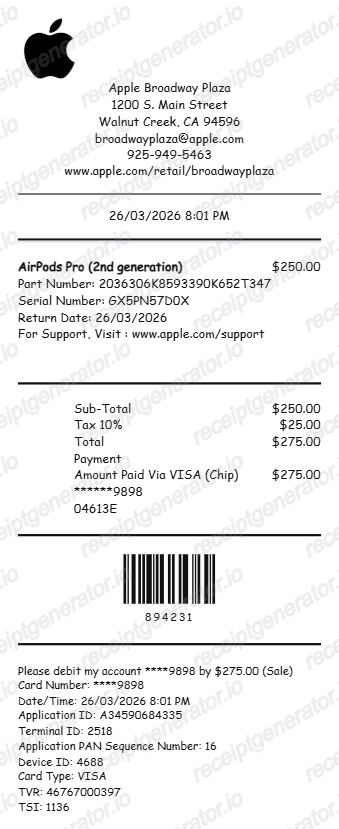
Apple Store Receipt V2 FAQ - iPhone, Mac & AppleCare Documentation
Learn how to create Apple Store receipts with device details, AppleCare, and PDF export for insurance and warranty documentation.
Choose the Apple Store receipt template, add product names, model numbers, serial numbers, AppleCare details, taxes, and payment method. Preview and download as PDF.
Yes. Add AppleCare or AppleCare+ plan as a separate line item with coverage period and price.
Yes. Creating and previewing is completely free - no login needed. Watermark-free PDF downloads are available on paid plans.
Sign in at apple.com or in the Apple Store app and open your order history from the Order Status page, then select View Invoice - online invoices stay available for up to 18 months. For in-store purchases, go back to the same Apple Store with a valid ID and the payment card; staff can usually locate the transaction and resend the receipt by email. App Store and other digital charges are documented at reportaproblem.apple.com.
Apple's standard return window is 14 days and requires proof of purchase. Warranty and AppleCare+ coverage are tracked by serial number, so routine service usually does not require paper - but Apple asks for the original proof of purchase when the purchase date on file is wrong or when coverage needs to be verified for a device bought from a reseller. Insurance claims, trade-in programs, and resale buyers often want the receipt too.
Add the store name, purchase date, line items, totals, tax, payment method, and any optional notes you need on your Apple Store Receipt V2 Generator template.
Yes. Include product name, model number, color, storage, and serial number for complete Apple purchase documentation.
Yes. Apple receipts are used for device insurance claims, homeowners/renters insurance, and warranty registration documentation.
Yes. Download a clean PDF for insurance records, warranty, resale proof of purchase, or business expense reimbursement.
A real Apple receipt lists the full configuration - model, storage, and color, like MacBook Air 13-inch M3 256GB Midnight - together with the device serial number. Orders placed on apple.com carry a Web Order Number starting with W, while retail receipts show store and transaction data instead. AppleCare+ is its own line item, trade-in credit is broken out separately, and sales tax and the payment method with the last 4 digits complete the totals.
Creating a receipt-style document for your own records is fine: recreating a lost receipt for personal bookkeeping, documenting a real purchase, or testing layouts. Using a generated receipt to claim a refund, return, reimbursement, warranty service, or tax deduction for a purchase that did not happen is fraud and strictly prohibited. All template content is demo data and does not represent real transactions.
Receipt Generator · Receipt Maker · 300+ Free Templates
Create professional receipts online in seconds
Use the Receipt Generator editor with ready-made templates. Compare pricing or start generating print-ready PDF receipts in your browser no account required.