Uber Receipt Example
See exactly what an Uber receipt looks like — trip ID, route with pickup and drop-off, fare breakdown, surge pricing, tip, and payment. Use the editable template to recreate or customize one.
See what a real Uber receipt looks like with all fields explained — trip ID, pickup and drop-off addresses, fare breakdown, surge pricing, tip, and payment. Use the editable template to recreate an Uber receipt.

Choose
Uber Receipt Example selected

Customize
Fill in your details

Download
Save or share receipt
Edit the details once and the preview updates instantly.
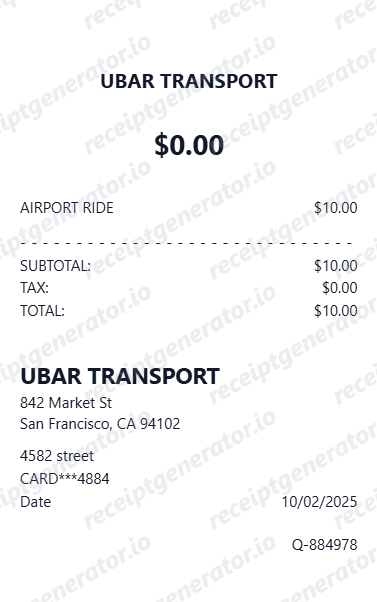
Quick summary
Uber receipt example overview
A standard Uber receipt includes the trip date and time, pickup and drop-off addresses, driver name and vehicle, fare breakdown with base fare, time, distance, booking fee, surge pricing if applied, tip, total, and payment method.
What's on an Uber Receipt?
An Uber receipt is delivered by email after every ride and contains the full trip and fare details. Understanding each section helps you verify charges, document travel expenses, or recreate a receipt when the original is missing.
Trip header
Uber logo, trip date, time, and unique trip ID for support reference.
Route details
Pickup address, drop-off address, driver name, driver rating, and vehicle make and model.
Fare breakdown
Base fare, per-minute time charge, per-mile distance charge, booking fee, and any surge multiplier shown as a separate line.
Tip and total
Tip amount added after the trip (in-app or at drop-off), and total charged including all fare components and tip.
Payment method
Masked card or payment method on file used for the trip charge.
See what an Uber receipt looks like
Edit the layout, watch it update live, then print, download PDF, or email.
See a real Uber receipt format
Preview a complete Uber receipt layout with trip ID, route, fare breakdown, surge pricing, tip, and payment.
Editable field-by-field
Edit any field in the Uber receipt example — trip date, addresses, driver, fare lines, tip, and payment — to match your actual trip.
Download as PDF
Export the completed Uber receipt example as a clean PDF for travel expense records or reimbursement.
Mobile-friendly editor
View and edit the Uber receipt example from desktop, tablet, or phone.
Looking for an Uber Receipt Example?
This Uber receipt example shows the standard email format — trip ID, route, fare breakdown, surge pricing, tip, and payment. Use the generator to build your own editable Uber receipt.
Verify a receipt format
Use this Uber receipt example to check that a receipt has the correct trip ID, fare breakdown, and payment details.
Understand receipt fields
Learn what the trip ID, booking fee, surge multiplier, and fare breakdown mean on an Uber receipt.
Recreate a lost Uber receipt
Use the receipt example as a reference to fill in the generator with your trip, fare, and payment details when the original is missing.
Travel expense documentation
Use an Uber receipt example as a reference when documenting rideshare trips for business travel reimbursement.
Uber Receipt Formats
Uber receipts follow the same email format for all ride types, with fare rates and surge pricing varying by vehicle tier and demand.
Standard Uber Receipt
An Uber receipt with trip ID, pickup and drop-off, fare breakdown, booking fee, tip, and payment method.
Uber Receipt with Surge Pricing
An Uber receipt showing surge multiplier applied to the fare during high-demand periods.
UberXL / Uber Black Receipt
An Uber receipt for premium ride tiers showing the higher base fare and per-mile rate for larger or premium vehicles.
Rideshare Receipt Guides
Read supporting guides for rideshare receipts, travel reimbursement records, and expense documentation.
Restaurant Receipt for Reimbursement
See what expense teams require from receipts for reimbursement approval.
Read guideLost Restaurant Receipt
How to recover or recreate a receipt when the original is lost or not saved.
Read guideRestaurant Receipt for Taxes
Review what receipt fields are needed for business travel and meal tax deductions.
Read guideUber Receipt for Reimbursement
Learn which trip details finance teams usually need from a rideshare receipt.
Read guideLyft Receipt for Reimbursement
See how rideshare receipts are typically reviewed for travel and client-billing records.
Read guideTaxi Receipt Generator Guide
Explore the difference between taxi, rideshare, and airport-transfer receipt records.
Read guideRelated Other Receipt Templates
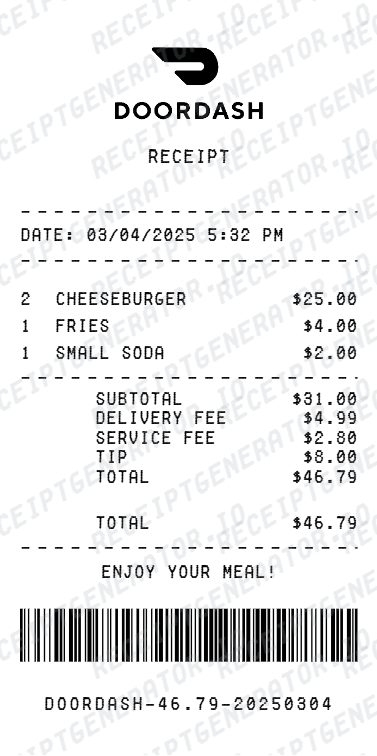
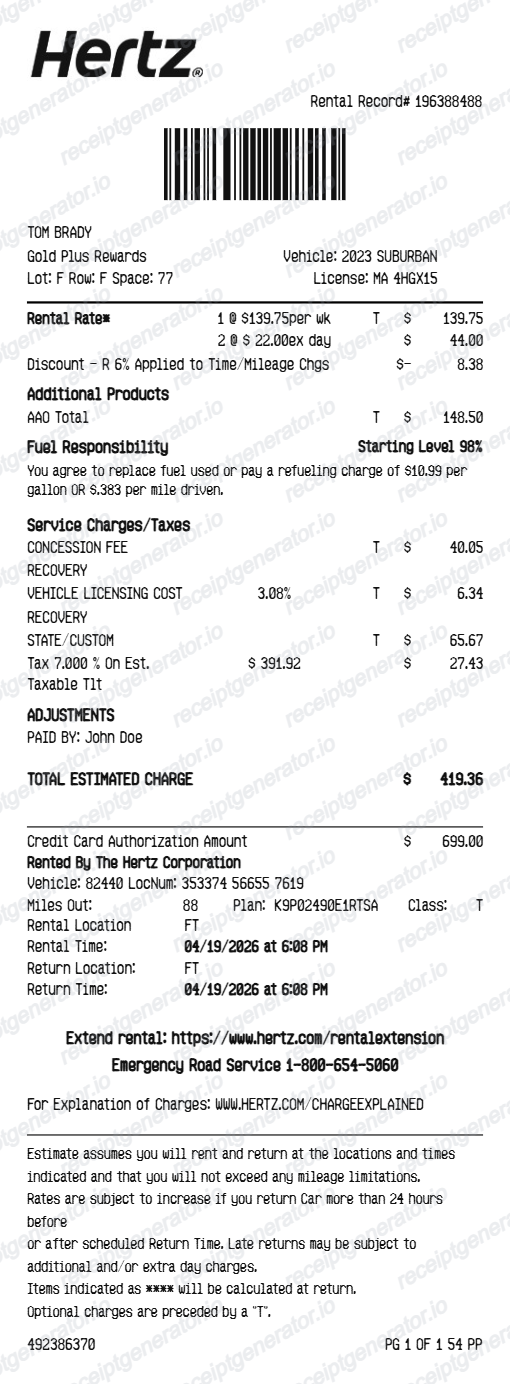
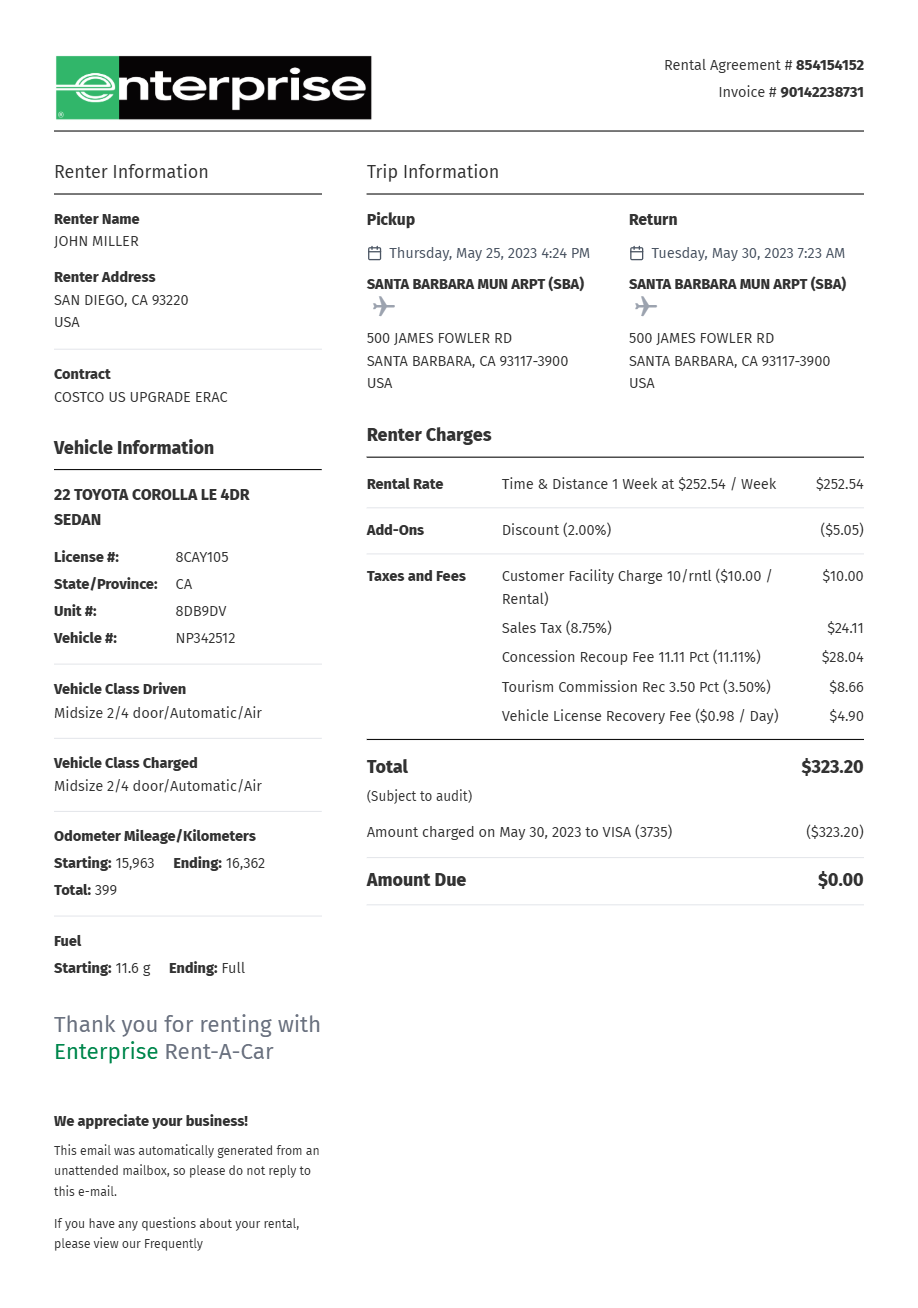
More receipt examples showing the format, fields, and layout of popular rideshare, delivery, and rental car receipts.
Uber Receipt Example FAQ
Common questions about what an Uber receipt looks like, what the trip ID means, how surge pricing appears, and how to recover or recreate one.
An Uber receipt is sent by email and shows the trip date, pickup and drop-off addresses, driver name and rating, vehicle details, fare breakdown (base fare, time, distance, booking fee), any surge multiplier, tip amount, and total charged to the payment method on file.
An Uber receipt includes the trip date and time, pickup and drop-off addresses, driver name and vehicle, fare breakdown (base fare, time charge, distance charge, booking fee), surge pricing if applied, tip, total, and masked payment method used.
Yes. Uber automatically sends receipts by email after every trip. You can also find all past trip receipts in the Uber app under Activity. Select any trip to view the full receipt with fare breakdown and trip ID.
Add the store name, purchase date, line items, totals, tax, payment method, and any optional notes you need on your Uber Receipt Example template.
The trip ID on an Uber receipt is a unique alphanumeric identifier assigned to your ride. It is used by Uber support to locate the specific trip when you have a billing question or dispute. It appears at the bottom of the emailed receipt.
Surge pricing appears on an Uber receipt as a multiplier (e.g., 1.8x) applied to the base fare and distance charge. The surge amount is itemized separately so you can see the standard fare and the additional surge charge.
Use the Uber Receipt Generator to enter trip details, pickup and drop-off addresses, fare breakdown, surge pricing, tip, and payment information. Preview and export a PDF that matches the standard Uber receipt format.
Both. You can use these templates for reimbursements, bookkeeping prep, and internal documentation workflows.
Receipt Generator · Receipt Maker · 100+ Free Templates
Need to recreate an Uber receipt?
Use the editable Uber Receipt Generator to enter trip details, fare breakdown, surge pricing, tip, and payment, then export a clean PDF.