AutoZone Receipt Example
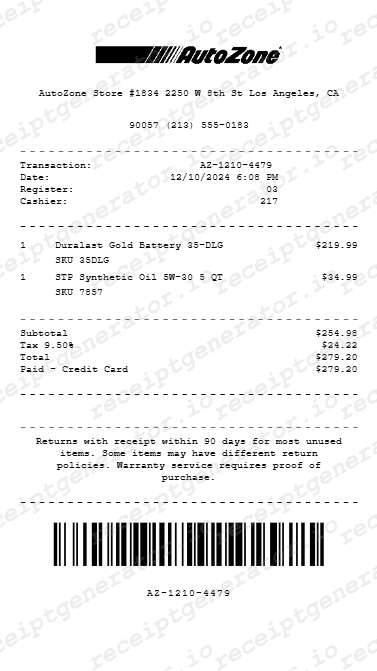
See exactly what an AutoZone receipt looks like — store number, part number and SKU, vehicle year/make/model lookup note, AutoZone Rewards points, core charge line, lifetime warranty note, tax, and payment. Use the editable template to recreate or customize one.
See what a real AutoZone receipt looks like with all fields explained — store number, part number and SKU, vehicle year/make/model lookup note, AutoZone Rewards points earned, core charge line when applicable, lifetime warranty notation, tax, and payment. Use the editable template to recreate an AutoZone receipt.

Choose
AutoZone Receipt Example selected

Customize
Fill in your details

Download
Save or share receipt
Edit the details once and the preview updates instantly.
Quick summary
AutoZone receipt example overview
A standard AutoZone receipt includes the store name and number, cashier ID, item rows with part numbers and SKUs, vehicle year/make/model lookup note, any core charge lines, lifetime warranty notations for qualifying parts, subtotal, sales tax, total, card payment authorization, and AutoZone Rewards points balance.
What's on an AutoZone Receipt?
An AutoZone receipt uses a detailed thermal format specific to auto parts retail, including part numbers, SKUs, vehicle fitment notes, core charge lines, and warranty notations. Understanding each field helps you verify a purchase, process a warranty claim, or recreate a receipt when the original is missing.
Store header
AutoZone store name, address, city, state, zip, phone, and store number printed at the top of the receipt.
Transaction details and vehicle lookup note
Cashier ID, register number, transaction date, time, and a vehicle year/make/model note when a part was looked up using AutoZone's vehicle fitment system.
Item rows with part number and SKU
Each item shows the part description, manufacturer part number, AutoZone SKU, quantity, price, any core charge as a separate line, and a lifetime warranty notation for qualifying parts.
Subtotal and tax
Subtotal of parts and any core charges, applicable sales tax (note: core charges may be tax-exempt in some states), and total amount charged.
Payment and AutoZone Rewards
Card type, masked card number, authorization code, AutoZone Rewards points earned from the transaction, and updated rewards balance.
See what an AutoZone receipt looks like
Edit the layout, watch it update live, then print, download PDF, or email.
See a real AutoZone receipt format
Preview a complete AutoZone receipt layout with store header, part numbers, SKUs, vehicle lookup note, core charge line, lifetime warranty notation, tax, payment authorization, and Rewards balance.
Editable field-by-field
Edit any field in the AutoZone receipt example — store number, part numbers, SKUs, vehicle note, core charge, tax, and payment — to match your actual purchase.
Download as PDF
Export the completed AutoZone receipt example as a clean PDF for warranty documentation, expense records, or parts reimbursement.
Mobile-friendly editor
View and edit the AutoZone receipt example from desktop, tablet, or phone without any software installation.
Looking for an AutoZone Receipt Example?
This AutoZone receipt example shows the standard format — store header, part numbers and SKUs, vehicle year/make/model lookup note, core charge line, lifetime warranty notation, tax, payment authorization, and AutoZone Rewards balance. Use the generator to build your own editable AutoZone receipt.
Verify a receipt format
Use this AutoZone receipt example to confirm that a receipt includes the correct store number, part numbers, SKUs, core charge line, vehicle lookup note, payment authorization code, and Rewards balance.
Process a core charge refund
Reference the core charge line on the AutoZone receipt example to understand how to claim your core charge refund when returning the old part.
Recreate a lost AutoZone receipt
Use the receipt example as a reference to fill in the generator with your store, part details, vehicle note, and payment information when the original is missing.
Document vehicle repair expenses
Use an AutoZone receipt example as a reference when documenting auto parts purchases for business mileage reimbursement, fleet expense reports, or vehicle maintenance records.
AutoZone Receipt Formats
AutoZone receipts follow a consistent thermal format across all store locations, with part numbers, SKUs, vehicle lookup notes, and core charge lines added when applicable to the transaction.
Standard AutoZone Parts Receipt
An AutoZone receipt with part numbers, SKUs, vehicle lookup note, subtotal, tax, card payment authorization, and AutoZone Rewards points.
AutoZone Receipt with Core Charge
An AutoZone receipt showing a core charge line added to the purchase price for a reman or remanufactured part, refundable upon core return.
AutoZone Warranty Replacement Receipt
An AutoZone receipt for a lifetime warranty replacement showing the original part number, replacement part, and zero-dollar charge for qualifying warranty exchanges.
Auto Parts Receipt Guides
Read supporting guides for auto parts receipts, core charge returns, warranty documentation, and expense records.
Retail Receipt for Reimbursement
See what expense teams require from a retail or auto parts receipt for reimbursement or fleet maintenance approval.
Read guideLost Retail Receipt
How to recover or recreate a retail or auto parts receipt when the original is lost or faded.
Read guidePrintable Retail Receipt PDF
Tips for exporting and using printable receipts for warranty claims, expense reports, and vehicle records.
Read guideRelated Other Receipt Templates
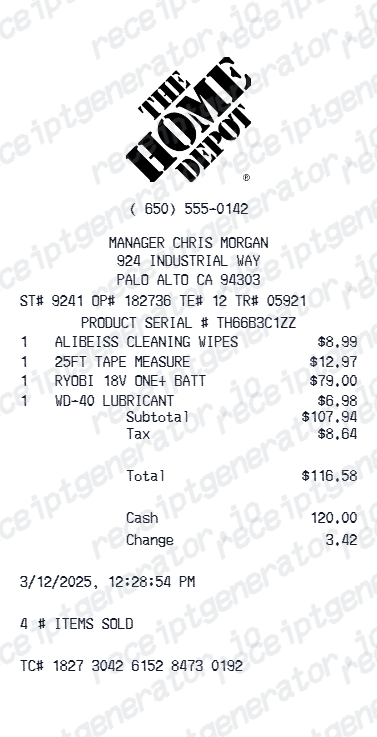
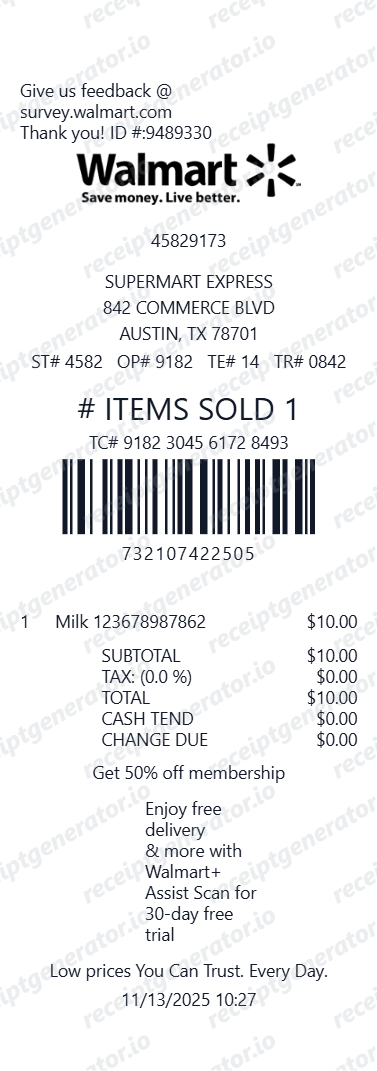
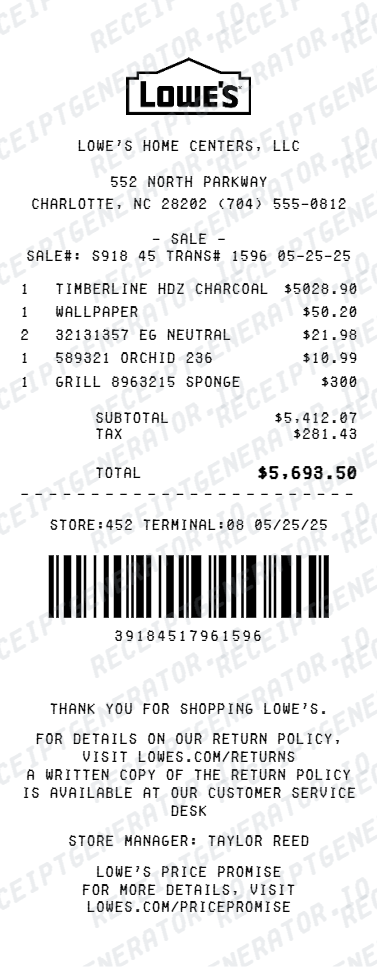
More receipt examples showing the format, fields, and layout of popular hardware, home improvement, and retail store receipts.
AutoZone Receipt Example FAQ
Common questions about what an AutoZone receipt looks like, what part numbers, SKUs, core charges, and vehicle lookup notes mean, the AutoZone Rewards program, and how to recover or recreate one.
An AutoZone receipt shows the store name, address, and store number at the top, followed by cashier ID, register number, date and time, item rows with part number, SKU, description, and price, a vehicle year/make/model note for parts lookup, any core charge line, a lifetime warranty notation for qualifying parts, subtotal, tax, total, and card payment details. AutoZone Rewards points earned and a balance update appear near the bottom.
The part number is the manufacturer's identifier for the specific component, while the SKU is AutoZone's internal catalog number. Both appear on the receipt and can be used to reorder the exact part or look it up in AutoZone's vehicle lookup system to confirm compatibility.
AutoZone Rewards is the store's free loyalty program. Points earned from the purchase appear on the receipt along with the updated rewards balance. Accumulated points are redeemable for AutoZone gift cards once the threshold is reached.
Add the store name, purchase date, line items, totals, tax, payment method, and any optional notes you need on your AutoZone Receipt Example template.
A core charge is a refundable deposit added to the price of certain automotive parts such as alternators, starters, and brake calipers. It appears as a separate line on the AutoZone receipt. When you return the old part (the core), the core charge amount is refunded to your original payment method.
When a cashier uses AutoZone's vehicle lookup system to find a part, the associated vehicle year, make, and model is printed on the receipt as a reference. This confirms that the part was selected for a specific vehicle and aids in warranty claims or part compatibility verification.
Use the AutoZone Receipt Generator to enter store details, part numbers, SKUs, vehicle lookup note, any core charge, lifetime warranty notation, tax, and payment information. Preview and export a PDF that matches the standard AutoZone receipt format.
Both. You can use these templates for reimbursements, bookkeeping prep, and internal documentation workflows.
Receipt Generator · Receipt Maker · 100+ Free Templates
Need to recreate an AutoZone receipt?
Use the editable AutoZone Receipt Generator to enter store details, part numbers, SKUs, vehicle lookup note, core charge, and payment information, then export a clean PDF.