How to Reprint a CVS Receipt With ExtraCare
Ready to create your own? Use our free receipt generator — no account needed.
Generate CVS Receipt →On this page
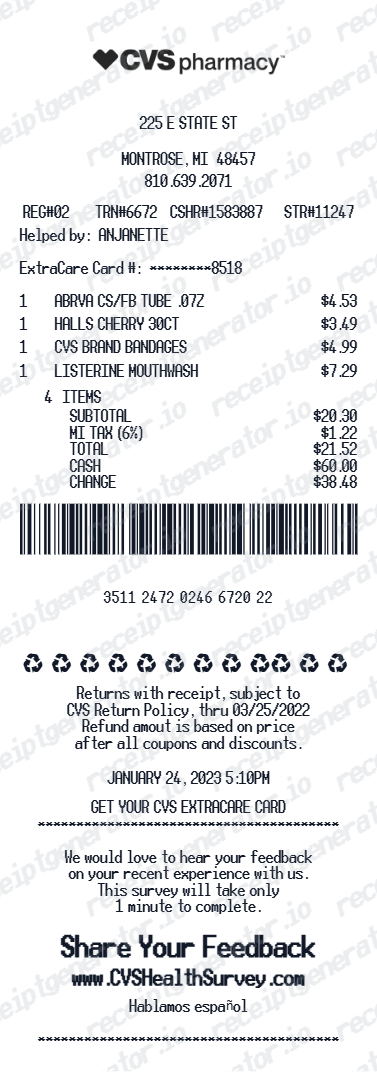
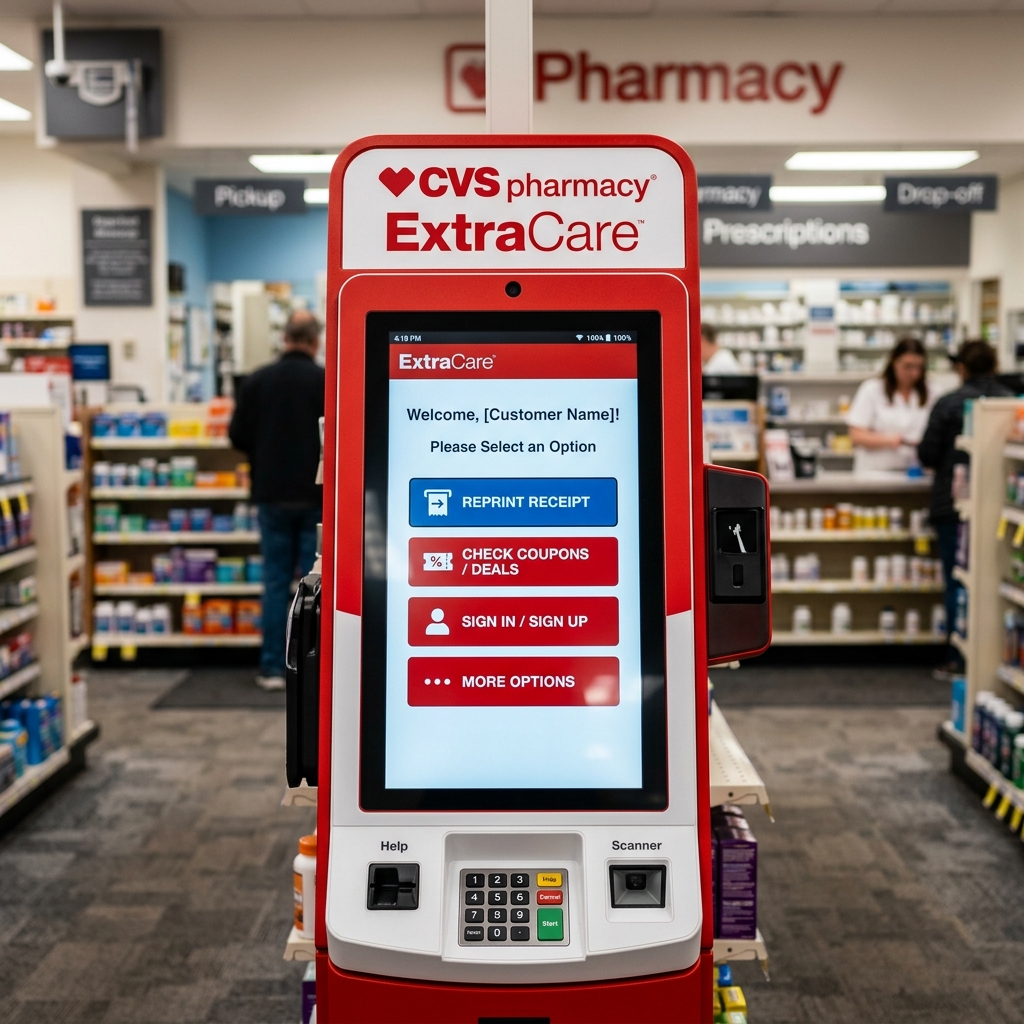
If you used your ExtraCare account at checkout, reprinting a CVS receipt is usually much easier than people expect. The important detail is this: ExtraCare mainly helps with front-store purchases and digital retail receipt history. If you need a pharmacy receipt, the process is different.
Quick Answer
To reprint a CVS receipt with ExtraCare, start in the CVS app and check the digital receipt history linked to your account. If you still cannot find it, ask a CVS associate for help locating the transaction.
Important
ExtraCare is strongest for retail and front-store receipts. If you need a CVS prescription receipt, ask the pharmacist instead of relying only on the ExtraCare receipt history.
How ExtraCare Helps With CVS Receipt Reprints
ExtraCare is CVS's membership and loyalty system. One of its biggest advantages is that it connects many in-store purchases to your account, which makes receipt recovery much easier later.
When a purchase is properly linked to ExtraCare, it may be easier to:
- find the receipt in the CVS app
- recover a recent retail transaction
- verify purchase date and item history
- access a cleaner digital version of the store receipt
This is especially useful for:
- OTC item purchases
- front-store shopping history
- coupon and ExtraCare savings review
- household budgeting and recordkeeping
How to Reprint a CVS Receipt in the App
If the purchase was linked to your ExtraCare account, the CVS app should be your first stop.
Basic process:
- Open the CVS app
- Sign in to the account connected to your ExtraCare membership
- Go to the Receipt or receipt history area
- Find the purchase by date
- Open the receipt and save, share, or print it if available
This is usually the fastest route for standard store receipts.
CVS's official ExtraCare help pages are also useful if you need to confirm how your card is linked to your account or how digital rewards and app-based account access work:
If you are looking for a general CVS purchase record, start here before going back to the store.
Related: CVS Receipt Lookup: Get Your Digital Receipt or Reprint
When to Ask a CVS Associate to Reprint It
If you cannot find the receipt in the app, a store associate may still be able to help locate the purchase.
This works best when you can provide:
- your ExtraCare account
- approximate purchase date
- store location
- payment card used
- approximate total
The closer your details are to the original transaction, the easier it is to match the receipt.
What ExtraCare Is Best At
ExtraCare is most helpful for:
- retail receipt history
- digital store receipts
- savings and coupon tracking
- front-store purchase recovery
That means it is especially useful for purchases such as:
- OTC medicine
- vitamins and supplements
- cosmetics
- personal care products
- snacks and household items
For those use cases, ExtraCare often gives you the cleanest path back to the original receipt.
What ExtraCare Is Not Best At
ExtraCare is not the best source for prescription-specific documentation.
If you need:
- a prescription receipt
- an Rx summary
- copay details
- insurance-adjusted pharmacy costs
you should go to the pharmacy instead.
That is because pharmacy documentation and retail receipt history are not the same system from a practical recordkeeping perspective.
If you need the pharmacy version, see:
Can You Use a Reprinted CVS Receipt for FSA or HSA?
Yes, if the receipt clearly shows the item details and amount paid.
For front-store eligible items, a reprinted CVS receipt can be useful for:
- FSA reimbursement
- HSA reimbursement
- household health expense tracking
- personal documentation
But if the expense was a prescription cost, the stronger document is usually the pharmacy-issued receipt or purchase summary.
Related: What a CVS Pharmacy Receipt Should Include
What to Do if the Digital Receipt Is Missing
If the transaction does not appear in your CVS app:
- Confirm you are signed into the correct ExtraCare-linked account
- Check whether the purchase was actually tied to ExtraCare
- Verify the date range you are searching
- Ask a CVS associate for help with the transaction lookup
- If the purchase was prescription-related, switch to the pharmacy process instead
This usually resolves the confusion quickly because most missing receipts fall into one of two buckets:
- the purchase was not linked to the correct ExtraCare account
- the user is looking for a pharmacy receipt in the retail receipt system
Best Practice: Save the Receipt as Soon as You Find It
Once you recover the receipt:
- download it
- save it as PDF or screenshot
- store it in a folder by year or category
- keep related pharmacy documents with it if the visit included both prescription and retail items
This prevents having to repeat the lookup process later.
Need a CVS Receipt Backup for Personal Records?
If you verified the purchase details and want a clean record for your files, use the CVS Receipt Generator to organize the information into a structured receipt-style document.
That is best for personal recordkeeping and organization. For official reimbursement, pharmacy, or insurance needs, rely on the original CVS-issued documentation first.
Open the CVS Receipt Generator
Create a clean CVS-style record using the verified details from your original purchase.
Related CVS and Pharmacy Guides
- CVS Receipt Lookup: Get Your Digital Receipt or Reprint
- How to Get a CVS Prescription Receipt
- CVS Prescription Receipt vs Store Receipt
- What a CVS Pharmacy Receipt Should Include
- CVS Receipt Generator
- Rx Receipt Template
Final Takeaway
If you used ExtraCare, start with the CVS app for retail receipt reprints. If the purchase was pharmacy-related, switch to the pharmacy process instead of forcing everything through the ExtraCare receipt history. That split is what makes CVS receipt recovery much easier.
Official CVS References
FAQ
Yes. If the purchase is linked to your ExtraCare account, you can often find the digital receipt in the CVS app or ask store staff to help locate the transaction.
This works best for front-store purchases tied to your ExtraCare membership.
ExtraCare helps most with retail receipt history and front-store purchase tracking.
Prescription-specific documentation is usually handled separately through the pharmacy.
Open the CVS app and go to the receipt section tied to your ExtraCare account.
Recent eligible purchases linked to your membership should appear there.
In many cases, yes. A CVS associate may be able to locate the purchase using your ExtraCare-linked information or payment details.
The more transaction details you have, the easier it is to match the purchase.
If the purchase was pharmacy-related, ask the pharmacist for the prescription receipt or a prescription purchase summary.
That is usually more useful than the front-store digital receipt system.
Yes, if it clearly shows the eligible item details and amount paid.
For prescription costs, the pharmacy-issued documentation is generally the better record.