How to Get a Lowe's Receipt for Returns or Records
Ready to create your own? Use our free receipt generator — no account needed.
Generate Lowe's Receipt →On this page
If you need a Lowe's receipt — for a return, a rebate, a manufacturer warranty, or a contractor record — the original purchase proof is what matters. As with most home-improvement buys, returns and warranties hinge on the purchase date and price.
Quick Answer
Check your purchase history at Lowes.com or in your MyLowe's account, or ask customer service to look up the receipt using the card you paid with and the date.
Where Lowe's Receipts Usually Come From
- the printed register receipt
- your Lowes.com order and purchase history
- your MyLowe's account, which can track purchases
- an in-store receipt lookup at the service desk
- an emailed receipt, if you provided an email at checkout
How to Recover a Lowe's Receipt
1. Lowes.com purchase history. Sign in at Lowes.com or in the app and open your order or purchase history. Online orders and purchases tied to your account show the itemized details.
2. MyLowe's account. If you used MyLowe's at checkout, eligible purchases can be tracked under the account, where you can review and reprint them.
3. In-store lookup. For an unlinked cash or card purchase, the service desk can often find and reprint the receipt using the credit or debit card you paid with and the approximate date.
4. Email receipt. Choosing an emailed receipt at checkout keeps a digital copy for future returns or warranty claims.
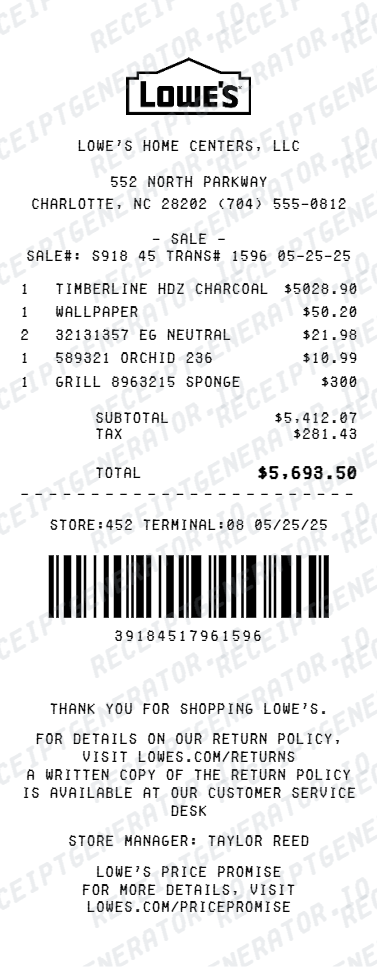
What a Useful Lowe's Receipt Should Include
- the store number and location (or "Lowes.com" for online)
- the date of purchase
- each item with description/SKU and price
- subtotal, tax, and total paid
- the payment method used
Using a Lowe's Receipt for Warranty, Returns, and Taxes
Contractors and homeowners rely on Lowe's receipts for manufacturer warranties, insurance claims, rebates, and deductible business-supply records. The dated, itemized receipt — not just a card charge — is the document that's accepted.
Need a Structured Lowe's Record?
If you've verified the original purchase details and want a cleaner version for your files, use the Lowe's Receipt Generator.
Open the Lowe's Receipt Generator
Create a structured Lowe's-style receipt using the verified details from your purchase.
Related Guides
Final Takeaway
Start with the record that matches how you bought — your Lowes.com purchase history, your MyLowe's account, or an in-store lookup with your payment card. Once confirmed, organize the details into a clean receipt for returns, warranty, or expense files.
FAQ
Often yes. If you used a MyLowe's account or a Lowe's card, the purchase may be tied to your account.
Customer service can also search for a purchase using the card you paid with and the approximate date.
A receipt or locatable purchase record makes returns and warranty claims much smoother and is usually required.
Card and MyLowe's purchases can frequently be found in the system without the paper slip.