Lowe's Receipt Generator & Original Receipt Guide
Check Lowe's My Order History for the original receipt first. If it is unavailable, create a clearly labeled backup from verified purchase details.
Recover a Lowe's receipt from your account history, or create an editable backup for a real purchase when the original is unavailable.

Choose
Lowe's Receipt selected

Customize
Fill in your details

Download
Save or share receipt
Edit the details once and the preview updates instantly.
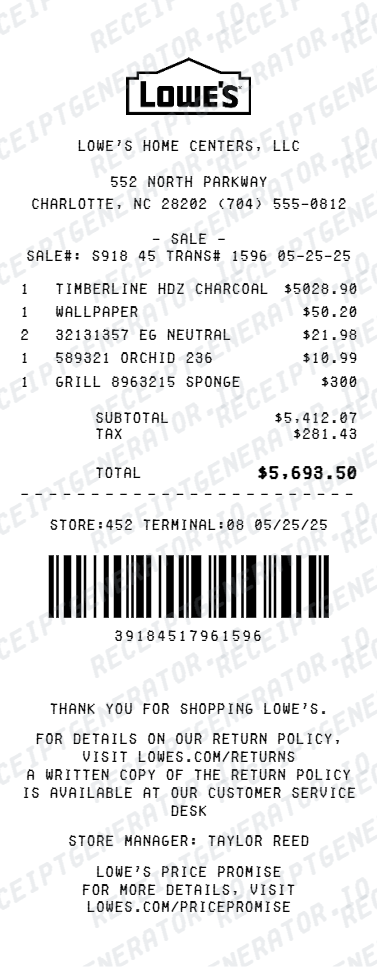
Get Your Original Lowe's Receipt First
Start with Lowe's My Order History, which separates online orders and store purchases and provides Add Existing Receipt and Export Purchase History controls. A merchant-issued record is the right choice for returns, warranties, reimbursement, or tax documentation. If the transaction is not listed, contact Lowe's customer service with the purchase details you can verify. Use the editor only for a clearly labeled personal backup of a real purchase.
Official receipt retrieval
Official Lowe's Order and Receipt History
Review online orders and store purchases, add an existing receipt, or export purchase history from Lowe's.
Open Official Lowe's Order and Receipt HistoryOfficial MyLowe's Rewards Guide
Learn how purchases and uploaded receipts connect to a MyLowe's Rewards account.
Open Official MyLowe's Rewards GuideProject cost tracking
Organize verified Lowe's item totals and tax lines for personal budgeting or an internal project log.
Lost receipt replacement
Recreate a clean itemized receipt record from transaction details when original thermal till slips are lost or faded.
Inventory recordkeeping
Maintain an internal inventory record with the known date, item, and register references; use the Lowe's-issued record for warranty service.
Lowe's Receipt Formats
Choose the Lowe's receipt format that best matches your documentation and layout needs.
Standard Store Receipt
Standard Lowe's till receipt layout with item lines, subtotals, tax breakdown, and payment confirmation.
Itemized Detailed Receipt
Expanded layout with product SKU codes, quantity unit rates, discounts, and store register metadata.
Digital Order & Invoice
Clean electronic invoice format with customer reference numbers, transaction IDs, and payment method details in $.
Related Guides
Explore related guides to understand the receipt details, lookup steps, and documentation workflows.
Design options
Choose a Lowe's receipt design
Select the thermal or itemized Lowe's layout from the same canonical page.
Quick summary
Lowe's receipt template overview
Use this Lowe's-style template to organize verified store, item, tax, and payment details in an editable printable PDF.
What Is on a Real Lowe's Receipt?
A Lowe's register receipt contains recognizable store, invoice, item, tax, and transaction fields. Use these details to understand the layout and organize verified information without presenting a personal record as merchant-issued proof.
Store number and header details
The top of a Lowe's receipt shows the store name, store number, address, and phone number - the same store number Lowe's asks for when you add a past purchase to your account manually.
Invoice number as the transaction ID
Lowe's identifies each transaction by an invoice number. It is the reference used to add a purchase to your lowes.com Purchase History, along with the purchase date and store number.
Item lines on narrow thermal paper
Items print in a compact monospaced layout with item numbers, short descriptions, and prices, followed by the subtotal, sales tax, and total on a narrow register tape.
MyLowe's Rewards linkage
Purchases made while identified as a MyLowe's Rewards member are tracked to the account, and points from an untracked printed receipt can be claimed within 45 days by entering the receipt details online.
Barcode and survey footer
The bottom carries a scannable barcode referencing the transaction plus a customer survey invitation block - both standard on Lowe's register receipts.
Electronic receipt lookup trail
Lowe's can retrieve the receipt electronically using the phone number, credit card, MyLowe's card, or checking account number used at checkout, which is why those identifiers matter more than the paper copy.
How to Create a Lowe's Receipt
Follow these steps to build a Lowe's-style thermal receipt with the real register fields.
- 1
Add the store number and header
Enter the store name, store number, address, and phone number shown at the top.
- 2
Add the invoice number
Enter the invoice number Lowe's uses as the transaction ID for the purchase.
- 3
List items with item numbers
Add each item with its item number, short description, and price.
- 4
Add MyLowe's Rewards details
If the purchase was tied to a MyLowe's Rewards account, note it for the rewards linkage.
- 5
Review the live preview
Check the item list, subtotal, tax, and total before exporting.
- 6
Download as PDF
Export the finished personal backup for your own project or bookkeeping records.
Create a print-ready Lowe's receipt
Edit the layout, watch it update live, then print, download PDF, or email.
Live Lowe's receipt preview
Watch the Lowe's receipt update in real time as you edit item rows, prices, and tax totals.
Print-ready PDF export
Download a clearly labeled Lowe's-style PDF for personal bookkeeping, project planning, or layout testing.
Editable store & register fields
Customise store location, cashier or lane numbers, transaction reference codes, and payment details in $.
Mobile-friendly generator
Create and preview Lowe's receipts instantly on smartphone, tablet, or desktop browser.
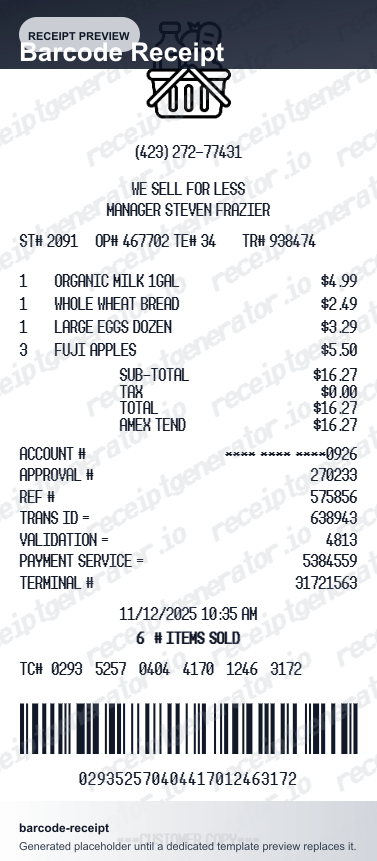
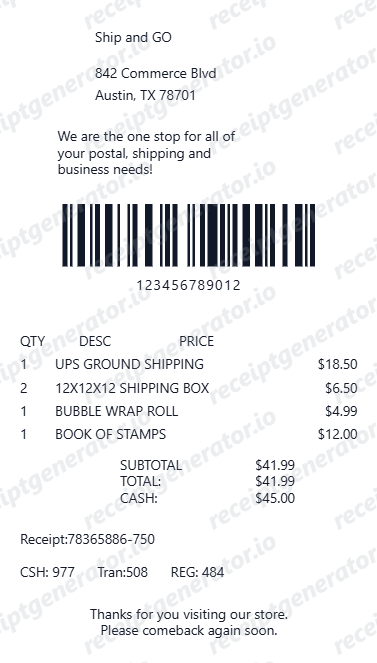
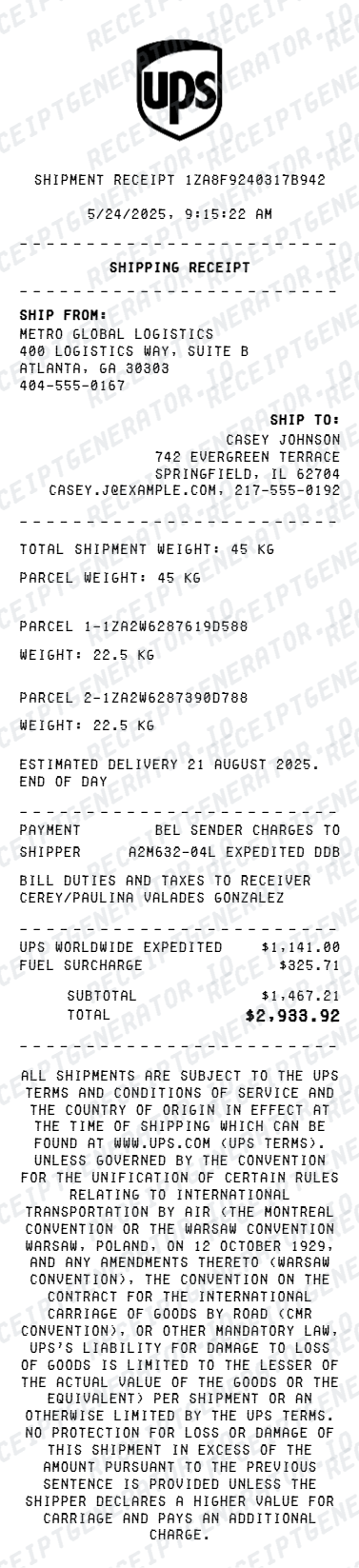
Related Other Receipt Templates
Browse our collection of receipt templates for various purposes.

Frequently Asked Questions
Find answers to common questions about our receipt generator service
This version uses a denser thermal-paper layout with a rewards QR block, barcode section, savings band, and survey box closer to a narrow register receipt.
Lowe's can look up receipts electronically at the customer service desk using the phone number, credit card, MyLowe's card, or checking account number tied to the purchase. If you have a MyLowe's Rewards account, purchases made while identified appear under Purchase History on lowes.com or in the app, and you can also add an old transaction manually by entering the invoice number, purchase date, and store number.
Check Lowe's current return policy and ask customer service to locate the merchant-issued transaction. A generated or reconstructed document is not valid proof for a return.
Both. You can use these templates for reimbursements, bookkeeping prep, and internal documentation workflows.
Yes. The generator works on mobile and desktop so you can edit details, preview changes, and export from either device.
Yes. This Lowe's receipt includes both a survey callout area and a scannable barcode section in the preview.
A real Lowe's register receipt is a narrow thermal printout showing the store name, number, and address at the top, transaction details with the date and time, item lines with prices, sales tax and total, an invoice number that identifies the transaction, a scannable barcode, and a customer survey invitation near the footer. MyLowe's members also see their loyalty details reflected in their account history.
Add the store name, purchase date, line items, totals, tax, payment method, and any optional notes you need on your Lowe's & Original Receipt Guide template.
This tool creates an editable Lowe's & Original Receipt Guide style layout for documentation. It is not issued by the original merchant or brand system.
Free previews may include limited export options depending on your plan. Check pricing for watermark-free and premium export access.
Receipt Generator · Receipt Maker · 300+ Free Templates
Create your Lowe's receipt
Use the editable Lowe's receipt generator to add items, tax totals, and payment details, then export a clean PDF.