How to Get a United Airlines Receipt for Reimbursement
Ready to create your own? Use our free receipt generator — no account needed.
Generate United Airlines Receipt →On this page
If you need a United receipt for an expense report, you want the fare receipt with the breakdown and ticket number, not just the card charge. United makes this available through a dedicated receipts lookup and your account.
Quick Answer
Use the receipts lookup on united.com — enter your confirmation number and last name to view and print the receipt. My Trips, your MileagePlus history, and the email itinerary are good backups.
Where United Receipts Usually Come From
- the receipts lookup tool on united.com
- My Trips on united.com (or the United app)
- your MileagePlus account trip history
- the email confirmation and itinerary
How to Recover a United Receipt
1. Receipts lookup. United provides a receipts page where you enter your confirmation number and last name to pull up and print the fare receipt — the quickest route if you still have the confirmation code.
2. My Trips. Open My Trips on united.com, find the trip, and view the receipt and fare details.
3. MileagePlus account. If you booked while signed in, your MileagePlus account lists past trips so you can retrieve the record without the confirmation number.
4. Email itinerary. The confirmation email includes the fare summary and ticket number. Search your inbox for "United."
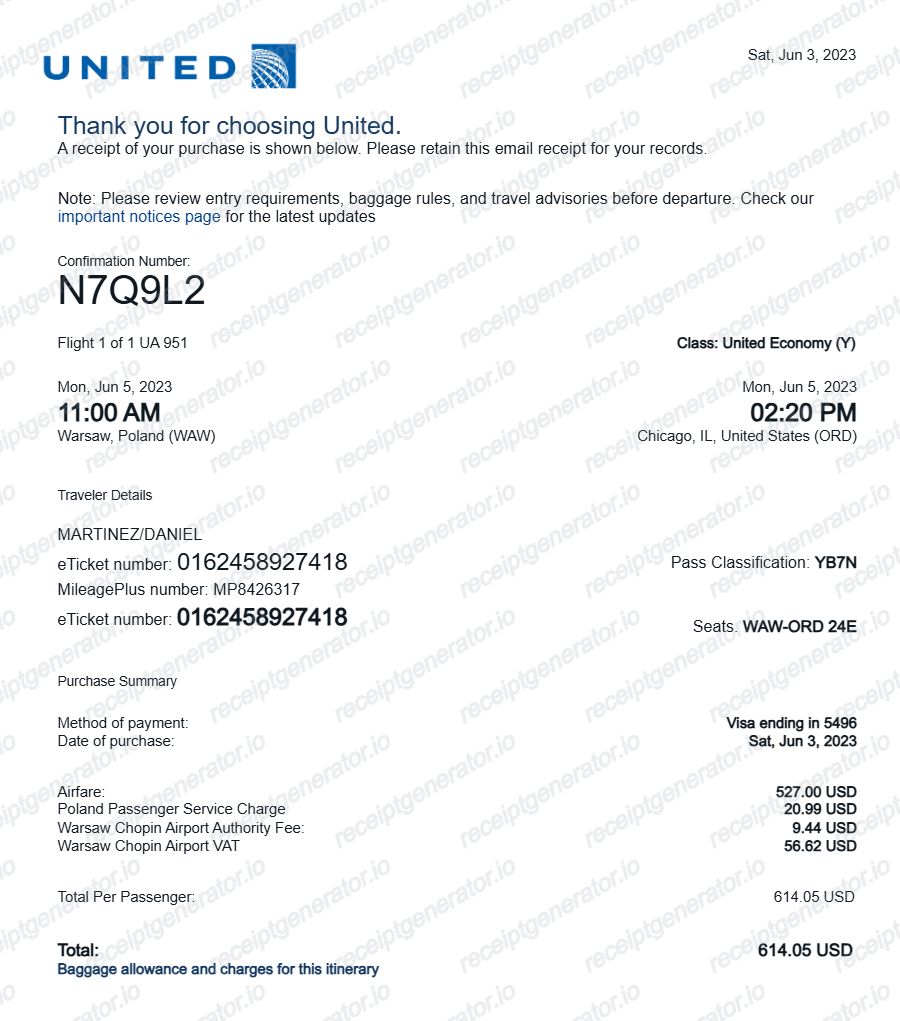
What a Useful United Receipt Should Include
- passenger name and ticket number
- the route and travel dates
- base fare, taxes, and fees
- total amount paid and the payment method
- extras like seats or bags, if claimed
Using a United Receipt for Reimbursement
Airfare gets close review in expense reports, so travel policies generally want the itemized fare receipt with the ticket number and dates. Pull the official record first, then keep a clean copy for your file.
Need a Structured United Record?
If you've confirmed your fare and ticket details and want a cleaner version for your files, use the United Airlines Receipt Generator.
Open the United Airlines Receipt Generator
Create a structured United-style receipt using the verified details from your booking.
Related Guides
Final Takeaway
Start with United's receipts lookup or My Trips to pull the official fare receipt with the ticket number and breakdown, then keep a clean copy for your travel-expense file.
FAQ
United has a receipts lookup on united.com where you enter your confirmation number and last name to view and print the receipt.
My Trips and your MileagePlus account also store the trip, and the email confirmation works as a record.
The fare, taxes and fees, total paid, ticket number, and the route and dates.
That breakdown is what travel-expense policies look for, beyond a plain card charge.