Printable Hotel Receipt PDF
Ready to create your own? Use our free receipt generator — no account needed.
Generate Hotel Receipt →On this page
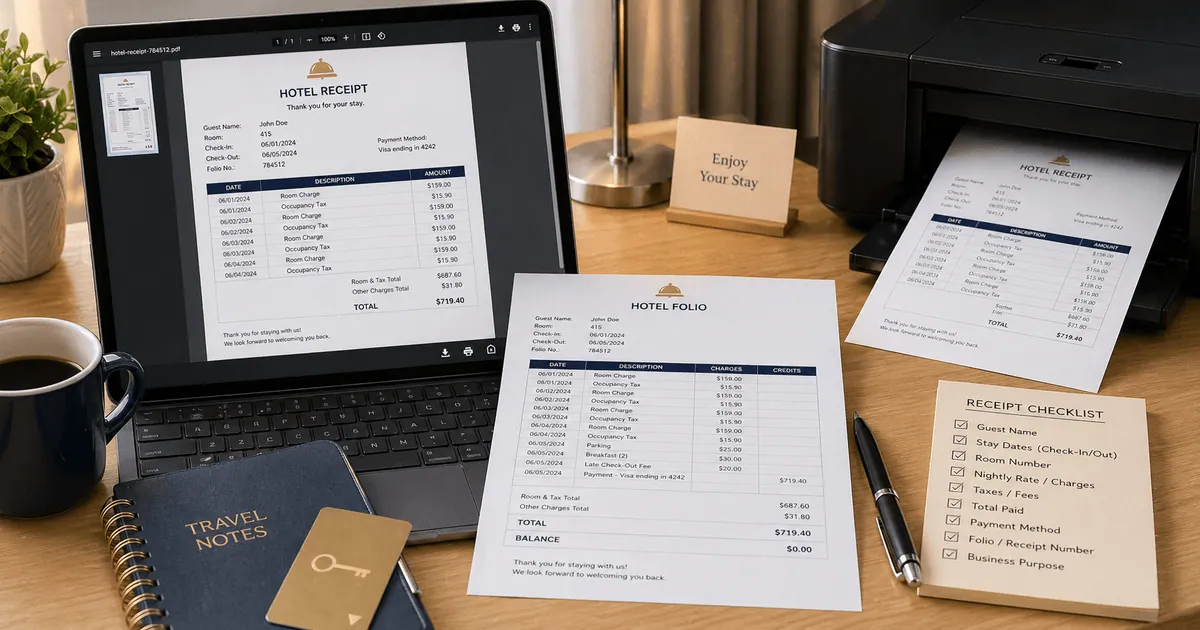
A printable hotel receipt PDF should be easy to read, complete, and organized like a lodging folio. That means it should not just show one total. It should show the parts that created the total.
For reimbursement and travel records, the IRS guidance is the clearest baseline for why the lodging document needs stay dates, room charges, and the amount paid in one file. See IRS Publication 463.
Quick Answer
A printable hotel receipt PDF should preserve the stay dates, nightly charges, taxes, payment summary, and final total in a format that stays readable when printed or attached to an expense report.
Fields to Include in a Printable Hotel Receipt PDF
- Hotel name and address
- Guest name
- Check-in and check-out dates
- Room number if available
- One line per night
- Taxes and fees
- Payment method
- Final total
Why PDF Works Better Than a Screenshot
PDF is easier to archive, print, and attach to reimbursement workflows. It also preserves spacing and line-item alignment better than screenshots or copied email text.
Keep the Layout Simple
When exporting a hotel receipt PDF:
- Keep nightly charges on separate rows
- Break out taxes instead of hiding them in the subtotal
- Leave out pending authorization holds
- Use the final paid total, not an estimate
Generate a Printable Hotel Receipt PDF
Related Guides
FAQ
PDF is usually the best choice because it keeps the layout stable and is easier to attach to reimbursement submissions.
Yes. Separate nightly rates make the document easier to review and closer to a standard hotel folio.