Lost Rental Car Receipt
Ready to create your own? Use our free receipt generator — no account needed.
Generate Rental Car Receipt →On this page
If you lost a rental car receipt, the best move is to recover the original booking and billing details first. Rental transactions are often still traceable through the rental company portal, email history, or payment record even if the printed receipt is gone.
That matches the IRS travel-expense baseline as well: the final record should preserve the rental dates, business or travel details, and amount paid rather than rely on a bare card charge. See IRS Publication 463.
Quick Answer
If the original rental car receipt is missing, recover the booking and billing details from the rental company, email, or payment record before creating any backup copy for your files.
Where to Recover the Rental Details
Start with:
- the rental company account
- booking and return emails
- rental agreement or invoice history
- payment card records
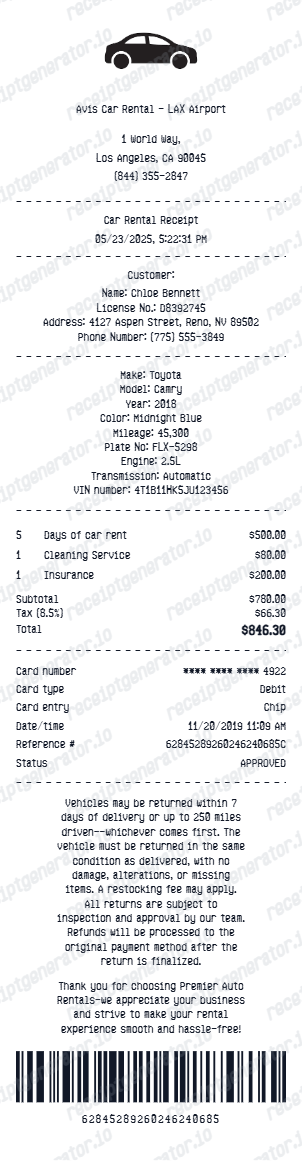
Those sources usually help recover:
- rental dates
- vehicle details
- daily rate
- fees and add-ons
- total paid
- reservation or agreement references
Why the Original Record Matters
For reimbursement, insurance, or travel records, the verified rental details matter more than the missing paper receipt alone.
The best recovery flow is:
- confirm the rental details
- save the original digital record if available
- organize a cleaner backup copy if you need one
If the trip was reimbursable, the original digital rental record is usually the easiest version for finance teams to review because it keeps the rental period and fees together.
When a Backup Copy Helps
A cleaner replacement-style record can help when:
- you want a travel archive
- the paper receipt is missing
- you need a simpler expense file
- you are organizing trip records by booking
Create a Cleaner Rental Car Receipt
Use the rental car receipt template to organize verified booking and billing details into a structured PDF.
Related Guides
Final Takeaway
If you lost a rental car receipt, recover the original booking and billing details first. That gives you a much stronger record than trying to recreate the rental charge from memory.
FAQ
Start with the rental company account, emailed rental confirmations, return records, or the payment record tied to the booking.
Those sources often help recover the original rental details.
Yes. Booking records, return confirmations, invoices, and payment records often provide enough detail for your records or reimbursement support.
The main goal is to keep the rental details accurate and consistent.