DoorDash Receipts for Customers & Drivers
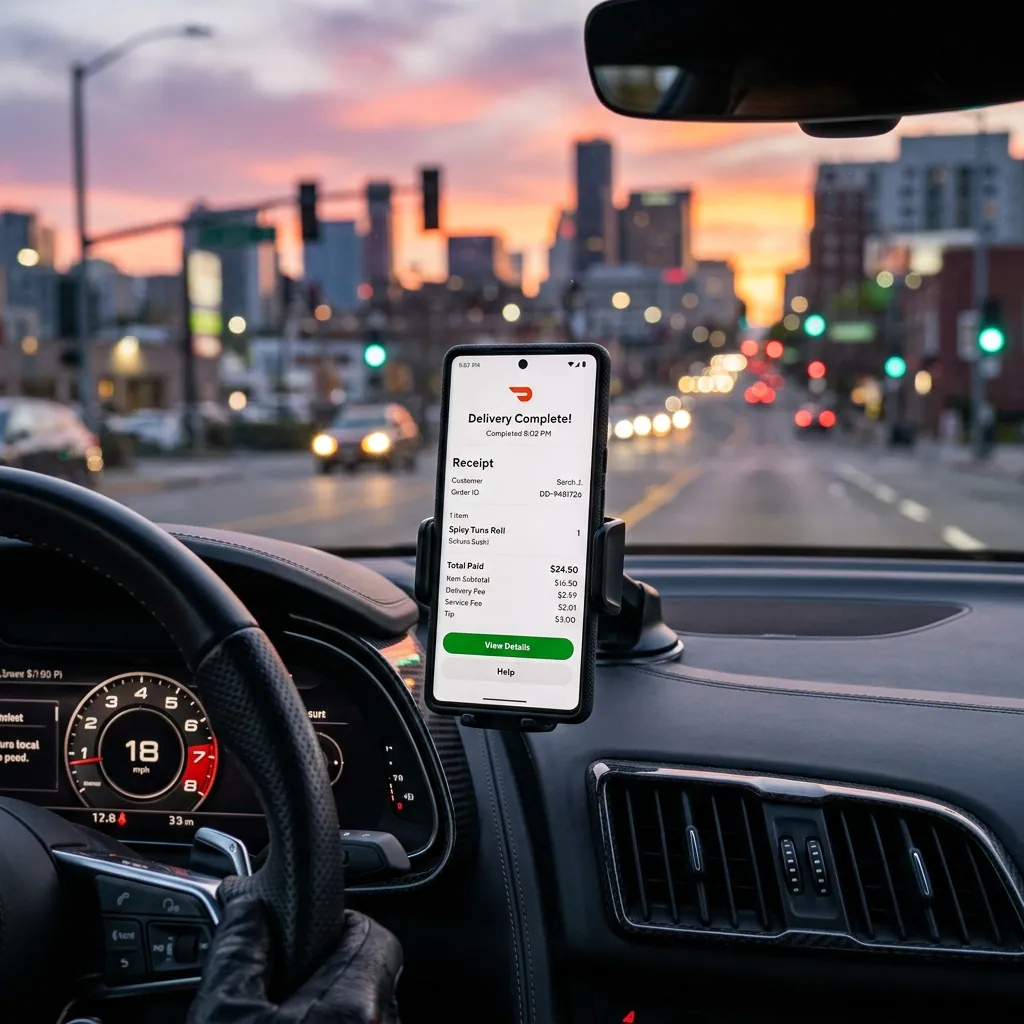
Ready to create your own? Use our free receipt generator — no account needed.
Generate DoorDash Receipt →On this page
Need a DoorDash receipt? Whether you're a customer tracking a food order or a Dasher managing your earnings, receipts are stored in different parts of the app. Here's exactly where to find them and what to do if one is missing.
Quick Answer
Customers: DoorDash app → Orders → select order → Get Receipt. Dashers: Dasher app → Earnings → select a date range → export or view trip details.
Important Notice
Backup receipts are for personal recordkeeping only. For tax filings or disputes, use official DoorDash statements and your 1099 form.
DoorDash Receipt for Customers: How to Find Your Order Receipt
DoorDash sends a receipt email to your account address after every delivery. If you missed it or can't find it:
In the app:
- Open the DoorDash app
- Tap the Orders tab at the bottom
- Select the order you need
- Scroll down and tap Get Receipt or Receipt
- Email it to yourself or save as PDF
In email:
Search for from:doordash.com or "Your DoorDash order" — DoorDash sends both an order confirmation and a receipt after delivery.
On the web: Log into doordash.com → Orders → select the order → Download receipt.
DoorDash treats customer order history and Dasher earnings as separate account views, which is why customer receipts and driver payout records live in different workflows. See DoorDash Dasher Support and Dasher reimbursement FAQs.
DoorDash Receipt for Dashers: Earnings and Payout Statements
As a Dasher, your "receipts" are your earnings statements. These aren't customer receipts — they're summaries of what DoorDash paid you for completed deliveries.
In the Dasher app:
- Open the Dasher app
- Tap Earnings in the bottom navigation
- Select a week or date range
- View a breakdown of base pay, tips, and bonuses for each delivery
On the web (driver.doordash.com):
- Log into the Dasher portal
- Click Earnings in the left menu
- Select a time period and download or export the summary
These statements show: total earnings, tips, base pay per delivery, and any promotions or challenges earned.
How to Export DoorDash Earnings for Taxes (1099 Guide)
DoorDash treats Dashers as independent contractors. If you earned over $600 in a calendar year, DoorDash will issue a 1099-NEC (non-employee compensation) form.
Where to find your DoorDash 1099:
- DoorDash uses Stripe Express for tax document delivery
- Check your email for an invitation from Stripe Express (usually sent in January)
- Log into express.stripe.com to view and download your 1099-NEC
- Use this form when filing your Schedule C (self-employment income)
If you earned under $600: DoorDash won't send a 1099, but you are still required to report the income. Use your app's earnings history as documentation.
What Dashers can deduct:
- Mileage (business miles driven for deliveries)
- Phone bill (business-use percentage)
- Insulated delivery bag
- Portion of car expenses
Keep your weekly earning statements throughout the year to support these deductions.
DoorDash vs. Uber Eats: Where to Find Receipts on Each Platform
DoorDash vs. Uber Eats
| Feature |
|---|
DoorDash tends to group earnings by day or week, while Uber Eats shows more delivery-level detail. When comparing totals across platforms, make sure you're looking at the same time window.
What to Do if Your DoorDash Receipt Is Missing or Wrong
If the receipt didn't arrive by email:
- Check spam and your promotions tab
- Confirm the email address on your DoorDash account (Settings → Account)
- Wait 15 minutes — DoorDash sometimes sends receipts with a delay
If the amount looks wrong:
- Open the order in the app → Help → Order Issues
- DoorDash support can review and correct pricing errors
- Refunds appear as a credit within 5–7 business days
If the order is gone from history:
- DoorDash keeps order history for at least 2 years
- Use the web dashboard at doordash.com which sometimes shows orders not visible in the app
Missing a DoorDash Receipt? Create a Personal Backup
If you genuinely cannot retrieve the receipt and need it for personal records, create a backup with the details you have:
- Date and time of the order
- Restaurant name and items ordered
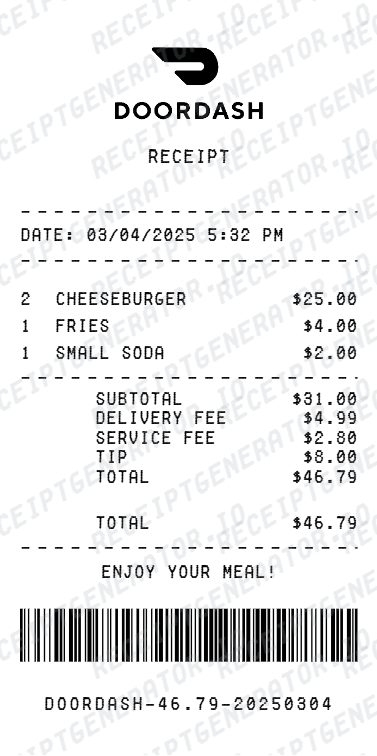
- Subtotal, fees, tip, and total (from your bank statement)
- DoorDash as the merchant
Create a Food Delivery Receipt
Related:
If You Drive for Both DoorDash and Uber Eats
Keep separate folders for each platform's receipts. It makes tax time significantly easier and prevents mixing totals, especially if you're applying the mileage deduction across deliveries from both apps.
A simple system: one Google Drive folder per app, organized by month. Download your weekly earnings statements every Sunday and drop them in.
Related Tools & Guides
Food Delivery & Rideshare Generators:
- DoorDash Receipt Generator
- Uber Eats Receipt Generator
- GrubHub Receipt Generator
- Instacart Receipt Generator
- Lyft Receipt Generator
- Grubhub Receipt Template
Gig Worker Tax Guides:
- Gas Receipt for Taxes: IRS Requirements & How to Recreate One
- Lost Uber Receipt: App, Email & Backup Options
- How to Make a Receipt for Taxes: Complete IRS Guide
- Restaurant Receipt for Taxes: Business Meal Deduction Guide
Browse All Templates:
FAQ
Open the DoorDash app → Orders → select the order → tap Get Receipt.
DoorDash also emails a receipt to your account email after every delivery.
Yes — DoorDash sends a 1099-NEC to Dashers who earn over $600/year.
For quarterly records, use the Earnings tab to export weekly or monthly summaries.
You can also log into the Dasher portal at driver.doordash.com for downloadable earnings statements.
Adjustments, refunds, and timing differences can change payout totals.
DoorDash pays on a weekly schedule by default — the deposit date may not match the week it covers.
Yes — the customer receipt PDF includes order details, itemized costs, and payment method.
For corporate expense reports, forward the emailed receipt or attach the PDF.
DoorDash uses Stripe Express for tax documents. Check your email for an invite from Stripe.
If you earned over $600, your 1099-NEC will be available in Stripe Express at express.stripe.com.
Yes, use in-app help or the web dashboard for older order history.