Home/Blog/uber

How to Get an Uber Receipt: From the App, Email, or a Backup Copy

Published
5 min readReading Time
How to Get an Uber Receipt: From the App, Email, or a Backup Copy

On this page

Lost your Uber receipt? Start with the app — Uber saves every trip in your ride history and the original receipt is almost always retrievable within seconds. If that doesn't work, there are two more methods before you need to consider a backup.

Quick Answer

Open the Uber app → Activity → select the trip → tap Get Receipt. You can email it to yourself or download a PDF directly from that screen.

Important Notice

Replacement receipts are for personal recordkeeping only. For reimbursement, always use the official Uber receipt first. A backup document should be a last resort.

Where Uber Receipts Are Saved

Uber stores receipts in three places. Check them in this order:

  1. The Uber app — fastest, works for any trip in your history
  2. Email — Uber sends a receipt to your account email after every trip
  3. Uber web dashboard — riders.uber.com, useful for exporting older trip history

Most lost Uber receipts are actually in email — just buried in spam or the Promotions tab.

How to Get a Receipt from the Uber App

  1. Open the Uber app on your phone
  2. Tap the three lines (menu) in the top-left corner
  3. Tap Activity or Your Trips
  4. Select the trip you need a receipt for
  5. Tap Get Receipt or scroll down to find the trip details
  6. Choose Email to send it to your inbox or Download for a PDF

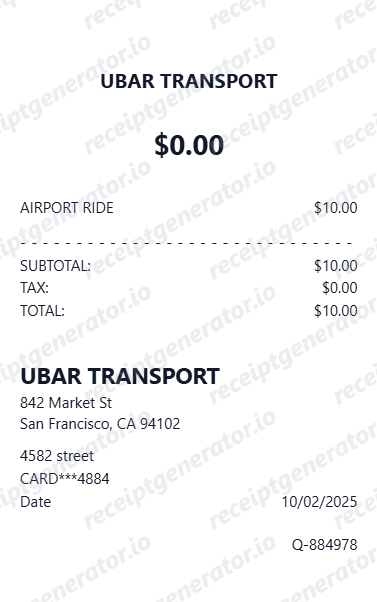
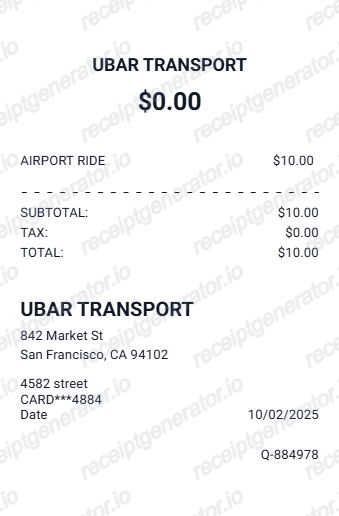
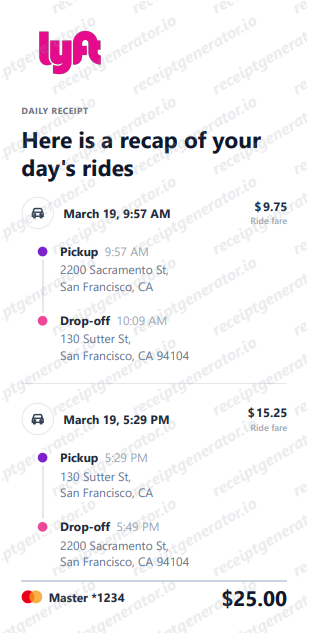
The receipt shows the date, pickup, drop-off, fare breakdown, tip, and payment method — everything most expense teams need.

How to Download an Uber Receipt as PDF

From the app: Trip details → Get Receipt → choose to email it → open your email → print to PDF.

From the web (riders.uber.com):

  1. Log into your account
  2. Click Trips in the left menu
  3. Find the trip and click it
  4. Click Download or Email receipt

The web dashboard is often cleaner for exporting multiple receipts at once.

How to Find an Uber Receipt in Email

Search your inbox for any of these:

  • from:uber.com receipt
  • "your trip with" + the date
  • "trip receipt"

Also check:

  • Spam or Junk folder
  • Promotions tab (Gmail)
  • Updates tab (Gmail)
  • Your old email address if you recently changed accounts

Uber Eats Receipt vs. Uber Ride Receipt: Different Locations

These receipts live in different sections of the app:

  • Uber ride receipts → Activity → Your Trips
  • Uber Eats receipts → Uber Eats app → Orders → select the order → Get Receipt

If you are looking for a food delivery receipt, you must open the Uber Eats app separately — it is not combined with your ride history in the main Uber app.

Uber Receipt for Business Expense Reimbursement

For expense reimbursement, the Uber receipt PDF typically includes everything finance teams need:

  • Date and time
  • Pickup and drop-off locations
  • Fare breakdown (base fare, surge, booking fee)
  • Tip amount
  • Total charged
  • Payment method

If your company uses an expense platform (Concur, Expensify, SAP), you can forward the receipt email directly and most platforms will parse the data automatically.

For Uber for Business accounts — your company may already have centralized access to all receipts. Check with your admin before searching manually.

What to Do If Your Uber Receipt Shows the Wrong Amount

Uber fares can be adjusted after a trip for several reasons: route changes, wait time, tolls, or corrections. If your receipt shows an unexpected total:

  1. Open the trip in the app
  2. Tap Help at the bottom
  3. Select Dispute a fare or charge
  4. Uber will review and adjust if appropriate

Note: fare adjustments appear as a separate credit or charge, not as a corrected receipt — keep both records.

Still Missing Your Uber Receipt?

Double-check the account used for the ride — work profile, family account, or a different email. If the ride was booked for someone else (assistant, client), the receipt is under their account.

If you genuinely cannot retrieve it, create a clean personal backup with the core details from your bank statement: date, amount, and Uber as the merchant.

Create an Uber Receipt

Related:

Quick Tips to Avoid Losing Uber Receipts Again

  • Create an Uber email folder and filter receipts there automatically
  • Forward to your work email immediately after each business ride
  • Connect Uber to your expense app — Expensify and Concur have direct Uber integrations that pull receipts automatically
  • Use Uber for Business if you take rides for work regularly — receipts are centralized for the whole team

Rideshare & Transport Generators:

Expense & Tax Guides:

Browse All Templates:

FAQ

Uber sends receipts to the email on your account — check it's the right address under Settings.

Also check your spam folder and Gmail's Promotions or Updates tabs.

If your account email was changed recently, the receipt may have gone to the old address.

Yes — the Uber app stores your full trip history. Open Activity, select a trip, and tap Get Receipt.

On the web dashboard at riders.uber.com you can access and download older trips.

Uber does not send automatic monthly summaries, but Uber for Business accounts have consolidated reporting.

You can manually export trips from the Uber app or riders.uber.com for any date range.

Most expense platforms accept the Uber receipt PDF.

Finance teams typically need: date, pickup and drop-off, total amount, and payment method.

Open the trip in the app, tap Help → Dispute a charge, and Uber will review it.

A fare adjustment will appear as a credit or additional charge, not a corrected receipt.

Most companies prefer official receipts. Use a backup only if the official receipt is genuinely unavailable.

Attach a note explaining the situation in your expense report.

Share this article

Cookie Notice

We use cookies to understand app usage and improve future updates. Read our Privacy Policy.