Food Receipt Generator
Create a food receipt for restaurants, cafes, or takeout with itemized menu items, tax, tip, and payment. Download a free PDF for meal expense records or reimbursement.
Create a food receipt for restaurant, cafe, or takeout orders with items, tax, tip, and payment. Download a PDF for meal records or reimbursements.

Choose
Food Receipt selected

Customize
Fill in your details

Download
Save or share receipt
Edit the details once and the preview updates instantly.
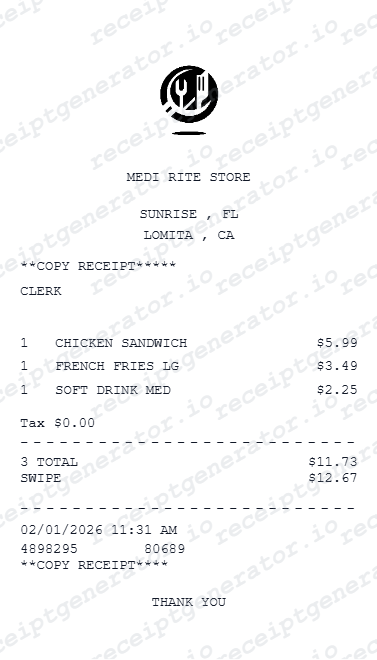
Quick summary
Food receipt template overview
Use this Food receipt generator to create authentic itemized receipts with editable products, tax calculations in $, and printable PDF export.
What Is on a Real Food Receipt?
Every restaurant or food purchase receipt shares the same core anatomy, even though full-service, fast-food, and delivery receipts each add their own details on top of it. Here is what to expect - and which template to use if you need something more specific.
Core anatomy common to every food receipt
Almost every food receipt shows the business name and location, the date and time, a list of item lines with quantity and price, a subtotal, sales tax, a tip or gratuity line if service was involved, and a grand total with the payment method.
Full-service restaurant receipts add table detail
Sit-down restaurant checks typically include a server name, table or check number, and often a discretionary tip line left blank for the guest to fill in - use the Restaurant Receipt template if you need that structure specifically.
Fast-food receipts are order-number driven
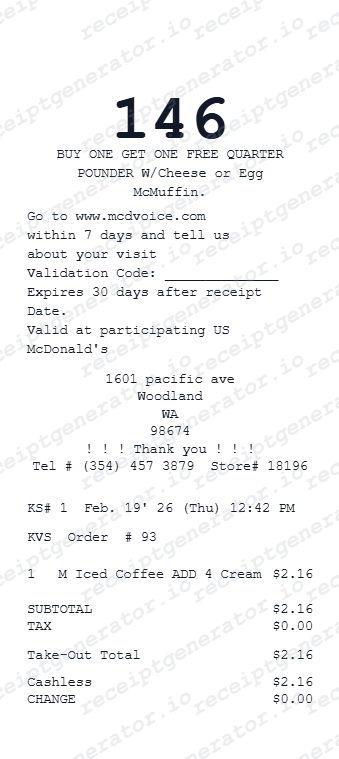
Quick-service receipts skip the server and table fields and instead lead with an order number, register or drive-thru identifier, and combo/meal item names - see the Fast Food Receipt template for that format.
Delivery and takeout receipts add fees and driver info
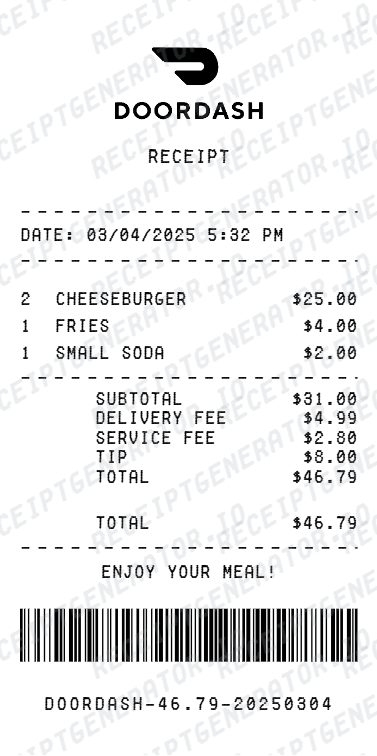
Food delivery receipts (DoorDash, Uber Eats, and similar) add a delivery fee, service fee, and sometimes a separate driver tip on top of the item subtotal and tax, plus an estimated or actual delivery time - see the DoorDash Receipt template for that layout.
Fine dining receipts itemize by course
Upscale restaurants often break the bill into courses, add wine pairing lines, and may apply automatic gratuity for large parties - see the Fine Dining Receipt template if that matches your situation.
Which type of food receipt do I need?
Use this general Food Receipt template for any meal purchase that doesn't need a specialized layout; switch to a specific template (restaurant, fast food, food truck, or delivery) when you need fields unique to that receipt type.
Print-ready food and restaurant receipts
Edit the layout, watch it update live, then print, download PDF, or email.
Live food receipt preview
Watch the receipt update as you add food items and tip.
One-click print
Print your food receipt directly from the browser.
Download as PDF
Export a clean restaurant receipt PDF for expense claims.
Mobile-friendly editor
Create food receipts from any device.
Get Your Original Food Receipt First
The best source is always the original: full-service and fast-food restaurants can often reprint a check from their POS if you paid by card, delivery apps (DoorDash, Uber Eats, Grubhub) keep a full order history in your account, and many restaurants now email or text digital receipts at checkout. Use this template when the original is unavailable - a cash payment, a closed location, or a receipt you never received.
Business meal expense claim
Create food receipts to document business entertainment and dining expenses.
Client entertainment documentation
Document restaurant meals for client entertainment expense reimbursement.
Per diem meal documentation
Create food receipts for travel per diem meal expense submissions.
Personal dining records
Keep personal food and restaurant purchase records with itemized receipts.
Food Receipt Types
Choose the food receipt format for your restaurant or dining documentation.
Restaurant Dine-In Receipt
Food receipt for sit-down restaurant meals with server and table details.
Takeout & Delivery Receipt
Food receipt for takeout, pickup, and food delivery orders.
Business Meal Expense Receipt
Food receipt formatted for business entertainment expense documentation.
Food & Dining Receipt Guides
Read the supporting guides on food receipts, restaurant billing, and meal expense documentation.
How to Get a McDonald's Receipt
See how fast food receipt recovery works and when a backup record is useful for expense reports.
Explore How to Get a McDonald's ReceiptDoorDash Receipt for Drivers
Learn how food delivery receipts are structured and what details matter for expense or tax records.
Explore DoorDash Receipt for DriversRestaurant Receipt for Reimbursement
Learn which meal details usually matter most for expense review.
Explore Restaurant Receipt for ReimbursementRestaurant Receipt for Taxes
Review the restaurant receipt fields that matter most for business meal documentation.
Explore Restaurant Receipt for TaxesRelated Other Receipt Templates
Browse our collection of receipt templates for various purposes.

Food Receipt FAQ - Restaurant & Dining Expense Documentation
Learn how to create food and restaurant receipts with menu items, tip, tax, and PDF export for business meal expense and dining documentation.
Choose the food receipt template, add restaurant or food business name, menu items with quantity and price, tip amount, sales tax, and payment method. Preview and download as PDF in seconds.
Yes. Add tip amount or tip percentage to the food receipt. Tip automatically calculates from the subtotal or you can enter a custom tip amount.
Yes. Business meal receipts are a common corporate expense. Add restaurant name, date, attendees, and meal total for compliant business entertainment expense documentation.
If you paid by card, ask the restaurant to reprint the check from their POS system - most keep transaction history for weeks. For delivery orders, check your account order history in the DoorDash, Uber Eats, or Grubhub app, where a full receipt is usually available for download. Many restaurants also text or email a digital receipt at checkout.
Use this general Food Receipt template for a simple meal purchase. If you need server and table fields, use the Restaurant Receipt template; for quick-service order numbers, use the Fast Food Receipt template; for delivery fees and driver tips, use the DoorDash Receipt template.
Yes. Add menu item names, descriptions, quantity, and price as individual line items - matching how real restaurant POS receipts display orders.
Yes. Add sales tax rate or fixed tax amount. The food receipt total calculates automatically with tax and tip included.
Yes. Download a clean food receipt PDF for business meal expense claims, client entertainment documentation, or personal dining records.
Every food receipt shows the business name and address, the date and time, item lines with quantity and price, subtotal, sales tax, a tip line if applicable, and a grand total with payment method. Full-service restaurants add server and table details, fast-food adds an order number, and delivery receipts add delivery and service fees.
Add the store name, purchase date, line items, totals, tax, payment method, and any optional notes you need on your Food template.
Receipt Generator · Receipt Maker · 300+ Free Templates
Create your Food receipt
Use the editable Food receipt generator to add items, tax totals, and payment details, then export a clean PDF.