Samsung Receipt Example
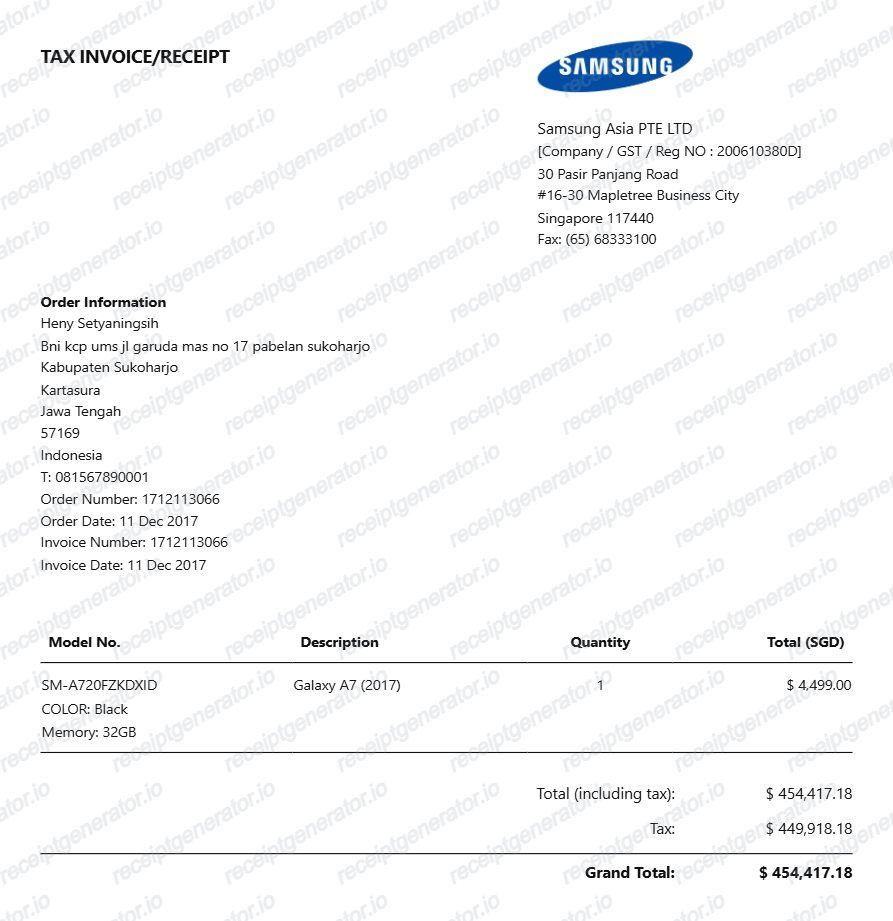
See exactly what a Samsung receipt looks like — order number, product name with model number and color or storage, Samsung Care+ protection plan line, trade-in credit, Samsung Rewards points, tax, and payment. Use the editable template to recreate or customize one.
See what a real Samsung receipt looks like with all fields explained — order number, product name with model number and color or storage configuration, Samsung Care+ protection plan as a separate line item, trade-in credit applied as a negative line, Samsung Rewards points earned, sales tax, and payment. Use the editable template to recreate a Samsung purchase receipt.

Choose
Samsung Receipt Example selected

Customize
Fill in your details

Download
Save or share receipt
Edit the details once and the preview updates instantly.
Quick summary
Samsung receipt example overview
A standard Samsung purchase receipt includes the order number, product name with model number and color or storage configuration, Samsung Care+ protection plan as a separate line, trade-in credit as a negative line, Samsung Rewards points earned, sales tax, total, and payment method.
What's on a Samsung Receipt?
A Samsung receipt is an itemized purchase document covering all charges for a Samsung product transaction. Understanding each field helps you verify device configuration, confirm Samsung Care+ enrollment, or recreate a receipt when the original email is missing.
Order header
Samsung logo, order number, purchase date, store location or Samsung.com, and account holder name and shipping address.
Product line with model number and configuration
Product name with full model number and configuration including color and storage capacity (e.g., Samsung Galaxy S24 Ultra SM-S928U Titanium Black 256GB), quantity, and unit price.
Samsung Care+ line
Samsung Care+ plan name specific to the purchased device (e.g., Samsung Care+ for Galaxy S24 Ultra), listed as a separate line item with its price — either a one-time fee or a monthly subscription amount.
Trade-in credit and Samsung Rewards
Trade-in credit shown as a negative line item with the traded-in device name and credit value applied before tax; Samsung Rewards points earned on the purchase shown as a points total.
Tax, total, and payment
Subtotal after credits, sales tax calculated on the adjusted subtotal, total amount charged, and payment method — Samsung Pay, credit card, or debit card — with masked account details.
See what a Samsung receipt looks like
Edit the layout, watch it update live, then print, download PDF, or email.
See a real Samsung receipt format
Preview a complete Samsung purchase receipt with order number, product model number and configuration, Samsung Care+ line, trade-in credit, Samsung Rewards points, tax, and payment.
Editable field-by-field
Edit any field in the Samsung receipt example — order number, product name and model number, Samsung Care+ plan, trade-in credit, rewards points, tax, and payment — to match your actual purchase.
Download as PDF
Export the completed Samsung receipt example as a clean PDF for business expense reimbursement, Samsung Care+ enrollment verification, or personal records.
Mobile-friendly editor
View and edit the Samsung receipt example from desktop, tablet, or phone without installing any software.
Looking for a Samsung Receipt Example?
This Samsung receipt example shows the standard format — order number, product name with model number and configuration, Samsung Care+ line, trade-in credit, Samsung Rewards points, tax, and payment. Use the generator to build your own.
Verify a receipt format
Use this Samsung receipt example to check that a purchase receipt has the correct order number, product model number, Samsung Care+ line, trade-in credit, and tax.
Understand receipt fields
Learn what the order number, model number and configuration, Samsung Care+ line, trade-in credit, and Samsung Rewards points mean on a Samsung receipt.
Recreate a lost Samsung receipt
Use the receipt example as a reference to fill in the generator with your order number, product name, model number, Samsung Care+ plan, trade-in credit, Samsung Rewards points, tax, and payment when the original is missing.
Business expense documentation
Use a Samsung receipt example as a reference when submitting a device purchase for corporate reimbursement, IT asset documentation, or business tax deduction records.
Samsung Receipt Formats
Samsung receipts follow the same itemized format for all product categories — Galaxy phones, tablets, TVs, and home appliances — with Samsung Care+, trade-in credit, and Samsung Rewards points appearing as separate line items.
Samsung Galaxy Phone Receipt
A Samsung receipt for a Galaxy phone purchase showing model number, color, storage, Samsung Care+ line, trade-in credit if applicable, Samsung Rewards points, and total with tax.
Samsung TV and Home Appliance Receipt
A Samsung receipt for a television or home appliance purchase showing the model number, color, Samsung Care+ protection plan line, and total with tax and delivery fee if applicable.
Samsung Trade-In Receipt
A Samsung receipt highlighting the trade-in credit line with the traded-in device name, credit value applied as a negative line, adjusted subtotal, Samsung Rewards points earned, and final total charged.
Retail Receipt Guides
Read supporting guides for electronics receipts, business expense documentation, and how to recover lost purchase records.
Restaurant Receipt for Reimbursement
See what expense teams require from receipts for reimbursement approval and which fields must be present.
Read guideLost Restaurant Receipt
How to recover or recreate a receipt when the original is lost or was never saved.
Read guideRestaurant Receipt for Taxes
Review what receipt fields are needed for business electronics and equipment expense tax deductions.
Read guideRelated Other Receipt Templates
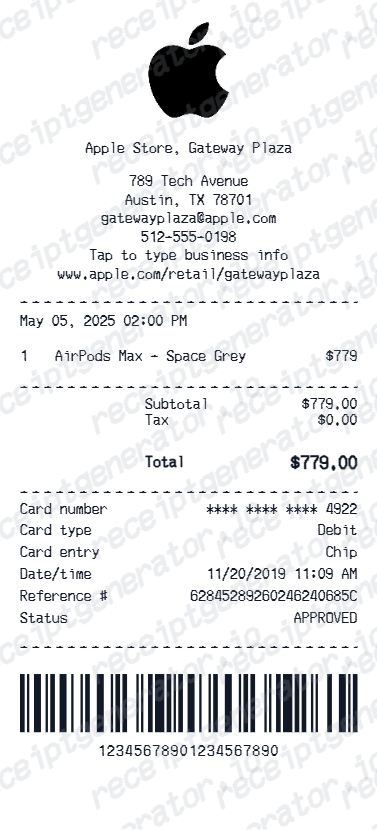
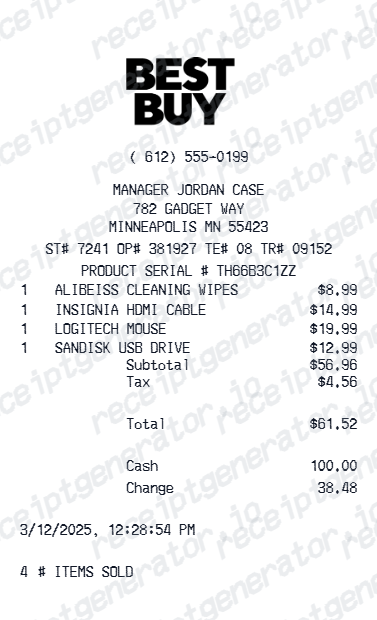
More receipt examples showing the format, fields, and layout of popular electronics and retail purchase receipts.

Samsung Receipt Example FAQ
Common questions about what a Samsung purchase receipt looks like, what Samsung Care+ and trade-in credit lines mean, and how to recover or recreate a Samsung receipt.
A Samsung receipt from Samsung.com or a Samsung Experience Store shows the order number, purchase date, product name with model number and color or storage configuration (e.g., Samsung Galaxy S24 Ultra SM-S928U Titanium Black 256GB), Samsung Care+ protection plan as a separate line, trade-in credit as a negative line if a device was traded in, Samsung Rewards points earned, sales tax, total, and payment method. Receipts are emailed and accessible in your Samsung account order history.
A Samsung receipt includes the order number, purchase date, product name with model number and color or storage configuration, Samsung Care+ plan name and price as a separate line, trade-in credit as a negative line with the traded-in device name, Samsung Rewards points earned on the purchase, subtotal, sales tax, total amount charged, and payment method with masked card details.
Trade-in credit on a Samsung receipt appears as a negative line item labeled with the traded-in device name and the credit value deducted from the purchase subtotal. The credit reduces the total amount charged to the payment method, and final trade-in credit is confirmed after Samsung inspects the returned device.
Add the store name, purchase date, line items, totals, tax, payment method, and any optional notes you need on your Samsung Receipt Example template.
The order number on a Samsung receipt is a unique numeric identifier for your purchase, typically a long number printed or displayed at the top of the receipt. It is used to track order status, initiate a return, and reference your purchase when contacting Samsung support.
Samsung Care+ is Samsung's extended warranty and accidental damage protection plan, listed as a separate line item on the receipt showing the plan name (e.g., Samsung Care+ for Galaxy S24 Ultra) and the price — either as a one-time fee or as a monthly subscription. It covers manufacturer defects beyond the standard warranty and includes accidental damage protection with a service fee per incident.
Use the Samsung Receipt Generator to enter the order number, product name with model number and configuration, Samsung Care+ plan line, trade-in credit if applicable, Samsung Rewards points, sales tax, total, and payment details. Preview and export a PDF that matches the standard Samsung purchase receipt format.
Both. You can use these templates for reimbursements, bookkeeping prep, and internal documentation workflows.
Receipt Generator · Receipt Maker · 200+ Free Templates
Need to recreate a Samsung receipt?
Use the editable Samsung Receipt Generator to enter order number, product model number and configuration, Samsung Care+ plan, trade-in credit, Samsung Rewards points, tax, and payment, then export a clean PDF.