Free Airbnb Receipt Generator
Create Free Airbnb Booking Receipts Online - Add Nightly Rate, Cleaning Fee & Service Fee. Download PDF Instantly.
Create an Airbnb-style booking receipt with nights, fees, tax, and payment details. Download a PDF for travel records or reimbursement.

Choose
Airbnb Receipt selected

Customize
Fill in your details

Download
Save or share receipt
Edit the details once and the preview updates instantly.
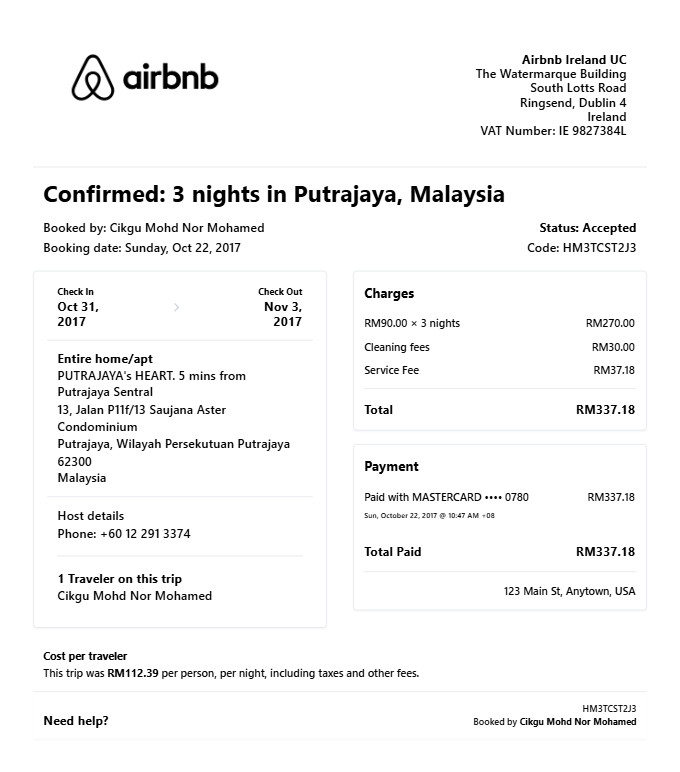
Quick summary
Airbnb Receipt template overview
Use this Airbnb Receipt template to build a clean, editable receipt record with the merchant, date, line items, tax, totals, and payment details already laid out for faster review.
What Is on a Real Airbnb Receipt?
Before you rebuild an Airbnb receipt, it helps to know exactly what the original contains. Airbnb issues receipts itself - not the host - and every one follows the same itemized structure.
Confirmation code starting with HM
Every Airbnb reservation carries a confirmation code - typically 10 characters starting with HM on newer bookings, like HMAHAKFWFP. It appears on the receipt, the itinerary, and in your Trips list, and it is what Airbnb support uses to locate the booking.
Nightly rate times nights breakdown
The accommodation line shows the nightly price multiplied by the number of nights. Weekly or monthly stay discounts appear as their own negative line rather than a quietly lowered rate.
Cleaning fee as its own line
If the host charges a cleaning fee, it shows as a single flat line item. It is set per stay, not per night, and is never bundled into the room rate.
Airbnb service fee
The guest service fee Airbnb charges for the platform appears as a separate line. It goes to Airbnb, not the host - one reason only Airbnb can issue the payment receipt.
Occupancy taxes listed separately
In jurisdictions where Airbnb collects lodging taxes, they appear as their own line - usually labeled occupancy taxes - instead of being blended into the total. Amounts vary by city and state.
Issued by Airbnb, not the host
Hosts do not issue payment receipts - Airbnb does. The receipt lives under Trips at airbnb.com, and VAT invoices are available for eligible stays after adding business tax details to the account.
Print-ready Airbnb receipts
Edit the layout, watch it update live, then print, download PDF, or email.
Live Airbnb receipt preview
Watch the receipt update as you add booking details and fees.
One-click print
Print your Airbnb receipt from the browser.
Download as PDF
Export a clean vacation rental receipt PDF for expense records.
Mobile-friendly editor
Create Airbnb receipts from any device.
Get Your Original Airbnb Receipt First
If the booking still exists in your account, the original is always better: open the Airbnb app or airbnb.com, go to Trips, select the stay, and choose Payment details, then Get receipt to view or save the PDF. Past reservations stay in your Trips history, and VAT invoices are available for eligible stays once you add business tax details to your account. Use this template when the original is unavailable - a deleted account, a stay booked by someone else, or a reservation that no longer appears in Trips.
Business travel expense reimbursement
Submit Airbnb receipts for corporate travel accommodation expense reports.
Rental deduction documentation
Create Airbnb receipts for short-term rental income tax deduction records.
Insurance accommodation claim
Document Airbnb accommodation costs for insurance or disaster relief claims.
Personal travel budget tracking
Track Airbnb booking costs for personal travel budget records.
Airbnb Receipt Types
Choose the Airbnb receipt format for your vacation rental booking.
Standard Booking Receipt
Airbnb receipt for a standard vacation rental with nightly rate and fees.
Business Travel Receipt
Airbnb receipt formatted for corporate travel expense documentation.
Long-Stay Receipt
Airbnb receipt for extended stay with weekly or monthly discount.
Related Guides
Explore related guides to understand the receipt details, lookup steps, and documentation workflows.
How to Get a Receipt from Airbnb
Find, download, or recreate an Airbnb receipt via the app, airbnb.com, or a detailed VAT invoice.
Read guideTravel Receipt for Reimbursement
Review which travel fields finance teams usually want before submitting a trip record.
Read guideHotel Folio vs Receipt
Understand when a folio is stronger than a simple hotel receipt for reimbursement.
Read guideHotel Receipt for Reimbursement
See which lodging details make a hotel receipt easier to review and approve.
Read guideRelated Other Receipt Templates
Browse our collection of receipt templates for various purposes.
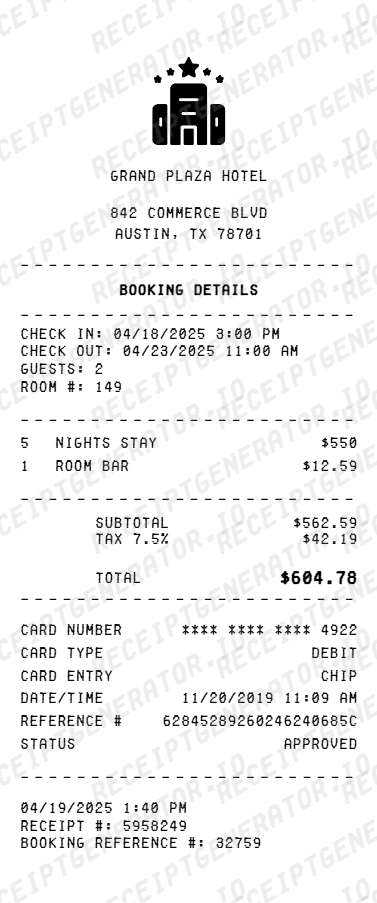
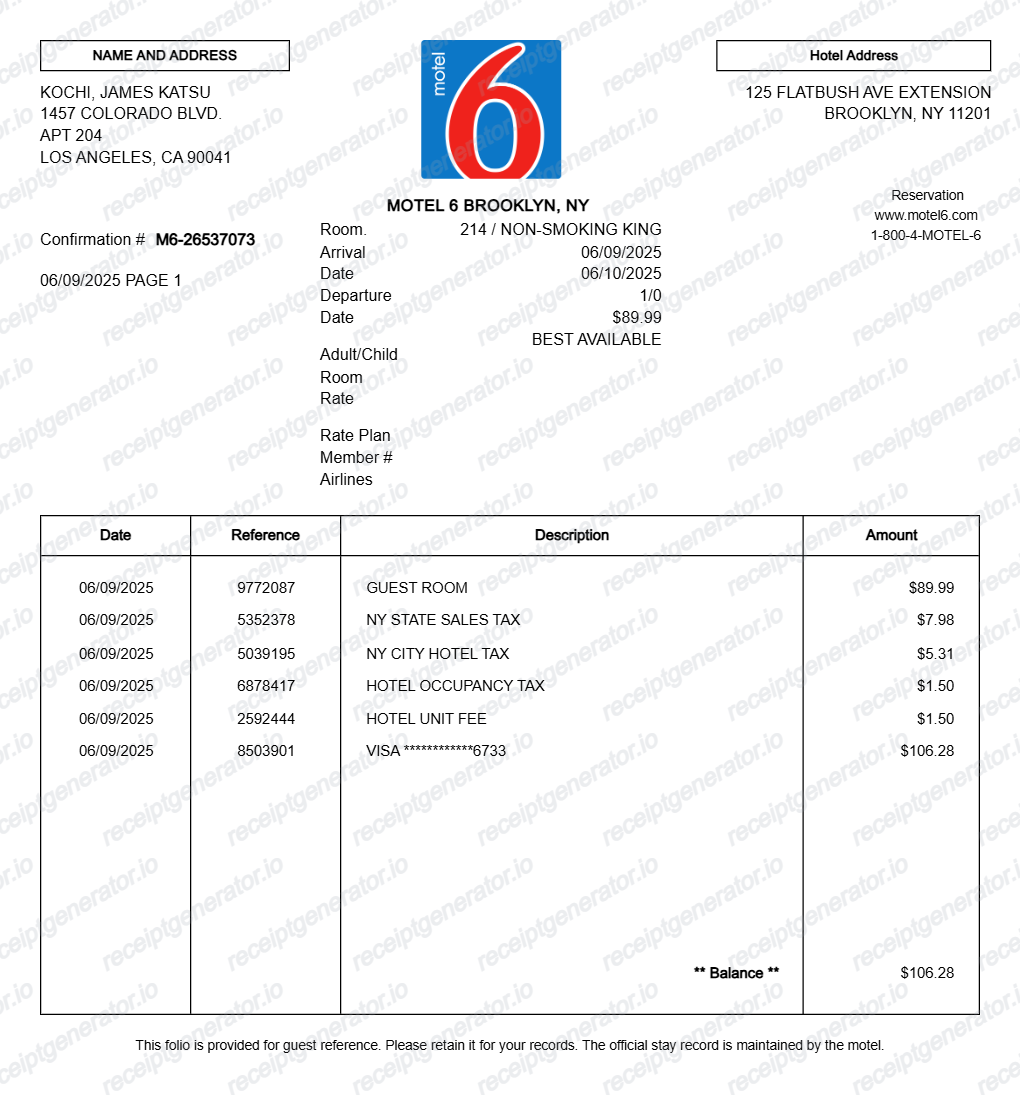
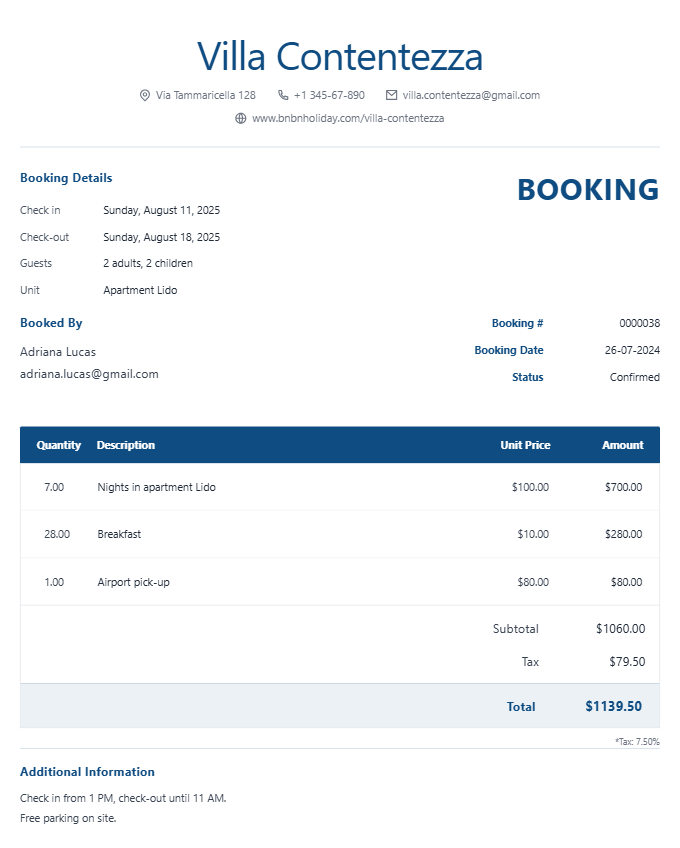
Airbnb Receipt FAQ - Vacation Rental Documentation & Travel Expense Records
Learn how to create Airbnb booking receipts with nightly rates, fees, and PDF export for travel expense reimbursement and documentation.
Choose the Airbnb receipt template, add listing name, check-in and check-out dates, nightly rate, cleaning fee, service fee, taxes, and payment method. Preview and download as PDF.
Yes. Business travelers use Airbnb receipt templates to document accommodation costs for corporate expense reimbursement submissions.
Yes. Download a clean PDF for business expense reimbursement, insurance documentation, or personal travel records.
A real Airbnb receipt shows the confirmation code (typically 10 characters starting with HM on newer bookings), the listing name, check-in and check-out dates, the nightly rate multiplied by the number of nights, the cleaning fee, the Airbnb service fee, occupancy taxes as a separate line, the total charged, and the payment method. It is issued by Airbnb, not the host.
Add the store name, purchase date, line items, totals, tax, payment method, and any optional notes you need on your Free Airbnb template.
Yes. Add the cleaning fee and Airbnb service fee as separate line items - matching the standard Airbnb booking breakdown.
Yes. Include guest name, host name, property address, and Airbnb confirmation number for complete booking documentation.
Open the Airbnb app or airbnb.com, go to Trips, select the reservation, and choose Payment details, then Get receipt. Past reservations stay in your Trips history, so you can download the receipt months after checkout. For a VAT invoice, add your business tax details under Account, then Taxes, and Airbnb issues a detailed invoice for eligible stays.
Yes. Finance teams usually accept the official Airbnb receipt because it itemizes the nightly rate, cleaning fee, service fee, and taxes. Airbnb for Work business trips have their own downloadable receipts, and VAT invoices are available for eligible stays once business tax details are added to the account. Make sure the guest name and stay dates match the expense report.
Receipt Generator · Receipt Maker · 300+ Free Templates
Create professional receipts online in seconds
Use the Receipt Generator editor with ready-made templates. Compare pricing or start generating print-ready PDF receipts in your browser no account required.