Free Parking Garage Receipt Generator
Create Free Parking Garage Receipts Online - Add Level, Space, Entry Time & Rate. Download PDF Instantly.
Create a parking garage receipt with entry time, exit time, rate, and payment details. Download a PDF for expense or parking records.

Choose
Parking Garage Receipt selected

Customize
Fill in your details

Download
Save or share receipt
Edit the details once and the preview updates instantly.
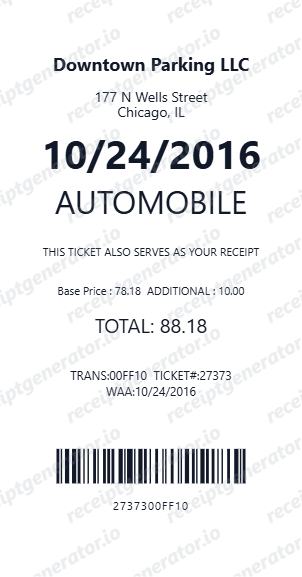
Quick summary
Parking Garage Receipt template overview
Use this Parking Garage Receipt template to build a clean, editable receipt record with the merchant, date, line items, tax, totals, and payment details already laid out for faster review.
What Is on a Real Parking Garage Receipt?
A parking garage (structure) receipt is built around the entry and exit gate transaction, since garages charge by continuous time inside the structure rather than a flat street-parking fee. Here is what a genuine one records.
Entry and exit timestamps drive the fee
Garages record the exact time a ticket is issued at entry and the time it is validated at exit; the fee is calculated from that duration against a posted rate table, not a flat charge - so the receipt shows both timestamps, not just a total.
Ticket or gate pass number ties the transaction to your vehicle
Every ticket printed at the gate (or virtual ticket tied to a license plate on camera-based systems) carries a unique number that the garage's system uses to calculate the fee and that staff reference for any dispute.
Validation stamps apply to one continuous session
A business validation - stamped, scanned, or applied via license-plate lookup - typically reduces or waives the fee for that single parking session only. Exiting and re-entering the garage usually starts a new session that the validation does not cover.
Lost ticket fee is separate from the parking rate
If a ticket can't be presented or scanned at exit, most garages charge a flat lost-ticket fee - often the maximum daily rate - in addition to or instead of the calculated hourly charge, and this appears as its own line.
Level and space number are for the driver, not the fee
Level, section, and space or stall number help a driver find their car again - garages don't usually price by location within the structure, so this detail is informational rather than part of the rate calculation.
Monthly and event-flat structures skip the duration calculation
Monthly permit holders and event/flat-rate garages issue a receipt without an hourly duration calculation - the fee is fixed regardless of how long the vehicle stays within the permitted window.
Print-ready parking garage receipts
Edit the layout, watch it update live, then print, download PDF, or email.
Live garage receipt preview
Watch the receipt update as you add garage and parking details.
One-click print
Print your parking garage receipt from the browser.
Download as PDF
Export a clean garage parking receipt PDF.
Mobile-friendly editor
Create garage receipts from any device.
Get Your Original Parking Garage Receipt First
Most garages email a receipt automatically if you paid by app or registered card at the pay station - check your inbox or the garage operator's app (SpotHero, ParkMobile, and similar apps keep a trip history). For a cash or on-site card transaction, the garage attendant or management office can often look up a past ticket by date and approximate time. Use this template when the original is unavailable - a lost paper ticket, an unregistered cash payment, or a faded receipt.
Corporate garage expense claim
Submit garage parking receipts for corporate expense reimbursements.
Airport garage documentation
Create parking garage receipts for airport multi-day parking.
Hospital garage receipt
Document hospital or medical center garage parking for claims.
Event or concert parking
Archive garage receipts for event, concert, or venue parking.
Parking Garage Receipt Types
Choose the garage receipt format for your parking documentation.
Hourly Garage Receipt
Garage parking receipt with hourly rate and duration.
Airport Garage Receipt
Multi-day garage parking receipt for airport parking.
Validated Garage Receipt
Garage receipt with retail or business parking validation.
Related Guides
Explore related guides to understand the receipt details, lookup steps, and documentation workflows.
Related Other Receipt Templates
Browse our collection of receipt templates for various purposes.
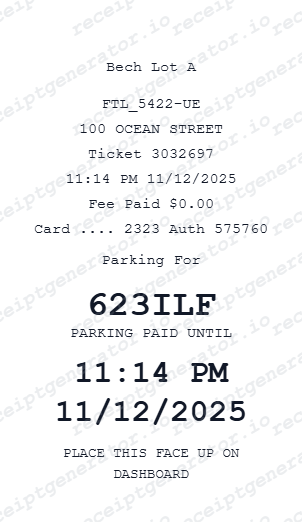
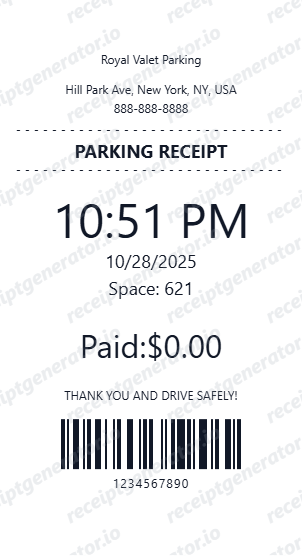
Parking Garage Receipt FAQ - Multi-Level Garage Documentation
Learn how to create parking garage receipts with level, space number, entry/exit time, and PDF export for corporate expense reimbursement.
Choose the parking garage receipt template, add garage name, address, level, space number, ticket number, entry and exit time, rate, and payment. Download as PDF.
Yes. Add the parking ticket number or gate pass code for reference and validation on the garage receipt.
Yes. Add a lost ticket charge as a separate line item if the exit ticket cannot be validated.
It shows the garage name and address, the ticket or gate pass number, entry and exit timestamps, the duration calculated from those times, the hourly or flat rate applied, any validation discount, and the total charged - plus a lost-ticket fee line if applicable.
Add the store name, purchase date, line items, totals, tax, payment method, and any optional notes you need on your Free Parking Garage template.
Yes. Add garage level (e.g., Level 2B), section, and specific space or stall number for complete garage receipt documentation.
Yes. Add entry and exit timestamps - parking duration auto-calculates. Total fee auto-updates based on hourly rate.
If you paid through an app (SpotHero, ParkMobile) or a registered card at the pay station, check your email or the app's trip history for an automatic receipt. For cash or walk-up card payments, the garage's attendant booth or management office can often look up a past ticket by date and approximate entry time.
Most garages charge a flat lost-ticket fee, often equal to the maximum daily rate, since they can't calculate exact duration without the entry timestamp on your ticket. Some garages can verify entry time through license-plate records instead, but a lost-ticket charge is still common.
Receipt Generator · Receipt Maker · 300+ Free Templates
Create professional receipts online in seconds
Use the Receipt Generator editor with ready-made templates. Compare pricing or start generating print-ready PDF receipts in your browser no account required.