Hotel Receipt Generator
Create hotel receipts and itemized folios with guest details, stay dates, nightly room rates, taxes, fees, and payment information. Export a clean PDF instantly.
Create a hotel receipt with stay dates, room rates, taxes, fees, and payment details. Download a PDF for travel reimbursement or lodging records.

Choose
Hotel Receipt selected

Customize
Fill in your details

Download
Save or share receipt
Edit the details once and the preview updates instantly.
Quick summary
Hotel Receipt template overview
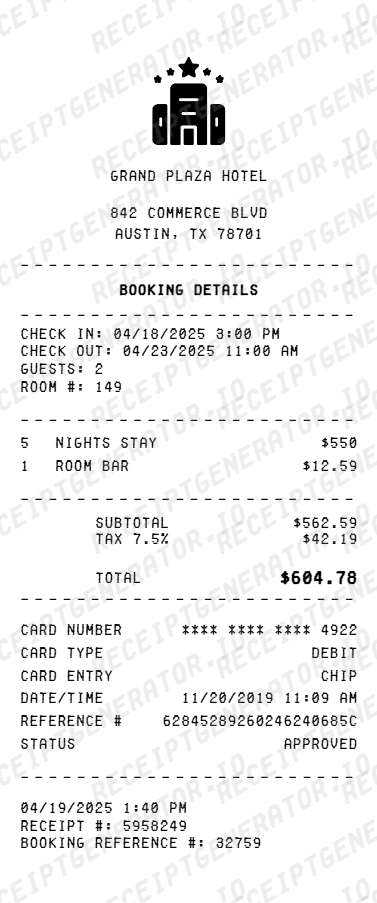
Use this Hotel Receipt template to build a clean, editable receipt record with the merchant, date, line items, tax, totals, and payment details already laid out for faster review.
What Is on a Real Hotel Folio?
Before you rebuild a hotel receipt, it helps to know exactly what the original folio contains. A folio is the running record of every charge posted to a room from check-in to checkout, and a credible replacement copy should follow the same structure.
Each night posted as its own line
The room rate is not shown as one lump sum - every night of the stay is posted separately with its own date, so a 3-night stay at $189 shows three distinct $189 lines rather than a single $567 total.
Occupancy tax as a separate charge
Occupancy tax (also called transient occupancy tax, hotel tax, or lodging tax) is charged by the city or county on top of the room rate and always appears as its own line. In major US destinations it commonly runs 12-18%, and can approach 20% in cities like New York, San Francisco, or Chicago.
Resort fee billed daily and separately
A resort or destination fee is a mandatory daily charge - often $25 to $50 per night - bundling amenities like wifi, pool, gym, or bottled water. It is rarely included in the advertised booking rate and always posts as its own folio line, sometimes with its own tax applied.
Incidentals stack on top of room charges
Parking, minibar, room service, and other incidental charges post to the folio as they occur during the stay, each dated and itemized separately from the room rate and taxes.
Folio becomes a receipt at checkout
The folio is a running, editable ledger during the stay; once payment is applied at checkout, it is finalized into the receipt. Many chain hotels slide a final folio under the door the morning of departure for express checkout, and it posts automatically if not disputed.
Emailed copy vs. printed folio
Most hotels now email the final folio automatically at checkout, while a printed copy is usually only available from the front desk on request. For corporate travel documentation, the emailed PDF and the printed folio contain identical charge details.
Hotel receipts with editable stay dates, room charges, and tax breakdowns
Edit the layout, watch it update live, then print, download PDF, or email.
Live hotel folio preview
Watch the receipt update instantly as you edit guest details, stay dates, and lodging charges.
Inline preview editing
Edit major travel receipt fields directly inside the preview when preview edit mode is enabled.
PDF and PNG export
Download print-ready files for reimbursement, recordkeeping, or customer-facing documentation.
Mobile-friendly builder
Create and edit hotel receipts on desktop, tablet, or mobile devices.
Get Your Original Hotel Folio First
If the stay is recent, the original is always better: most hotels email the final folio automatically at checkout, so check your inbox (including spam) for the property's name. If it never arrived or the stay predates your current email, call or email the hotel's front desk directly with your name and stay dates - most chains keep folio records for a few years and can resend a copy. Use this template when the original is unavailable - a closed hotel, a stay booked under someone else's name, or a folio that never made it to your inbox.
Travel reimbursement
Create a hotel receipt with nightly rates, taxes, and totals that is easier to organize for expense reporting.
Lodging records
Keep clear hotel stay documentation for business travel, client trips, and personal records.
Lost folio backup
Use booking confirmations and payment details to rebuild a personal hotel receipt backup for your files.
Travel admin
Track room charges, taxes, parking, and other hotel fees in a single printable document.
Hotel Receipt Types
Choose the hotel receipt format that fits your stay documentation and reimbursement needs.
Itemized Hotel Folio
A detailed layout displaying each charge applied to your room throughout your stay.
Simple Lodging Receipt
A straightforward overview of room cost, basic taxes, and the final payment.
Hotel Receipt Guides
Read the supporting hotel guides to understand folios, reimbursement requirements, printable PDFs, and what to do when the original receipt is missing.
Hotel Receipt for Reimbursement
See which fields matter most when a hotel receipt is being used for travel reimbursement or expense reporting.
Read guideHotel Folio vs Receipt
Understand the difference between a hotel folio and a simple receipt so you can submit the right document.
Read guideTravel Receipt for Reimbursement
Review which travel fields finance teams usually want before submitting a trip record.
Read guideRelated Other Receipt Templates
Browse our collection of receipt templates for various purposes.
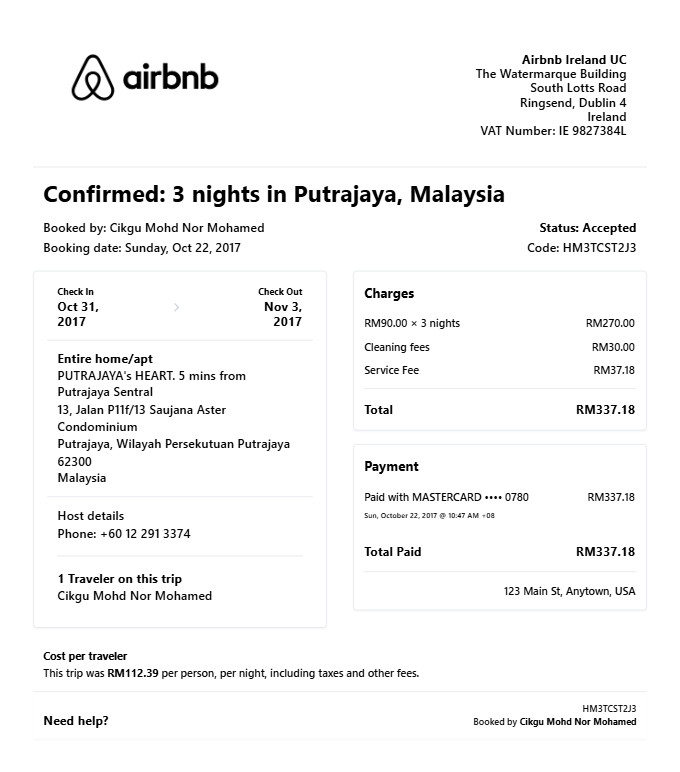
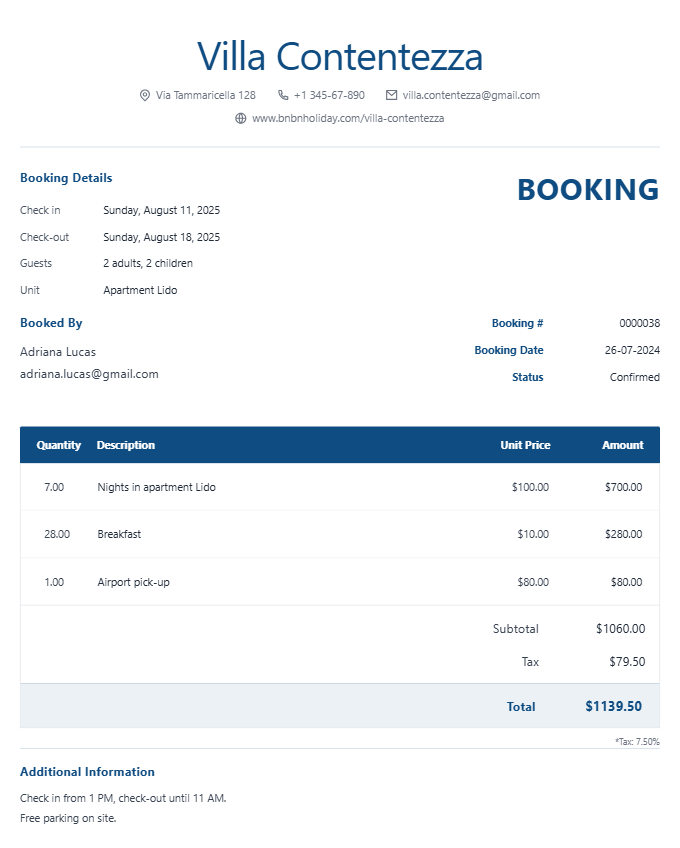
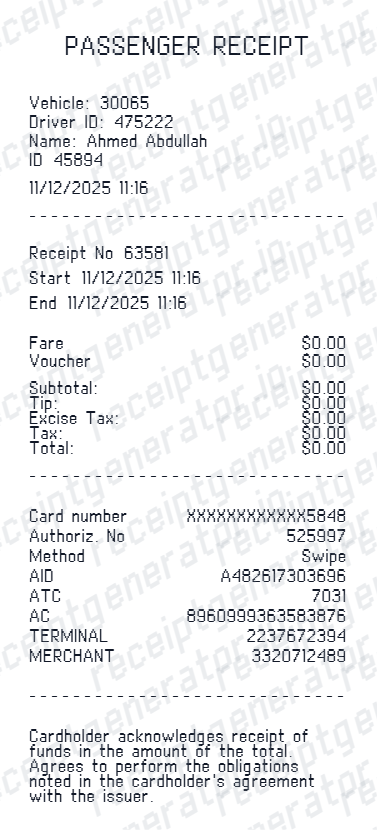
Hotel Receipt FAQ - Folios, PDF Export & Travel Reimbursement
Learn how to create hotel receipts with nightly room rates, taxes, extra charges, payment details, and PDF export.
Yes, you can specify the check-in and check-out dates, room rate, and the system can sum up your total stay cost automatically.
Yes. Once you're done editing the details, you can instantly download your custom hotel receipt as a clean PDF file.
Yes. Add resort fees, parking, room service, minibar, and any other line-item charges that appear on a standard hotel folio.
Check your email (including spam) for the hotel's name - most properties automatically email the final folio at checkout. If you cannot find it, contact the hotel's front desk directly with your name and stay dates; most chains retain folio records for at least a few years and can resend a copy on request. See our full guide for a complete step-by-step walkthrough.
Resort or destination fees are mandatory daily charges - often $25 to $50 per night - that hotels frequently leave out of the advertised booking rate. They bundle amenities like wifi, pool, or gym access and are disclosed at booking or check-in, but easy to miss until the folio itemizes them at checkout.
Absolutely. You can add occupancy tax, city tax, resort fees, and other custom line items like room service or minibar charges.
Yes. You can generate, preview, and print hotel receipts completely for free. We also offer premium options for watermark-free downloads.
Yes. Business travelers use hotel folios for corporate expense reports — add guest name, room rate, stay dates, taxes, and payment method for a complete record.
A real hotel folio shows the guest name and stay dates, each night's room rate posted as a separate dated line, occupancy tax broken out as its own charge, a resort or destination fee billed daily if applicable, any incidentals like parking or room service itemized separately, and the payment method used to settle the balance at checkout.
Add the store name, purchase date, line items, totals, tax, payment method, and any optional notes you need on your Hotel template.
Receipt Generator · Receipt Maker · 300+ Free Templates
Create professional receipts online in seconds
Use the Receipt Generator editor with ready-made templates. Compare pricing or start generating print-ready PDF receipts in your browser no account required.