Parking Garage Receipt Example
See every field on a real parking garage receipt — from garage name and ticket number to entry and exit times, duration, rate tier, validation discount, tax, and payment by card or app.
A complete guide to what a parking garage receipt looks like, including the garage name and location, ticket number, entry and exit timestamps, duration, rate tier (hourly, daily, or flat event rate), validation discount, tax, total, and payment method.

Choose
Parking Garage Receipt Example selected

Customize
Fill in your details

Download
Save or share receipt
Edit the details once and the preview updates instantly.
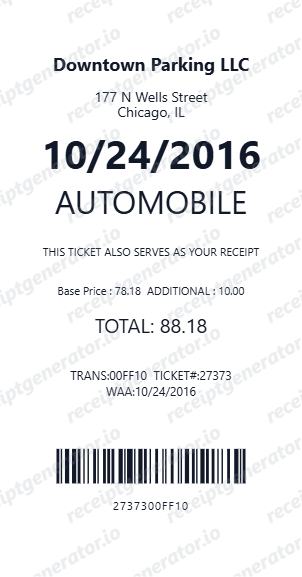
Quick summary
What Does a Parking Garage Receipt Look Like?
A parking garage receipt is a concise time-based service receipt documenting your vehicle's stay in a facility. It captures the precise entry and exit times, calculates the duration, applies the correct rate tier, deducts any validation discount, adds applicable parking taxes, and confirms the total paid.
What's on a Parking Garage Receipt?
Parking garage receipts are compact service receipts that document a time-based transaction. The key data points — entry time, exit time, rate applied, and discounts — tell the full story of your parking session. Modern garages and parking apps produce clean digital receipts with all these fields standardized.
Garage Name, Address & Ticket Number
The receipt header shows the parking facility name (e.g., 'City Center Parking Garage'), the street address, and a unique ticket or transaction number. This number links to your vehicle's entry record in the garage's automated system and is needed for any billing disputes.
Entry Time, Exit Time & Duration
Two precise timestamps are recorded: the date and time your vehicle entered the garage, and the date and time you exited. The receipt automatically calculates the total parking duration in hours and minutes (e.g., '3 hrs 25 min'), which determines the applicable rate tier.
Rate Tier Applied
The rate tier line shows how your parking was priced: hourly (e.g., '$3.00/hr'), a daily maximum cap (e.g., 'Daily Max – $18.00'), or a flat event rate for stadium or venue parking. The calculation showing how the duration maps to the rate is often shown (e.g., '3 hrs @ $3.00/hr = $9.00').
Validation Discount
If you received a validation from a participating business — a restaurant, hotel, or retailer — the discount amount is shown as a separate negative line item labeled with the validating merchant's name and the discount applied (e.g., '–$5.00 Hotel Guest Validation').
Parking Tax, Total & Payment Method
A city or municipal parking tax is applied to the discounted subtotal and listed separately. The receipt then shows the total charged, followed by the payment method: credit or debit card with last four digits, contactless payment, or a parking app reference number (SpotHero, ParkWhiz, PayByPhone, etc.).
Build a Parking Garage Receipt Instantly
Edit the layout, watch it update live, then print, download PDF, or email.
Entry/Exit Times & Duration
Input precise entry and exit timestamps and let the receipt auto-calculate parking duration and applicable rate tier.
Rate Tier & Validation Discount
Choose hourly, daily max, or flat event rate pricing, then add a validation discount line with custom merchant name and amount.
Parking Tax & City Surcharge
Add a city-specific parking tax as a separate line so the receipt matches the format used by major urban parking operators.
Instant PDF Download
Preview your completed parking garage receipt in real time and export a clean PDF for expense reports or reimbursement submissions.
Why People Look Up Parking Garage Receipt Examples
Business travelers, event attendees, and anyone who parks regularly needs to understand parking receipts for expense reporting, tax documentation, and validating charges.
Business Travel Expense Reports
Submit a detailed parking receipt showing garage name, date, duration, and total for employer or corporate card reimbursement.
Client Entertainment Documentation
Document parking costs associated with client meetings or events for business tax deduction and expense tracking purposes.
Validation Dispute Resolution
Reference the ticket number, entry/exit times, and validation discount from your receipt when disputing an incorrect charge at the pay station.
Replacement for Lost Paper Receipt
Recreate a parking receipt with correct timestamps, rate, and payment details when the original paper receipt was lost or illegible.
Types of Parking Garage Receipts
Parking receipts vary by rate structure — transient hourly parking, flat event rates, and monthly permit billing each produce a different receipt format.
Hourly Rate Receipt
The standard transient parking receipt showing entry/exit times, hourly rate, total duration, and any daily maximum cap applied to limit the charge.
Flat Event Rate Receipt
A simplified receipt for event parking showing a fixed flat rate charged regardless of duration, often used near stadiums and convention centers.
Monthly Permit Receipt
A monthly billing receipt for reserved or permit holders showing the contract rate, billing period, and any access card or remote fees.
Parking Garage Receipt Guides
Learn how to read, retrieve, and use parking receipts for business expense documentation and reimbursement claims.
How to Get a Receipt from a Parking Garage
How to obtain a printed or digital receipt from automated pay stations, cashier booths, and parking apps like SpotHero and PayByPhone.
Read guideParking Receipts for Business Expenses: What You Need
What information must appear on a parking receipt to qualify for business expense reimbursement or tax deduction under IRS guidelines.
Read guideUnderstanding Parking Validation: How It Appears on Your Receipt
A guide to how parking validation works, which businesses offer it, and how the discount appears as a line item on your parking receipt.
Read guideRepair Receipt for Insurance Claims
See which service and payment fields make a repair or service record easier to review.
Read guideRepair Receipt Lookup
Learn where service receipts usually come from before you create a cleaner backup copy.
Read guideHow to Make a Receipt for Taxes
Review the fields that make service and donation receipts easier to use for documentation.
Read guideRelated Other Receipt Templates
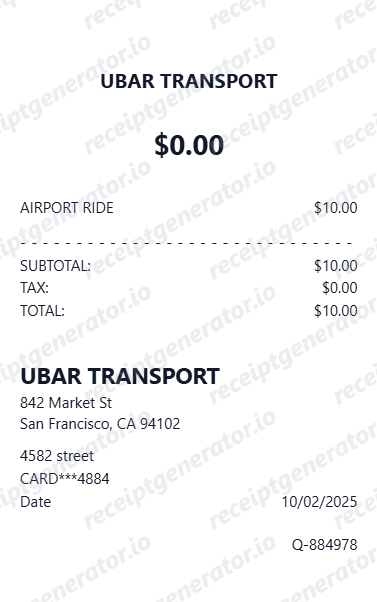
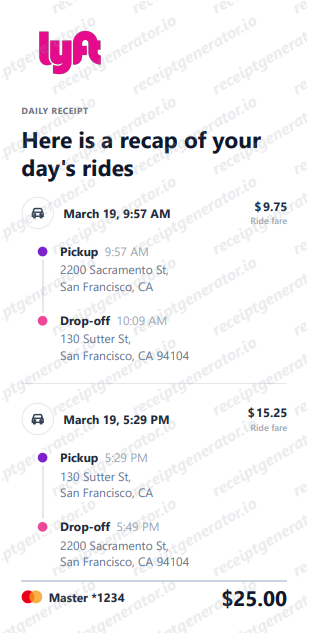
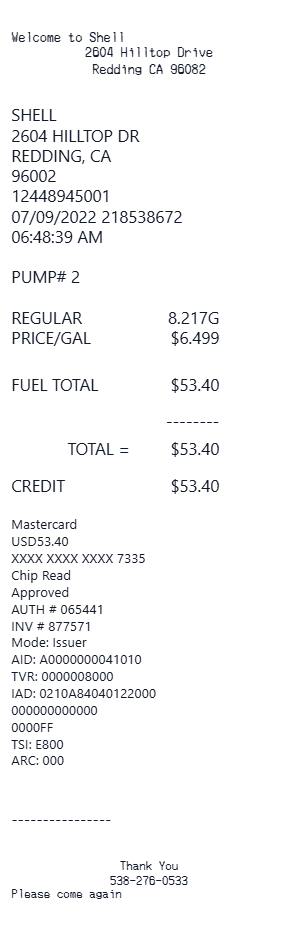
Explore more transportation and service receipt examples to see how rideshare companies and fuel stations format their payment confirmations.
Parking Garage Receipt FAQs
Common questions about what appears on a parking garage receipt, how rate tiers and validation discounts are displayed, and how to get a receipt from a parking garage.
A parking garage receipt includes the garage name and address, a ticket or transaction number, the vehicle entry time, exit time, total parking duration, the applicable rate tier (hourly, daily max, or flat event rate), any validation discount applied, parking tax or city surcharge, and the total amount paid by credit card, debit card, or parking app.
When a parking garage is near a stadium, convention center, or theater, it may charge a flat event rate instead of hourly pricing. Your receipt will show 'Event Rate – Flat' with the fixed amount rather than an hourly calculation, and the event name may appear as a reference in some systems.
Most modern parking garages print a receipt automatically at the pay station or exit gate. Garages connected to parking apps like SpotHero, ParkWhiz, or the garage's own app send a digital receipt to your registered email immediately after your session ends. You can also request a receipt at the cashier booth if one is present.
Add the store name, purchase date, line items, totals, tax, payment method, and any optional notes you need on your Parking Garage Receipt Example template.
Many parking garages partner with nearby businesses so customers who make a purchase can get their parking ticket validated. The validation discount appears as a negative line on your receipt, showing the discount amount (e.g., '$5.00 Off – Restaurant Validation') deducted from the gross parking charge before tax is applied.
Yes. Most cities and municipalities impose a parking tax or surcharge, which is shown as a separate line on the receipt labeled 'Parking Tax,' 'City Parking Surcharge,' or similar. The tax rate varies by city and is applied to the gross parking charge after any validation discount is deducted.
Yes. A parking garage receipt is one of the most commonly submitted expense items for business travelers and employees. It should show the garage name and address, date, duration, and total amount paid to satisfy IRS and employer expense policy requirements. Some companies also require the business purpose notation on the expense form alongside the receipt.
Both. You can use these templates for reimbursements, bookkeeping prep, and internal documentation workflows.
Receipt Generator · Receipt Maker · 200+ Free Templates
Create Your Own Parking Garage Receipt
Use our free receipt generator to build a detailed parking garage receipt with entry and exit times, rate tier, validation discount, parking tax, and a professional PDF layout in minutes.