Lodging Receipt Generator
Create lodging receipts for hotels, motels, inns, guesthouses, and vacation rentals with stay dates, nightly rates, taxes, and payment details. Export a clean PDF instantly.
Create a lodging receipt for hotels, motels, inns, or rentals. Add stay dates, nightly rate, tax, and payment details, then export a PDF.

Choose
Lodging Receipt selected

Customize
Fill in your details

Download
Save or share receipt
Edit the details once and the preview updates instantly.
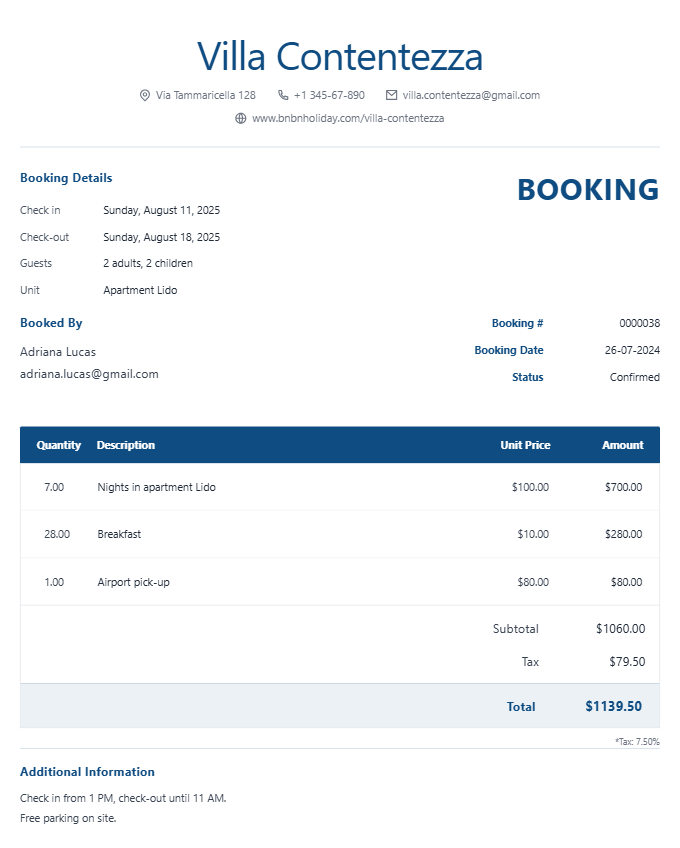
Quick summary
Lodging Receipt template overview
Use this Lodging Receipt template to build a clean, editable receipt record with the merchant, date, line items, tax, totals, and payment details already laid out for faster review.
What Is on a Real Lodging Receipt?
Lodging receipts cover more ground than a standard hotel folio - they need to work for vacation rentals, extended stays, and independent motels alike, each with their own fee structure. A credible replacement copy should match the vertical it represents.
Cleaning fee as a one-time, not nightly, charge
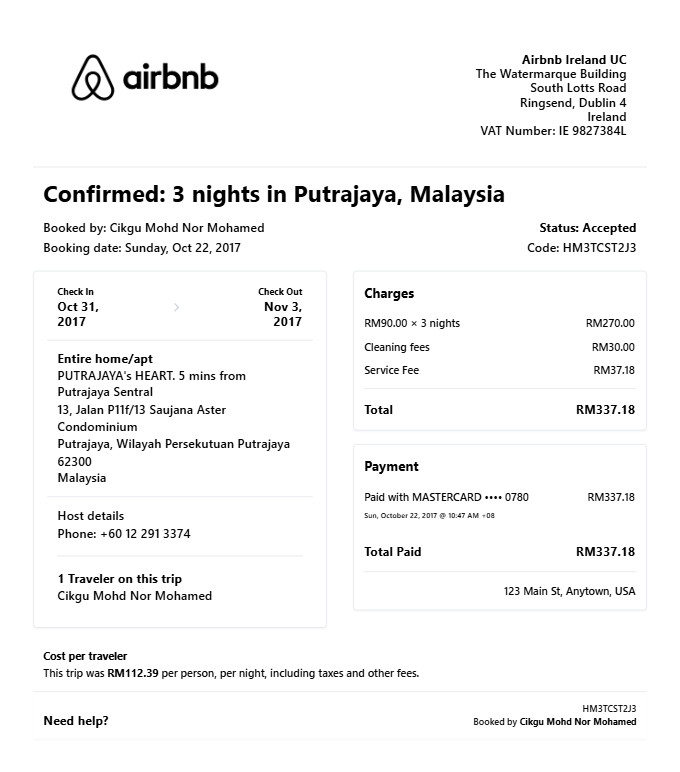
Vacation rentals (Airbnb, Vrbo, and independent guesthouses) charge a cleaning fee once per stay rather than per night. It appears as a flat line separate from the nightly rate and typically passes through to the cleaning vendor rather than the host.
Service fee alongside the nightly rate
Vacation rental platforms add a guest service fee calculated as a percentage of the booking subtotal, shown as its own line distinct from the nightly rate, cleaning fee, and taxes.
Extended-stay bookings show a weekly or monthly rate
Stays of a week or longer on rental platforms often switch to a discounted weekly or monthly rate rather than the nightly rate multiplied out, so the receipt shows one adjusted line instead of many identical nightly charges.
Deposit paid at booking vs. balance at check-in
Independent motels, inns, and vacation rentals commonly split payment into a deposit collected at booking and a balance due at check-in or checkout, both shown as separate payment lines rather than a single charge.
Occupancy and lodging tax vary by property type
Lodging tax (also called occupancy or transient tax) applies to motels, inns, and short-term rentals just as it does to hotels, but the rate and whether it is collected by the platform or the host varies by jurisdiction and property type.
No standardized folio format outside hotel chains
Unlike hotel chains with a consistent folio layout, independent lodging (motels, B&Bs, hostels, private rentals) issues receipts in whatever format the owner or platform uses - so the essential fields (dates, rate, taxes, fees, total) matter more than matching a specific template.
Print-ready lodging and accommodation receipts
Edit the layout, watch it update live, then print, download PDF, or email.
Live lodging receipt preview
Watch the receipt update as you add accommodation details.
One-click print
Print your lodging receipt from the browser.
Download as PDF
Export a clean lodging receipt PDF for per diem or records.
Mobile-friendly editor
Create lodging receipts from any device.
Get Your Original Lodging Receipt First
If the booking is recent, the original is always better: for Airbnb or Vrbo stays, sign in to your account, open Trips, select the reservation, and download the receipt or invoice from the booking details. For motels, inns, and independent rentals, check your email for a confirmation or contact the property directly with your stay dates - many keep booking records for at least a season. Use this template when the original is unavailable - a platform account that was closed, a booking made under someone else's name, or a receipt a small property never sent.
Per diem lodging expense claim
Submit lodging receipts for per diem accommodation expense claims.
Motel or B&B expense documentation
Create lodging receipts for motel or B&B stays for expense records.
Corporate accommodation billing
Document lodging costs for corporate travel expense submissions.
Vacation rental receipt
Generate lodging receipts for vacation rental stays.
Lodging Receipt Types
Choose the lodging receipt format that fits your accommodation documentation needs.
Hotel Lodging Receipt
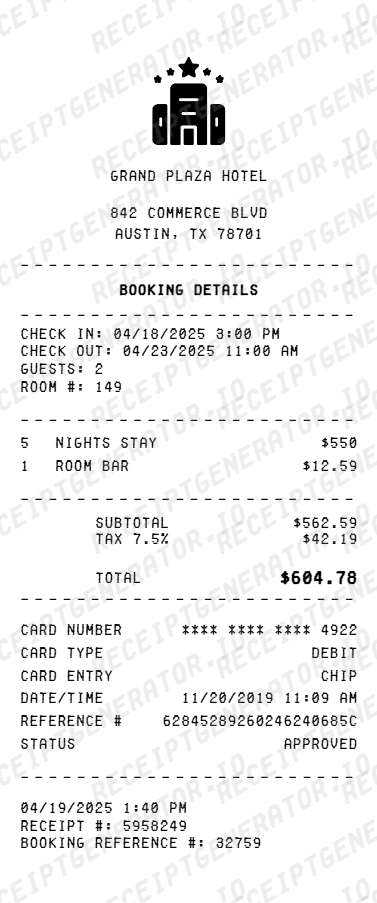
Lodging receipt for a hotel stay with nightly rate and tax.
Motel Receipt
Lodging receipt for a motel or roadside inn stay.
B&B or Guesthouse Receipt
Lodging receipt for a B&B, guesthouse, or hostel stay.
Lodging Receipt Guides
Use the supporting lodging guides to understand reimbursement rules, per diem records, printable PDFs, and what to do when the original receipt is missing.
Lodging Receipt for Reimbursement
See which lodging receipt fields matter most when the document is being used for expense reporting or business travel reimbursement.
Read guidePer Diem Lodging Receipt
Learn how lodging receipts fit into per diem travel documentation and which details are usually required.
Read guideHotel Receipt Generator
Use the hotel receipt page when you need a more hotel-specific folio layout with itemized room nights and travel fees.
Read guideTravel Receipt for Reimbursement
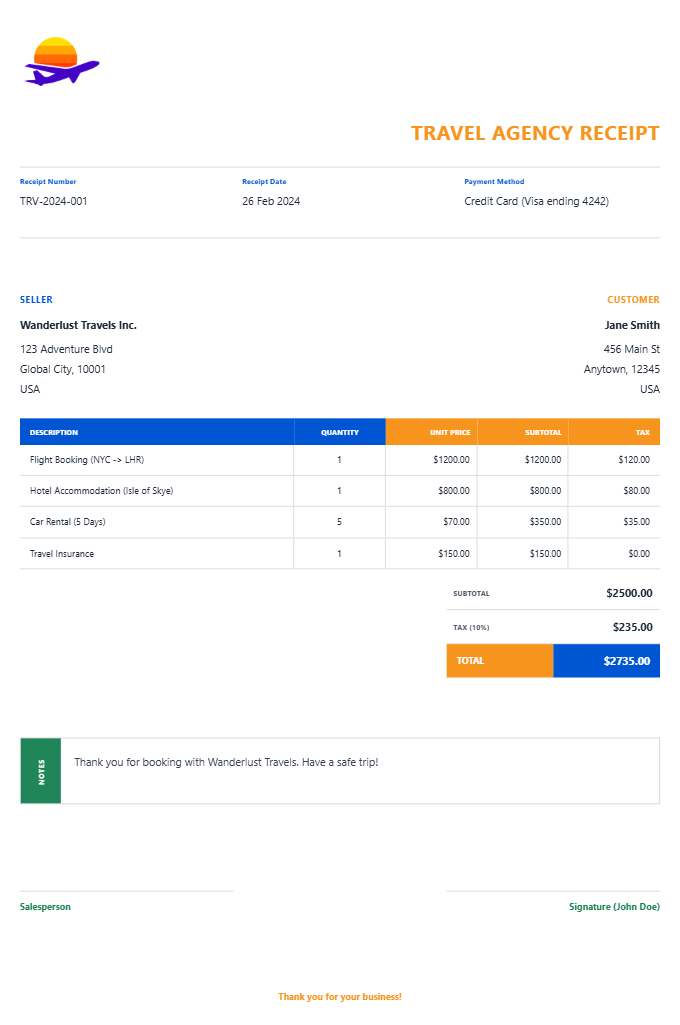
Review which travel fields finance teams usually want before submitting a trip record.
Read guideHotel Folio vs Receipt
Understand when a folio is stronger than a simple hotel receipt for reimbursement.
Read guideRelated Other Receipt Templates
Browse our collection of receipt templates for various purposes.
Lodging Receipt FAQ - Accommodation, Per Diem & PDF Export
Learn how to create lodging receipts for different accommodation types, with nightly rates, lodging tax, and PDF export for reimbursement or recordkeeping.
Choose the lodging receipt template, add accommodation name, type, guest name, check-in/check-out dates, nightly rate, taxes, and payment. Download as PDF.
Yes. Add check-in and check-out dates and times - the number of nights and total room charge calculate automatically.
Yes. Lodging receipts are required for per diem accommodation expense claims - add nightly rate, tax, and total.
For Airbnb or Vrbo bookings, sign in, open Trips, select the reservation, and download the receipt or invoice from the booking details. For motels, inns, and independent rentals without an online portal, check your email confirmation or contact the property directly with your stay dates - many keep records for at least a season after checkout. See our full guide for a complete step-by-step walkthrough.
No. A cleaning fee is a one-time charge on vacation rentals covering turnover cleaning between guests, while a resort fee is a nightly charge hotels add for amenities like wifi or pool access. They appear on different property types and should never be used interchangeably on a receipt.
Yes. The lodging receipt works for hotels, motels, B&Bs, guesthouses, inns, hostels, and vacation rentals.
Yes. Add lodging tax, city/occupancy tax, and any other applicable taxes as separate line items.
Yes. Add deposit paid at booking and balance due at checkout as separate payment items.
A real lodging receipt shows the property name and stay dates, the nightly (or weekly/monthly, for extended stays) rate, a one-time cleaning fee if it is a vacation rental, a guest service fee on platform bookings, lodging or occupancy tax, any deposit paid separately from the balance, and the final payment method and total.
Add the store name, purchase date, line items, totals, tax, payment method, and any optional notes you need on your Lodging template.
Receipt Generator · Receipt Maker · 300+ Free Templates
Create professional receipts online in seconds
Use the Receipt Generator editor with ready-made templates. Compare pricing or start generating print-ready PDF receipts in your browser no account required.