EV Charging Receipt Example
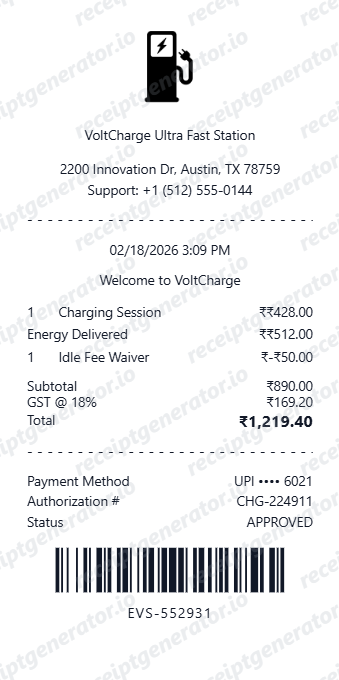
See exactly what an EV charging receipt looks like — session ID, charging station ID and location, connector type (CCS/CHAdeMO/J1772), energy delivered in kWh, charging duration, per-kWh or per-minute rate, idle fee, network name (ChargePoint/Electrify America/Tesla Supercharger), total, and payment. Use the editable template to recreate or customize one.
See what a real EV charging receipt looks like with all fields explained — session ID, charging station ID and location, connector type, energy delivered in kWh, charging duration, per-kWh or per-minute rate, idle fee, charging network name, total, and payment summary. Use the editable template to recreate an EV charging receipt.

Choose
EV Charging Receipt Example selected

Customize
Fill in your details

Download
Save or share receipt
Edit the details once and the preview updates instantly.
Quick summary
What Does an EV Charging Receipt Look Like?
An EV charging receipt is a session confirmation that includes the following key fields:
What's on an EV Charging Receipt?
An EV charging receipt is more technical than a typical retail receipt, containing session-specific energy data alongside pricing and payment fields. Knowing each field helps you verify a charging session, submit it for expense reimbursement, or recreate a receipt when the original email or app record is unavailable.
Session ID and Station Details
The session ID is the unique identifier for the charging event. The station ID and physical location (address or landmark) identify where the session took place. These fields are required for dispute resolution, expense claims, and any contact with the charging network's support team.
Connector Type
The receipt notes the connector type used — CCS, CHAdeMO, J1772 (Level 2), or NACS (Tesla). This confirms the charging level (Level 1, Level 2, or DC fast charging) and is relevant for fleet managers tracking which vehicles used which station types.
Energy Delivered (kWh) and Charging Duration
The total kilowatt-hours (kWh) delivered during the session and the session duration are listed. These two figures allow drivers to verify that the amount billed matches the energy received and to calculate their effective charging rate.
Per-kWh or Per-Minute Rate
The receipt shows whether billing was per kWh or per minute, the applicable rate, and the calculated charge. Some networks display both figures (energy cost and time cost) separately. Understanding which rate structure was used is important for comparing charging costs across networks.
Idle Fee, Network Name, Total, and Payment
If an idle fee was applied after the session ended, it appears as a separate line item. The charging network name (ChargePoint, Electrify America, Tesla Supercharger, EVgo) is shown in the header. The receipt closes with the session total and the payment method — credit card, network app account, or RFID card.
See what an EV charging receipt looks like
Edit the layout, watch it update live, then print, download PDF, or email.
Editable Session ID and Station Fields
Enter the session ID, station ID, and location address to populate all identifying fields exactly as they appear on a real EV charging network receipt.
Energy, Duration, and Rate Fields
Enter kWh delivered, session duration, and per-kWh or per-minute rate to generate an accurate billing breakdown matching your actual charging session.
Idle Fee and Network Name Lines
Toggle the idle fee line on or off and select the charging network name to match receipts from ChargePoint, Electrify America, Tesla Supercharger, EVgo, or other networks.
PDF Export
Download a print-ready PDF of your EV charging receipt for fleet expense reports, business reimbursement submissions, or personal charging cost records.
Looking for an EV Charging Receipt Example?
Whether you need to submit a charging session for expense reimbursement, dispute an incorrect charge, track charging costs, or understand what fields appear on a ChargePoint, Electrify America, or Tesla Supercharger receipt, this EV charging receipt example shows every key field in context.
Business and Fleet Expense Reimbursement
Employees charging company EVs or personal EVs used for business need an itemized receipt showing session ID, kWh delivered, rate, and total for expense submission. Fleet managers use charging receipts to track energy costs per vehicle.
Charging Session Dispute
When a charging session bills incorrectly or a session ends prematurely, the receipt showing session ID, station ID, kWh delivered, and rate is required to file a dispute with the charging network's support team.
Tax Deduction Documentation
Self-employed drivers and business owners who charge EVs for work purposes need receipts showing session dates, locations, and total kWh costs to support EV charging expense deductions on tax returns.
Charging Cost Tracking
EV drivers tracking their charging costs across multiple networks use receipts to compare per-kWh rates, session efficiency, and total monthly spend on public charging versus home charging.
EV Charging Receipt Formats
EV charging receipts vary slightly by network, but all major networks — ChargePoint, Electrify America, Tesla Supercharger, and EVgo — issue receipts with the same core session data fields. The main differences are pricing structure and network-specific identifiers.
ChargePoint Charging Receipt
Emailed after each session on the ChargePoint network. Includes session ID, station ID and address, connector type, kWh delivered, session duration, per-kWh or per-minute rate, idle fee if applicable, and payment method from the ChargePoint app or RFID card.
Electrify America Charging Receipt
Issued via the Electrify America app after a DC fast-charging session. Includes session ID, station number and location, connector type (CCS or CHAdeMO), kWh delivered, per-minute pricing breakdown by power tier, idle fee, and total.
Tesla Supercharger Receipt
Sent to Tesla account email after a Supercharger session. Includes the Supercharger site name and stall number, energy added in kWh, session duration, per-kWh rate (for non-Tesla vehicles) or credit used (for Tesla owners with included charging), idle fee if applicable, and total.
EV Charging Receipt Guides
Learn how EV charging receipts are structured, what each field means, and how to use them for expense reimbursement, dispute resolution, or cost tracking.
How to Read an EV Charging Receipt
A field-by-field walkthrough of an EV charging session receipt, from session ID and station details to kWh delivered, rate, idle fee, and total.
Read guideEV Charging Expense Reimbursement: What Your Receipt Needs to Show
What information from your EV charging receipt employers, accountants, and fleet managers require for expense reimbursement and tax documentation.
Read guideChargePoint vs. Electrify America vs. Tesla Supercharger: Receipt Comparison
How receipts from the three largest US public charging networks compare, including differences in pricing structure, idle fee policies, and session data shown.
Read guideRepair Receipt for Insurance Claims
See which service and payment fields make a repair or service record easier to review.
Read guideRepair Receipt Lookup
Learn where service receipts usually come from before you create a cleaner backup copy.
Read guideHow to Make a Receipt for Taxes
Review the fields that make service and donation receipts easier to use for documentation.
Read guideRelated Other Receipt Templates
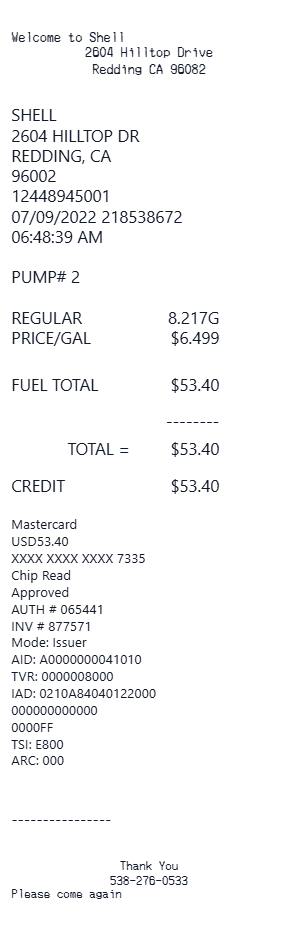
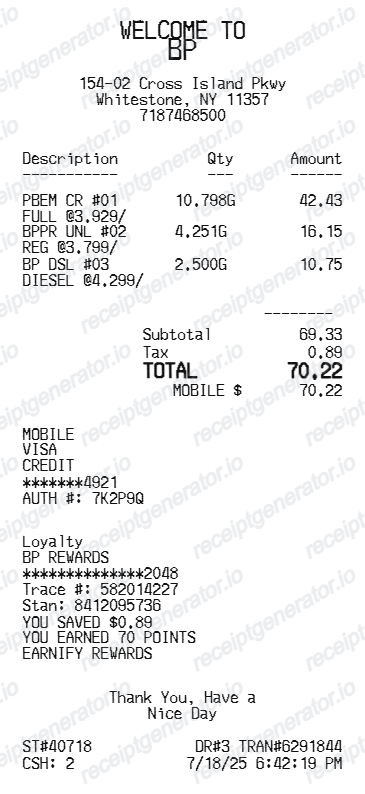
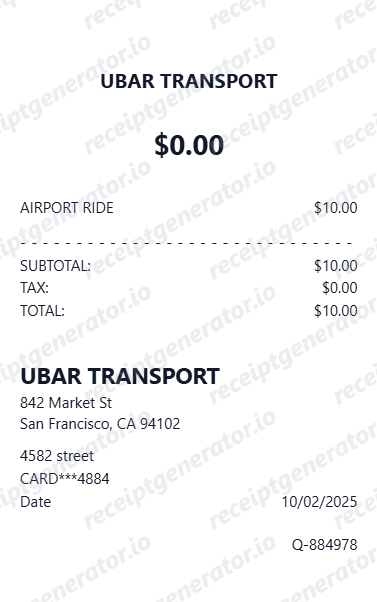
Explore receipt examples from other fuel, energy, and transportation services to compare formats and fields.
EV Charging Receipt Example FAQ
Common questions about what an EV charging receipt looks like, what the session ID means, how energy costs are calculated, what idle fees are, and how to recreate one.
An EV charging receipt shows the session ID, charging station ID and physical location, connector type used (CCS, CHAdeMO, or J1772), total energy delivered in kilowatt-hours (kWh), session duration, the rate charged per kWh or per minute, any idle fee applied, and the total billed. The network name (ChargePoint, Electrify America, or Tesla Supercharger) appears in the header along with payment confirmation.
EV charging receipts note the connector type used during the session. Common types include CCS (Combined Charging System, used by most non-Tesla EVs for DC fast charging), CHAdeMO (used by Nissan Leaf and some Mitsubishi models), and J1772 (the standard Level 2 AC connector). Tesla Supercharger receipts note the connector as proprietary NACS.
An idle fee is charged when a vehicle remains connected to a charger after the session is complete, occupying the station and blocking other drivers. Most major networks (ChargePoint, Electrify America, Tesla) charge idle fees per minute after a grace period, and if applied, the fee appears as a separate line item on the charging receipt.
Add the store name, purchase date, line items, totals, tax, payment method, and any optional notes you need on your EV Charging Receipt Example template.
The session ID is a unique alphanumeric identifier assigned by the charging network to each individual charging event. It is used to reference a specific session when disputing a charge, requesting a refund, or submitting the receipt for business expense reimbursement.
Most charging networks bill per kilowatt-hour (kWh) delivered, and the receipt shows the rate (e.g., $0.43/kWh), total kWh delivered, and the calculated energy cost. Some networks bill per minute instead, in which case the receipt shows the per-minute rate and total session duration. The pricing model used depends on the network and state regulations.
Use the EV Charging Receipt Generator to enter your session ID, station ID and location, connector type, energy delivered in kWh, session duration, per-kWh or per-minute rate, idle fee if applicable, network name, total, and payment method. Preview and export a PDF that matches standard EV charging network receipt formats.
Both. You can use these templates for reimbursements, bookkeeping prep, and internal documentation workflows.
Receipt Generator · Receipt Maker · 200+ Free Templates
Create an EV Charging Receipt in Seconds
Use the EV Charging Receipt Generator to build a receipt with your session ID, station ID and location, connector type, kWh delivered, rate, idle fee, network name, total, and payment details. Export as PDF instantly.