Free Retail Store Receipt Generator
Create Free Retail Store Receipts Online - Add SKU, Barcode, Discounts & Tax. Download PDF Instantly.
Create a retail store receipt with SKU, barcode, discounts, rewards, tax, and payment details. Download a PDF for billing, returns, or expense records.

Choose
Retail Store Receipt selected

Customize
Fill in your details

Download
Save or share receipt
Edit the details once and the preview updates instantly.
Quick summary
Retail Store Receipt template overview
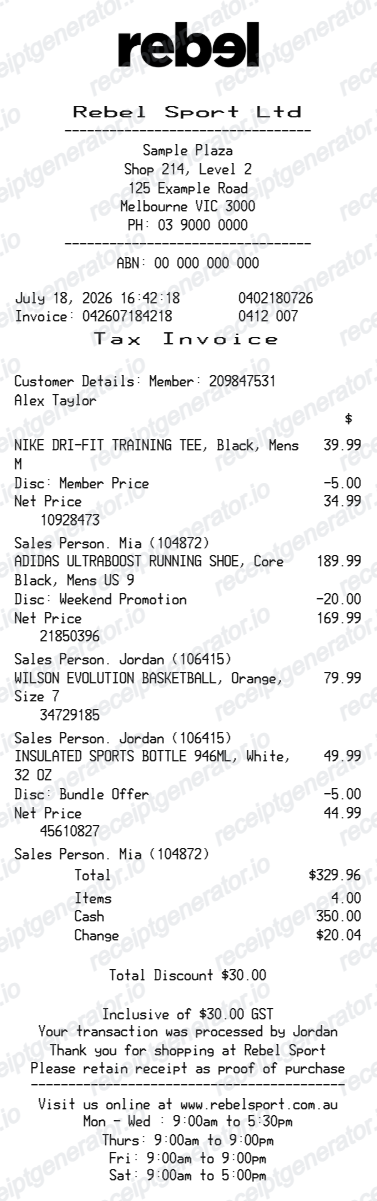
Use this Retail Store Receipt template to build a clean, editable receipt record with the merchant, date, line items, tax, totals, and payment details already laid out for faster review.
What Is on a Real Retail Store Receipt?
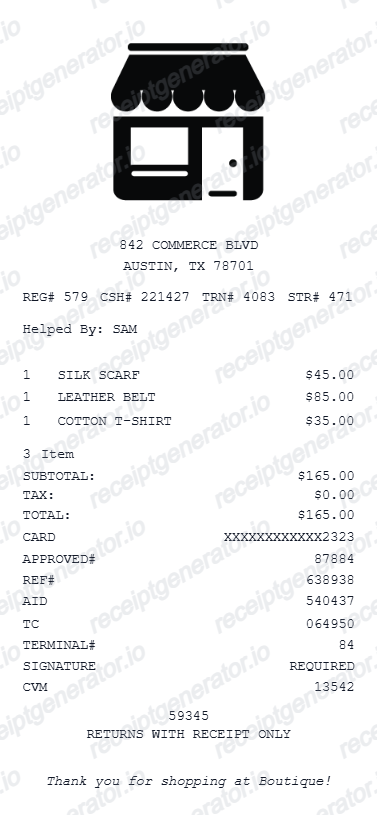
From big-box chains to independent shops, POS-printed retail receipts share the same anatomy. A credible replacement copy should include the same identifying fields a register would print.
Store number, register, and transaction ID
Chain receipts identify the exact sale with a store number, a register or terminal number, and a transaction or sequence number, usually printed together on one line with the date, time, and cashier ID. Together these three numbers make every receipt unique in the retailer's system.
SKU vs. UPC on item lines
A UPC is the manufacturer's universal barcode number, identical at every retailer; a SKU is the store's internal item code. Receipts print one or both next to each abbreviated item description, which is how service desks match a return to inventory.
Tax-code letters next to items
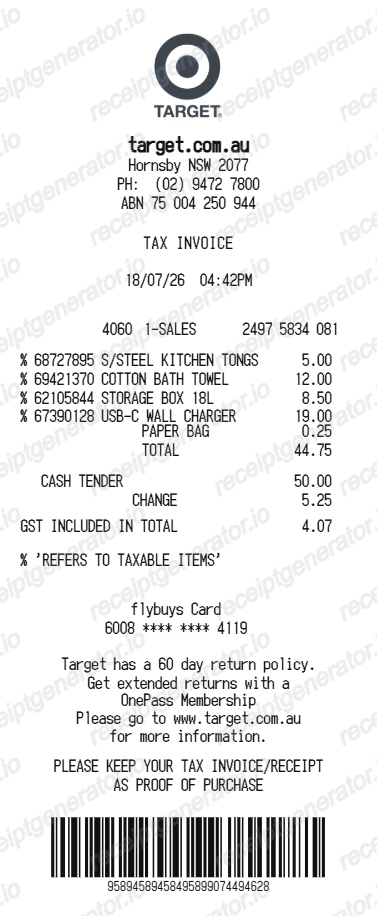
Many POS systems print a single-letter tax flag (such as T, X, or N) beside each line to mark it taxable, exempt, or non-taxable. The tax summary at the bottom then shows each rate applied, which is why grocery and mixed-goods receipts can list more than one tax line.
Return barcode in the footer
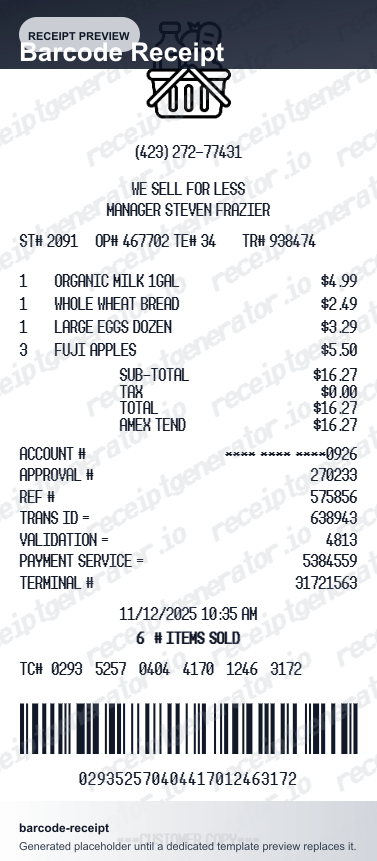
The barcode at the bottom of a modern retail receipt encodes the transaction ID - like Walmart's TC number - so a service desk can scan it and pull up the full purchase record for returns, exchanges, or price adjustments.
Loyalty and survey block
Receipts from loyalty-program retailers print the member number (usually masked), points earned and redeemed, and member savings. Many chains add a survey invitation with a unique code tied to the store and transaction.
Payment block with masked card and approval code
Card payments print the card brand, the last 4 digits, an authorization or approval code from the card network, and often an EMV chip application ID. Cash sales show amount tendered and change due instead.
Print-ready retail store receipts
Edit the layout, watch it update live, then print, download PDF, or email.
Live retail receipt preview
Watch the receipt update as you add items and discounts.
One-click print
Print your retail store receipt from the browser.
Download as PDF
Export a clean retail receipt PDF for customer or expense records.
Mobile-friendly editor
Create retail receipts from any device.
Get Your Original Retail Store Receipt First
If the purchase is recent, try the store before recreating anything: most chains can reprint a receipt at the service desk by looking up the transaction with the payment card, your loyalty account, or the store, date, and register. E-receipt programs mean the original may already be in your email - search for the store name. Use this template when the original is unavailable - a cash purchase with no lookup trail, a store that cannot reprint, or a receipt too faded to read.
Customer purchase invoicing
Generate retail receipts for customer purchase billing and documentation.
Business expense reimbursement
Submit retail receipts for business purchase expense reports.
Return & exchange documentation
Create retail receipts for customer return and exchange records.
Inventory & sales tracking
Track retail sales with itemized receipts for inventory management.
Retail Store Receipt Types
Choose the retail store receipt format for your purchase or billing.
Standard Itemized Receipt
Retail store receipt for itemized purchases with SKU and payment.
Loyalty Member Receipt
Retail receipt with loyalty points earned and rewards applied.
Return & Exchange Receipt
Retail receipt with return policy and exchange documentation.
Related Guides
Explore related guides to understand the receipt details, lookup steps, and documentation workflows.
Related Other Receipt Templates
Browse our collection of receipt templates for various purposes.


Retail Store Receipt FAQ - Itemized Receipt & Return Documentation
Learn how to create retail store receipts with SKU, loyalty points, return policy, and PDF export for customer billing and retail documentation.
Choose the retail store receipt template, add store name, SKU/barcode, product name, quantity, price, discounts, loyalty points, taxes, and payment method. Preview and download as PDF.
Yes. Add return policy text, return window (e.g., 30 days), and exchange terms in the receipt footer.
Yes. Download a clean PDF for customer billing, expense reimbursement, or return and exchange records.
A real retail receipt prints the store name, store number, and address, the register or terminal number, a transaction or sequence ID, the cashier, each item with its SKU or UPC and price, tax-code letters next to taxable items, subtotal, tax, and total, a payment block with the masked card and approval code, and usually a return barcode and survey invitation in the footer.
Add the store name, purchase date, line items, totals, tax, payment method, and any optional notes you need on your Free Retail Store template.
Yes. Add loyalty points earned and redeemed as a receipt summary - matching standard retail receipt format.
Yes. Include cashier name, register number, and transaction ID for complete retail receipt documentation.
Start with the store: many chains can reprint a receipt at the service desk by looking up the transaction with the card you paid with, your loyalty account, or the date and register. If you opted in to e-receipts, search your email for the store name. Card statements prove the amount and date but usually not the items, which is why an itemized reprint matters for returns.
Often yes, but on worse terms. Most large retailers can locate the purchase with the original payment card or loyalty account; without any lookup, stores that accept no-receipt returns typically require a government ID, refund at the item's current selling price, and issue store credit instead of cash. Return policies are printed on the receipt itself, which is one reason to keep it.
Receipt Generator · Receipt Maker · 300+ Free Templates
Create professional receipts online in seconds
Use the Receipt Generator editor with ready-made templates. Compare pricing or start generating print-ready PDF receipts in your browser no account required.