Hilton Receipt Template & Generator
Edit a Hilton receipt template with guest details, stay dates, charges and balance. Preview free; PDF export requires a paid plan.
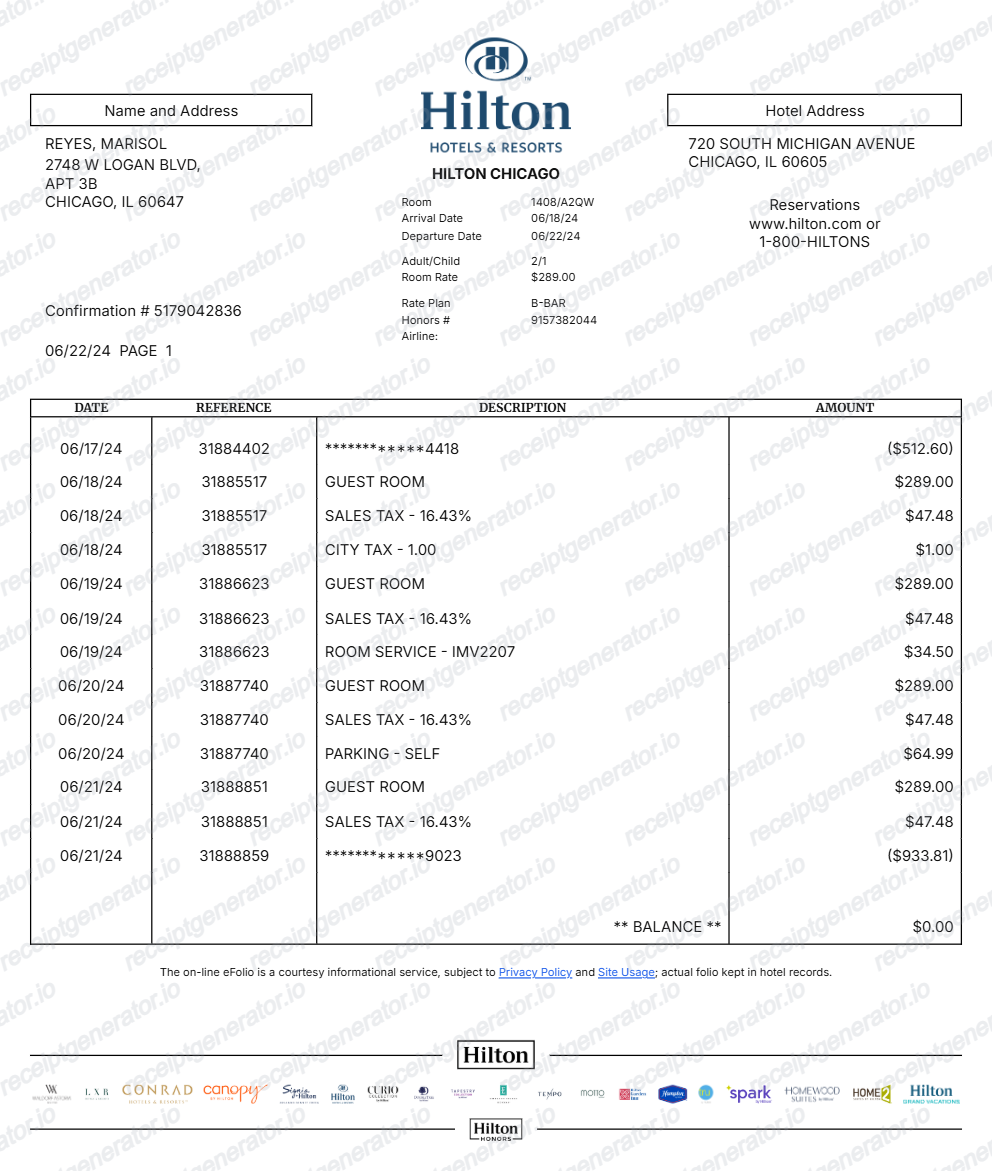
This editable Hilton layout organizes guest details, stay dates, charges and balance from details you have confirmed. Compare the preview with the original record. Preview is free; PDF export requires a paid plan.

Choose
Hilton Receipt selected

Customize
Fill in your details

Download
Save or share receipt
Edit the details once and the preview updates instantly.
Quick summary
What can I edit in this Hilton template?
Edit guest details, stay dates, charges and balance and compare the result with your original record. The layout does not retrieve transactions or verify payment.
Editable fields in the Hilton receipt template
Use the current layout to organize confirmed details; retain the original transaction or service record.
Guest and stay
Edit guest/address, confirmation number, room, arrival/departure, rate-plan and membership text.
Dated charge rows
Enter the dates, references, descriptions and signed amounts from the hotel-issued folio. Keep room charges, taxes and incidentals distinguishable.
Payments and balance
Record payments as signed rows according to the source folio and review the resulting balance. An entered zero balance does not independently prove settlement.
Property and footer
Match hotel identity and footer text to the property record. Use Hilton’s own receipt service when an original is required.
Preview the editable Hilton layout
Edit the layout, watch it update live, then print, download PDF, or email.
Hilton live preview
Edit guest/address, confirmation number, room, arrival/departure, rate-plan and membership text.
Review the item and detail fields
Enter the dates, references, descriptions and signed amounts from the hotel-issued folio. Keep room charges, taxes and incidentals distinguishable.
PDF export plans
Preview free; watermark-free PDF export requires a paid plan.
Desktop and mobile editing
Review the same layout on desktop or mobile before exporting.
Check your Hilton record before exporting
Keep the original documentation alongside any editable copy.
Receipt retrieval and source guidance
Reconcile the source record
Record payments as signed rows according to the source folio and review the resulting balance. An entered zero balance does not independently prove settlement.
Keep an organized personal copy
Match hotel identity and footer text to the property record. Use Hilton’s own receipt service when an original is required.
Hilton template layout
Open the current editor and review its actual fields.
Hilton editable layout
One current layout with guest details, stay dates, charges and balance; sample values remain editable.
Original receipt help
Use the provider’s own documentation for an original record.
Editable template
Travel Receipt template
Explore this editable receipt layout and its fields before opening the editor.
Explore Travel Receipt templateReceipt guide
Hotel Folio vs Receipt
Understand when a folio is stronger than a simple hotel receipt for reimbursement.
Explore Hotel Folio vs ReceiptEditable template
Hotel Receipt template
Explore this editable receipt layout and its fields before opening the editor.
Explore Hotel Receipt templateExplore related editable layouts for confirmed purchase or service details.
Hilton Receipt Template: Editing and Original Records
Answers about the current fields, original documentation and PDF export.
Open the editor, enter the confirmed guest details, stay dates, charges and balance, and compare the preview with the original record. Watermark-free PDF export requires a paid plan.
Use Hilton’s original stay-receipt help and contact the property if the folio is unavailable. This editor does not access Hilton accounts or retrieve a hotel-issued receipt.
No. The balance reflects the amounts entered in this editor. Confirm settlement with the hotel-issued folio and actual payment record.
Receipt Generator · Receipt Maker · 300+ Free Templates
Open the Hilton receipt template
Enter confirmed details, review the free preview and choose a paid plan for watermark-free PDF export.