Depop Receipt for Resale: What You Need to Know
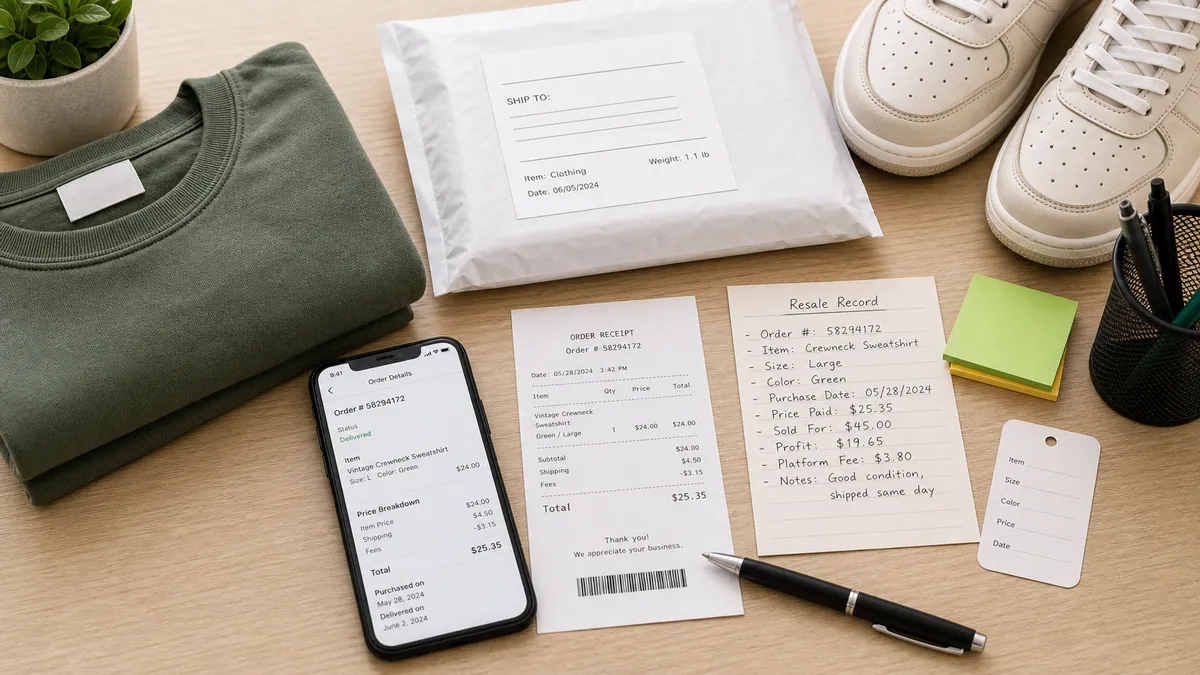
Ready to create your own? Use our free receipt generator — no account needed.
Generate Depop Receipt →On this page
Depop is one of the fastest-growing resale platforms for sneakers, streetwear, and vintage fashion — particularly among Gen Z buyers and sellers. If you bought or sold sneakers on Depop and need documentation for your records or a future resale listing, here is exactly what you need.
Quick Answer
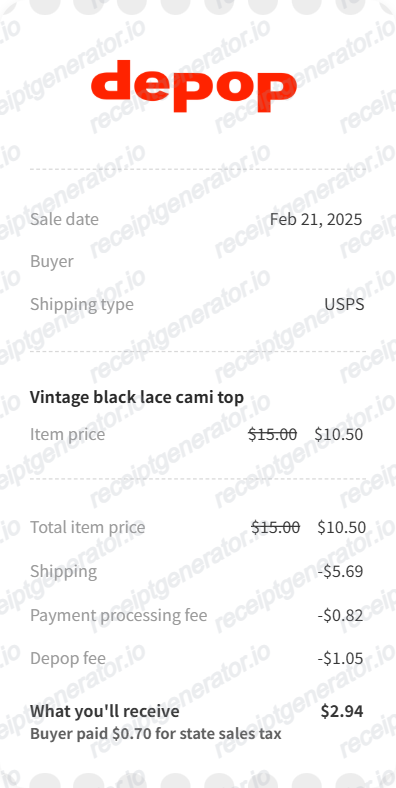
Depop order confirmations are sent via email and stored in the app under your purchase history. They show item, price, fees, and seller — but no style code unless the seller included it.
How Depop Receipts Work
Depop is a peer-to-peer marketplace, which means there is no platform authentication like StockX or GOAT. The receipt is a record of the transaction between you and the seller — not a guarantee of authenticity.
What this means for documentation:
- The receipt confirms you paid a specific price to a specific seller
- It does not confirm the item is authentic, deadstock, or as described
- For resale, buyers will want photos + receipt + box photos together
What a Depop Receipt Includes
| Field | Present |
|---|---|
| Order ID | ✅ |
| Seller username | ✅ |
| Item title / description | ✅ |
| Size | ✅ (if seller listed it) |
| Style code | ❌ (only if seller added it) |
| Item price | ✅ |
| Depop fee | ✅ (buyer side) |
| Shipping cost | ✅ |
| Payment method | ✅ |
| Total paid | ✅ |
| Shipping address | ✅ |
The biggest gap compared to StockX or GOAT receipts is the missing style code. If you are buying sneakers on Depop to resell, always ask the seller to include the style code in the listing or confirm it in messages.
Getting Your Depop Receipt
Via app:
- Open Depop and tap your profile icon
- Tap the shopping bag icon (purchases)
- Find the order and tap to view details
- Screenshot or save the order confirmation
Via email:
Search your inbox for emails from [email protected] — Depop sends a receipt email to the address on your account after every purchase.
Using a Depop Receipt for Resale
If you bought sneakers on Depop and want to resell on StockX, GOAT, Grailed, or privately:
What the Depop receipt proves:
- You purchased the item and paid a specific price
- The seller's username and transaction date
What you should add:
- Photos of the shoe with the tag showing the style code
- Box photos with matching barcode sticker
- Any seller messages confirming authenticity or condition
- Original seller listing screenshots (shows condition, description)
For high-value pairs (Jordan 1s, Off-White collabs, limited Nikes), serious buyers will want this full documentation package — not just the Depop receipt alone.
Create a Clean Depop-Style Receipt
If you want a structured receipt document from your verified Depop purchase details, use the Depop Receipt Generator.
Open the Depop Receipt Generator
Create a structured Depop-style receipt with order details, seller info, fees, and PDF export.
Related Guides
- Sneaker Resale Documentation Guide
- Vinted Receipt Template
- StockX vs GOAT Receipt: What's Different
- Sneaker Receipt Generator Guide
Final Takeaway
A Depop receipt documents the transaction but not the authentication. For sneaker resale, pair your Depop receipt with style code confirmation, box photos, and tag photos to give buyers the full provenance picture. Keep your order confirmation email and use the receipt generator to create a clean structured record for your files.
FAQ
Depop sends an order confirmation email to both buyer and seller after a successful transaction.
You can also find your purchase history in the Depop app under your profile — tap the bag icon to see all orders.
A Depop receipt shows seller username, item description, size, price paid, Depop fee, payment method, and shipping details.
It does not include a style code unless the seller added it to the listing.
Yes, but with context. Depop is a peer-to-peer marketplace with no authentication. Buyers on other platforms will weigh the receipt alongside photos of the item, box, and tags.