PayPal Receipt Template & Generator
Edit a PayPal receipt template with transaction ID, merchant, item amounts and funding. Preview free; PDF export requires a paid plan.
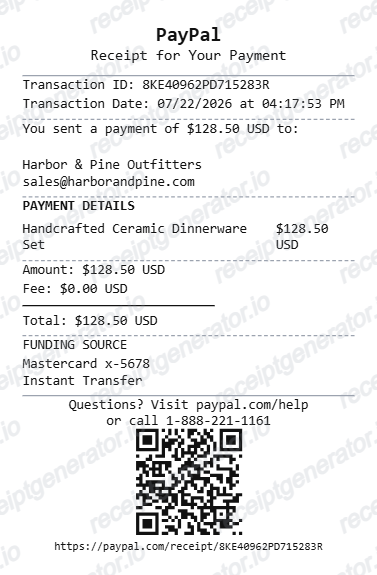
This editable PayPal layout organizes transaction ID, merchant, item amounts and funding from details you have confirmed. Compare the preview with the original record. Preview is free; PDF export requires a paid plan.

Choose
PayPal Receipt selected

Customize
Fill in your details

Download
Save or share receipt
Edit the details once and the preview updates instantly.
Quick summary
What can I edit in this PayPal template?
Edit transaction ID, merchant, item amounts and funding and compare the result with your original record. The layout does not retrieve transactions or verify payment.
Editable fields in the PayPal receipt template
Use the current layout to organize confirmed details; retain the original transaction or service record.
Transaction reference
Enter the transaction ID and date from the matching PayPal activity record. The editor cannot find a payment from an ID.
Merchant and items
Review merchant name/email and the item descriptions and amounts. A payment record may not provide all the detail of a merchant invoice.
Amounts and fees
Use the actual transaction amounts, fees and currency. Do not assume a zero fee from sample text.
Funding and support
Review funding-method text and footer/code fields. A generated code does not verify the transaction or connect to PayPal support.
Preview the editable PayPal layout
Edit the layout, watch it update live, then print, download PDF, or email.
PayPal live preview
Enter the transaction ID and date from the matching PayPal activity record. The editor cannot find a payment from an ID.
Review the item and detail fields
Review merchant name/email and the item descriptions and amounts. A payment record may not provide all the detail of a merchant invoice.
PDF export plans
Preview free; watermark-free PDF export requires a paid plan.
Desktop and mobile editing
Review the same layout on desktop or mobile before exporting.
Check your PayPal record before exporting
Keep the original documentation alongside any editable copy.
Receipt retrieval and source guidance
Reconcile the source record
Use the actual transaction amounts, fees and currency. Do not assume a zero fee from sample text.
Keep an organized personal copy
Review funding-method text and footer/code fields. A generated code does not verify the transaction or connect to PayPal support.
PayPal template layout
Open the current editor and review its actual fields.
PayPal editable layout
One current layout with transaction ID, merchant, item amounts and funding; sample values remain editable.
Original transaction help
Use the provider’s own records when you need to verify a transaction.
Explore related editable layouts for confirmed purchase or service details.

PayPal Receipt Template: Editing and Original Records
Answers about the current fields, original documentation and PDF export.
Open the editor, enter the confirmed transaction ID, merchant, item amounts and funding, and compare the preview with the original record. Watermark-free PDF export requires a paid plan.
Use the matching PayPal account activity and its original transaction data or available reports. PayPal documents activity-report exports; this editor does not connect to that reporting service.
No. Confirm the payment in PayPal and keep the original transaction record and merchant invoice where required.
Receipt Generator · Receipt Maker · 300+ Free Templates
Open the PayPal receipt template
Enter confirmed details, review the free preview and choose a paid plan for watermark-free PDF export.