Adidas Receipt Template & Generator
Edit an Adidas receipt template with store details, product codes, tax rows and payment totals. Preview free; PDF export requires a paid plan.
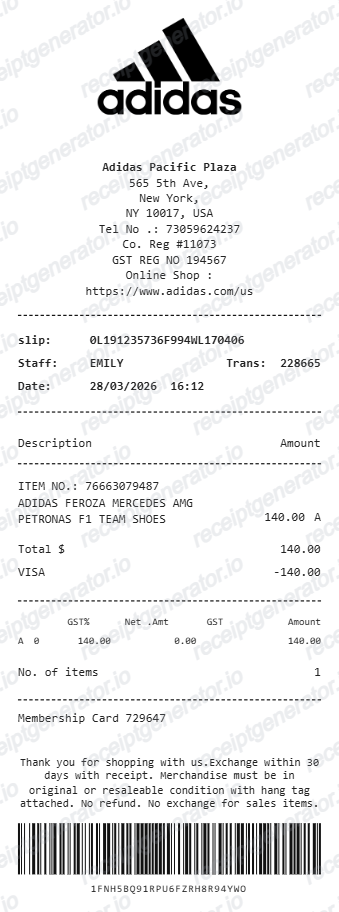
Adidas receipt template for confirmed transaction details. Edit the address, slip number, staff name, transaction number, date and time in the store block. Preview the editable layout free; watermark-free PDF export requires a paid plan.

Choose
Adidas Receipt selected

Customize
Fill in your details

Download
Save or share receipt
Edit the details once and the preview updates instantly.
Quick summary
Adidas receipt template: what can I edit?
Edit the address, slip number, staff name, transaction number, date and time in the store block. Enter the item number, description, amount and tax code from your confirmed purchase.
Editable fields in the Adidas receipt template
Review these fields against the source transaction before exporting your personal record.
Store and transaction details
Edit the address, slip number, staff name, transaction number, date and time in the store block.
Product codes and descriptions
Enter the item number, description, amount and tax code from your confirmed purchase.
Tax rows and payment
Review the editable tax percentage, net amount, tax amount, total and payment method. The sample includes GST labels; check their suitability for the transaction.
Membership and barcode text
The membership value, policy text and barcode are editable layout fields. They do not retrieve an adidas purchase or verify a product.
Create a print-ready Adidas store receipt
Edit the layout, watch it update live, then print, download PDF, or email.
Adidas live preview
Edit the address, slip number, staff name, transaction number, date and time in the store block.
Review the editable fields
Enter the item number, description, amount and tax code from your confirmed purchase.
PDF export plans
Preview the layout free; watermark-free PDF export requires a paid plan.
Mobile and desktop editing
Open the same receipt layout on mobile or desktop and check the preview before exporting.
Original Adidas records and this editable template
For an online US order, adidas says the shipment confirmation email includes the order number and an itemised list of shipped items. Use adidas support for missing original documentation; this editor does not retrieve an order.
Receipt retrieval and source guidance
Reconcile confirmed details
Review the editable tax percentage, net amount, tax amount, total and payment method. The sample includes GST labels; check their suitability for the transaction.
Review the layout
The membership value, policy text and barcode are editable layout fields. They do not retrieve an adidas purchase or verify a product.
Adidas Receipt Formats
Compare this editable layout with the original transaction record.
Adidas editable purchase record
Enter the item number, description, amount and tax code from your confirmed purchase.
Original records and related layouts
Use the merchant’s guidance for original documentation and the templates for editable records.
Receipt guide
Adidas Return Policy and Receipt Requirements
What information from your Adidas receipt you need to complete a free return online or in-store.
Explore Adidas Return Policy and Receipt RequirementsReceipt guide
How to Read an Adidas Order Receipt
Read an Adidas receipt or shipment email by checking the order reference, shipped items and charges, then compare it with your original purchase record.
Explore How to Read an Adidas Order ReceiptCompare related receipt layouts and their editable fields.
Adidas Receipt Template: Fields and Original Records
Answers about this layout, confirmed transaction details and the original purchase record.
Open the editor, enter the confirmed transaction details, review product codes and descriptions and check the totals in the live preview. Watermark-free PDF export requires a paid plan.
For an online US order, adidas says the shipment confirmation email includes the order number and an itemised list of shipped items. Use adidas support for missing original documentation; this editor does not retrieve an order.
No. This is one editable store layout with product codes, tax rows and payment fields. Regional tax labels and online order confirmations can differ, so compare the sample with your own purchase record.
Receipt Generator · Receipt Maker · 300+ Free Templates
Edit the Adidas receipt template
Enter confirmed details, check the free preview and review paid PDF export plans.