Jordan Receipt Generator
Create a Jordan-style sneaker receipt with model, style code, colorway, size, price, tax, and store details. Export a clean PDF quickly.
Create a Jordan-style receipt with model names, style codes, sizes, prices, and taxes. Download a PDF for sneaker purchase records.

Choose
Jordan Receipt selected

Customize
Fill in your details

Download
Save or share receipt
Edit the details once and the preview updates instantly.
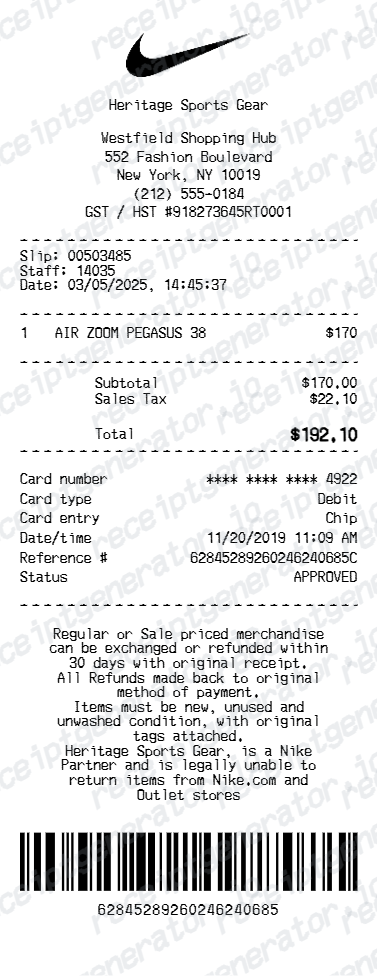
Quick summary
Jordan receipt template overview
Use this Jordan receipt generator to create authentic itemized receipts with editable products, tax calculations in $, and printable PDF export.
What Is on a Real Jordan / SNKRS Receipt?
Most Jordan releases move through the SNKRS app now, and the order confirmation that comes with a win looks different from a traditional store receipt. Knowing what a genuine one contains helps you document your own purchases accurately.
SNKRS draws charge you only if you win
Entering a SNKRS draw does not charge your card. You're only billed - and only receive an order confirmation - if you're selected, with a 'Got 'Em' notification and confirmation email typically arriving within about 24 hours of the draw closing.
Digital order confirmation is the receipt
There is no itemized paper invoice for SNKRS purchases. Your record is the confirmation email plus the order entry in the SNKRS app or Nike App order history.
Release name, style code, and colorway
Every order lists the shoe's full release name, the manufacturer style code, and colorway - the same identifiers resale buyers cross-check on StockX or GOAT listings.
Nike Pass links in-store buys to the same history
Nike Members who scan their Nike Pass at a physical register get that in-store purchase recorded alongside online orders, so both show up in the same digital order history rather than a separate paper trail.
60-day return window for Members
Nike Members get a flat 60-day return window on purchases made through stores, Nike.com, or the Nike App, with a free UPS return label generated from order history.
What it cannot prove
A launch-day confirmation shows someone won and paid for that release - it does not verify that a specific pair in a resale listing is that exact item. StockX and GOAT authenticate the physical shoes themselves, not the buyer's original receipt.
Create a print-ready Jordan sneaker receipt
Edit the layout, watch it update live, then print, download PDF, or email.
Live Jordan receipt preview
Watch the receipt update instantly as you add Jordan model and price details.
One-click print
Print the Jordan receipt directly from your browser.
Mobile-friendly editor
Create Jordan receipts from desktop, tablet, or phone with the same live preview.
Get Your Original Jordan / SNKRS Receipt First
If you won a SNKRS draw or bought through Nike.com or the Nike App, sign in and check Orders in the app or nike.com/orders, or search your email for the confirmation sent when you won or checked out. Use this template when the original is unavailable - for example, documenting a purchase for insurance or resale after losing access to the account or email it was placed under.
Personal purchase records
Document Air Jordan shoe purchases for your personal collection history.
Return or exchange support
Generate a Jordan receipt for return, exchange, or in-store verification scenarios.
Jordan Receipt Formats
Choose the Jordan-style receipt layout that best matches your sneaker purchase and documentation needs.
Single Jordan Sneaker Receipt
Basic Jordan receipt for one sneaker purchase with style code, size, and payment details.
Multi-Item Jordan Receipt
Itemized Jordan receipt for sneakers, apparel, and accessories in one purchase.
Jordan Authentication Receipt
Jordan receipt with complete style and store details for resale verification.
Related Guides
Explore related guides to understand the receipt details, lookup steps, and documentation workflows.
Jordan Brand Exclusive Access Launches Explained
How Jordan Brand exclusive access launches work, who qualifies for restricted releases, and what the exclusive access note on the receipt means for resale…
Explore Jordan Brand Exclusive Access Launches ExplainedNikePlus Member Discounts on Jordan Brand Purchases
How NikePlus and Jordan member discounts are applied, how the discount appears on the order receipt, and how to ensure the correct pricing is reflected in…
Explore NikePlus Member Discounts on Jordan Brand PurchasesRelated Other Receipt Templates
More free receipt templates for luxury brand and retail expense records.

Jordan Receipt FAQ
Common questions about creating a Jordan-style sneaker receipt for product records and purchase documentation.
Choose the Jordan receipt template, add store name, Air Jordan model, style code, colorway, size, price, taxes, and payment method. Preview and download the receipt as a PDF in seconds.
Yes. Include store name, location, store number, cashier details, and transaction ID for complete Jordan purchase documentation.
SNKRS purchases only happen if you win a draw - you're not charged for entering, only if selected. Winners get a confirmation notification and email within about 24 hours of the draw closing, and the order appears in the SNKRS app or Nike App order history. For mainline Jordan Brand or Nike Store purchases, sign in at nike.com/orders or check the Nike App's Orders tab, or search your email for the confirmation.
Not by itself. Resale platforms like StockX and GOAT authenticate the physical shoes through their own inspection process - they do not verify listings by checking a buyer's original receipt. A SNKRS or retail confirmation is still useful as your own purchase record and as supporting context in a private sale, but it is not a substitute for a platform's authentication.
Both. You can use these templates for reimbursements, bookkeeping prep, and internal documentation workflows.
Yes. Include the style number, release name, colorway, size, and item description for each Jordan sneaker purchase.
Yes. Add promo discounts, membership savings, or reward credits as line items and include them in the receipt total.
It is a digital order confirmation, not a printed boutique receipt - sent by email and stored in account order history. It shows the shoe's full release name, the manufacturer style code, colorway, size, price, tax, and shipping, plus (for SNKRS wins) a 'Got 'Em' notification tied to the draw. Nike Members who scan their Nike Pass at a physical register also get in-store purchases recorded in the same digital history.
Add the store name, purchase date, line items, totals, tax, payment method, and any optional notes you need on your Jordan template.
This tool creates an editable Jordan style layout for documentation. It is not issued by the original merchant or brand system.
Receipt Generator · Receipt Maker · 300+ Free Templates
Create your Jordan receipt
Use the editable Jordan receipt generator to add items, tax totals, and payment details, then export a clean PDF.