Ampol Receipt Generator
Build an editable Ampol-style receipt with fuel grade, litres, price per litre, shop items, AmpolCash details, payment, and GST totals. Preview the Australian layout before downloading a PDF.
Create a Ampol-style receipt with fuel items, GST-inclusive totals, AmpolCash, payment, and footer text. Download a PDF for records.

Choose
Ampol Receipt selected

Customize
Fill in your details

Download
Save or share receipt
Edit the details once and the preview updates instantly.
Quick summary
Ampol receipt template overview
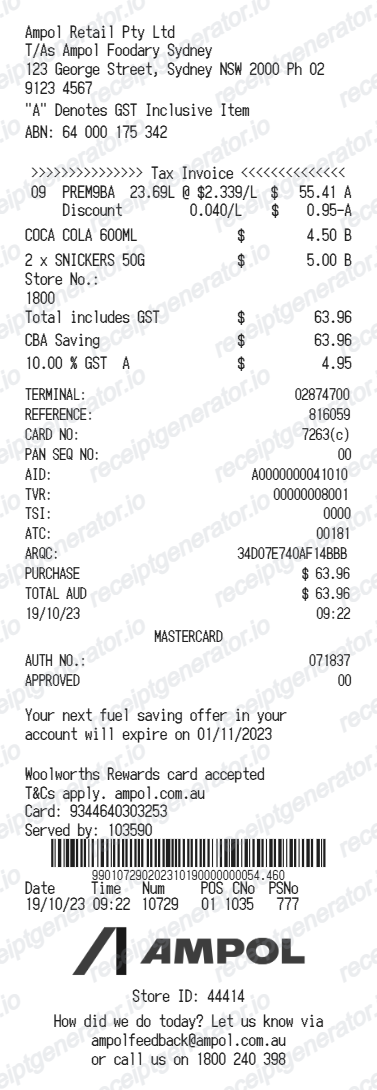
Use this Ampol-style receipt template to build a compact Australia receipt with editable items, GST-inclusive totals, AmpolCash, barcode, and footer text.
What Is on a Real Ampol Receipt?
Before you rebuild an Ampol docket, it helps to know what the original contains. Ampol receipts follow Australian tax invoice conventions and carry loyalty and fuel-card lines specific to the network.
Tax invoice with GST and ABN
Fuel includes 10% GST, shown as an amount within the total rather than added on top. For business claims over $82.50, the ATO requires a tax invoice that identifies the seller and shows an ABN, so Ampol dockets carry the site's business details in the header.
Amplify fuel grades with litres and cents per litre
The fuel row names the grade - Amplify 91, Amplify Premium 95 or 98, or Amplify Diesel - with the pump number, litres to two or three decimals, and the unit price in cents per litre.
Everyday Rewards points line
Ampol partners with Woolworths' Everyday Rewards, so scanned members see points activity on the docket. Collecting 2,000 points unlocks $10 off a shop, and AmpolCard business customers can link a card so every driver fill collects points automatically.
AmpolCash and payment tenders
AmpolCash is Ampol's prepaid gift card, and it appears as its own tender line when used. Card payments print an EFTPOS block with the masked card number and approval details below the total.
AmpolCard fills roll into a consolidated tax invoice
Business fuel-card purchases are itemized on a periodic AmpolCard statement issued as a tax invoice, payable on Ampol's trading terms. The pump docket for a card fill is a delivery record - the statement is the accounting document.
Caltex legacy branding
Ampol rebranded its Australian network from Caltex, so older receipts and some signage reference Caltex. A credible docket matches the branding to the date - recent receipts should read Ampol, not Caltex.
Create a print-ready Ampol fuel receipt
Edit the layout, watch it update live, then print, download PDF, or email.
Live Ampol receipt preview
See the Ampol receipt update instantly as you edit items, totals, GST, and messages.
PDF download
Export a clean Ampol-style receipt PDF for digital or printed records.
Mobile-friendly editor
Create and edit Ampol receipts from desktop, tablet, or phone.
AmpolCash and GST support
Customise loyalty text, GST totals, barcode digits, and footer messaging.
Looking for an original Ampol fuel receipt?
If you need retailer-issued proof, first check the purchase email and the account or app used for the transaction, then contact Ampol. Use this editable layout only for legitimate personal records based on details you already know.
Budget tracking
Keep a clear itemised record of Ampol spending.
Lost receipt recreation
Recreate a Ampol receipt-style document from your purchase details.
GST expense documentation
Prepare a receipt record with GST for reimbursement or bookkeeping.
Ampol receipt formats for Australian records
Choose from standard fuel, AmpolCash-aware, and GST record formats according to the confirmed transaction details and the record you need to organise.
Standard Receipt
A Ampol-style receipt with item rows and payment details.
AmpolCash Receipt
A Ampol receipt layout with loyalty points and promotional footer messaging.
GST Receipt
A Ampol-style receipt configured with AUD currency and a GST summary for Australia records.
Related Guides
Explore related guides to understand the receipt details, lookup steps, and documentation workflows.
Related fuel purchase records templates
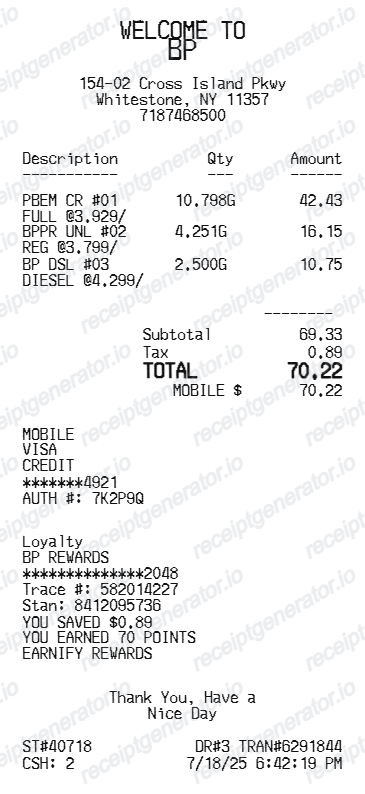
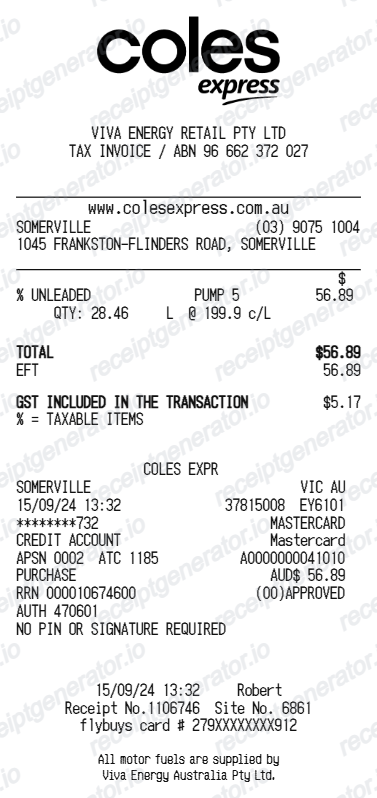
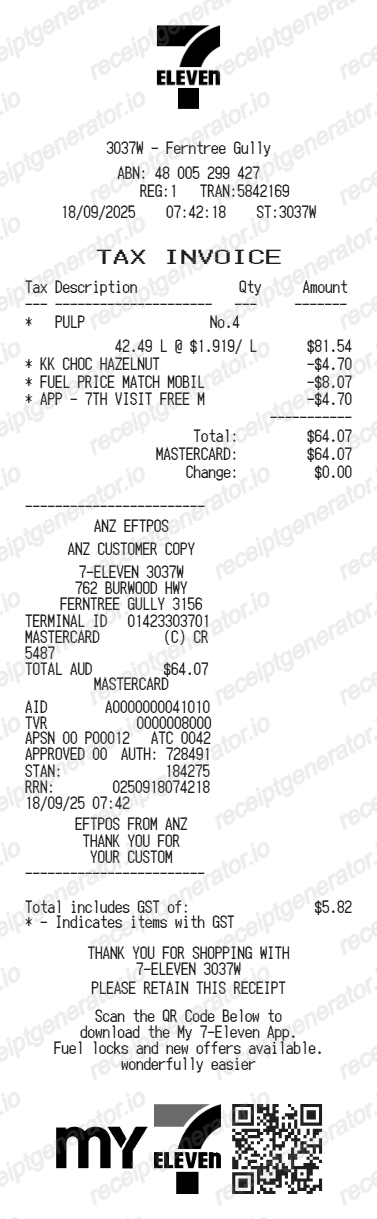
More free receipt templates for Australia fuel shopping and retail expense records.

More Australia Receipt Templates
Browse our collection of receipt templates for various purposes.
Ampol Receipt FAQ
Common questions about creating Ampol fuel receipts for personal records, budgeting, and GST documentation in Australia.
Check the purchase email and the retailer account or app used for the transaction, then contact Ampol if the original is unavailable. This editable template is not retailer-issued proof of purchase.
Choose the Ampol receipt template, edit the store header, add items and prices, set the total and GST, then download the receipt as a PDF.
Yes. You can create and preview Ampol receipts for free. Watermark-free PDF downloads are available with paid plans.
For pump purchases, ask the station attendant - most sites can reprint recent transactions. AmpolCard business customers can download itemized tax invoices from the AmpolCard online portal, where every card transaction is consolidated onto a periodic statement. If you scanned an Everyday Rewards card, your points activity in the Everyday Rewards app can help confirm the date and store, though it does not store the full docket.
Yes, if the docket qualifies as a tax invoice. Fuel includes 10% GST, and for claims over $82.50 the ATO requires the seller's identity and ABN, the date, a description of the purchase, and the GST amount or a statement that the total includes GST. AmpolCard statements are issued as consolidated tax invoices, which is why many businesses fuel on card rather than keeping pump dockets.
Use confirmed transaction information such as fuel grade, litres, price per litre, shop items, AmpolCash details, payment, and GST totals. Only include details that match the purchase you are documenting.
Yes. The totals section includes a GST-inclusive total to match the format on Australia Ampol receipts.
Yes. After editing the details, preview and download the Ampol-style receipt as a clean PDF for records or budgeting.
It is a narrow thermal docket showing the station name and address, the fuel grade (such as Amplify Premium 98 or Amplify Diesel) with litres and cents per litre, any shop items, a GST-inclusive total with the GST amount, the payment method or AmpolCash tender, and Everyday Rewards points text near the footer. Older dockets may still carry Caltex branding.
Receipt Generator · Receipt Maker · 300+ Free Templates
Create your Ampol receipt record
Add fuel grade, litres, price per litre, shop items, AmpolCash details, payment, and GST totals, review the preview, and export a PDF for vehicle expense records, fuel logs, confirmed work travel, or budgeting.