Amazon India Invoice Generator
Create an Amazon.in-style GST tax invoice with sold-by seller details and GSTIN, order number, invoice number, bill-to and ship-to, HSN line items, CGST/SGST or IGST, and grand total. Preview live and download a PDF.
Create an Amazon India-style tax invoice with sold-by seller details, GSTIN and PAN, order number, invoice number and date, place of supply, HSN line items, taxes, and grand total. Download a print-ready PDF.

Choose
Amazon India Invoice selected

Customize
Fill in your details

Download
Save or share receipt
Edit the details once and the preview updates instantly.
Quick summary
Amazon India receipt template overview
Create an Amazon.in-style GST tax invoice with sold-by seller details and GSTIN, order number, invoice number, bill-to and ship-to, HSN line items, CGST/SGST or IGST, and grand total. Preview live and download a PDF.
What Is on a Real Amazon India Tax Invoice?
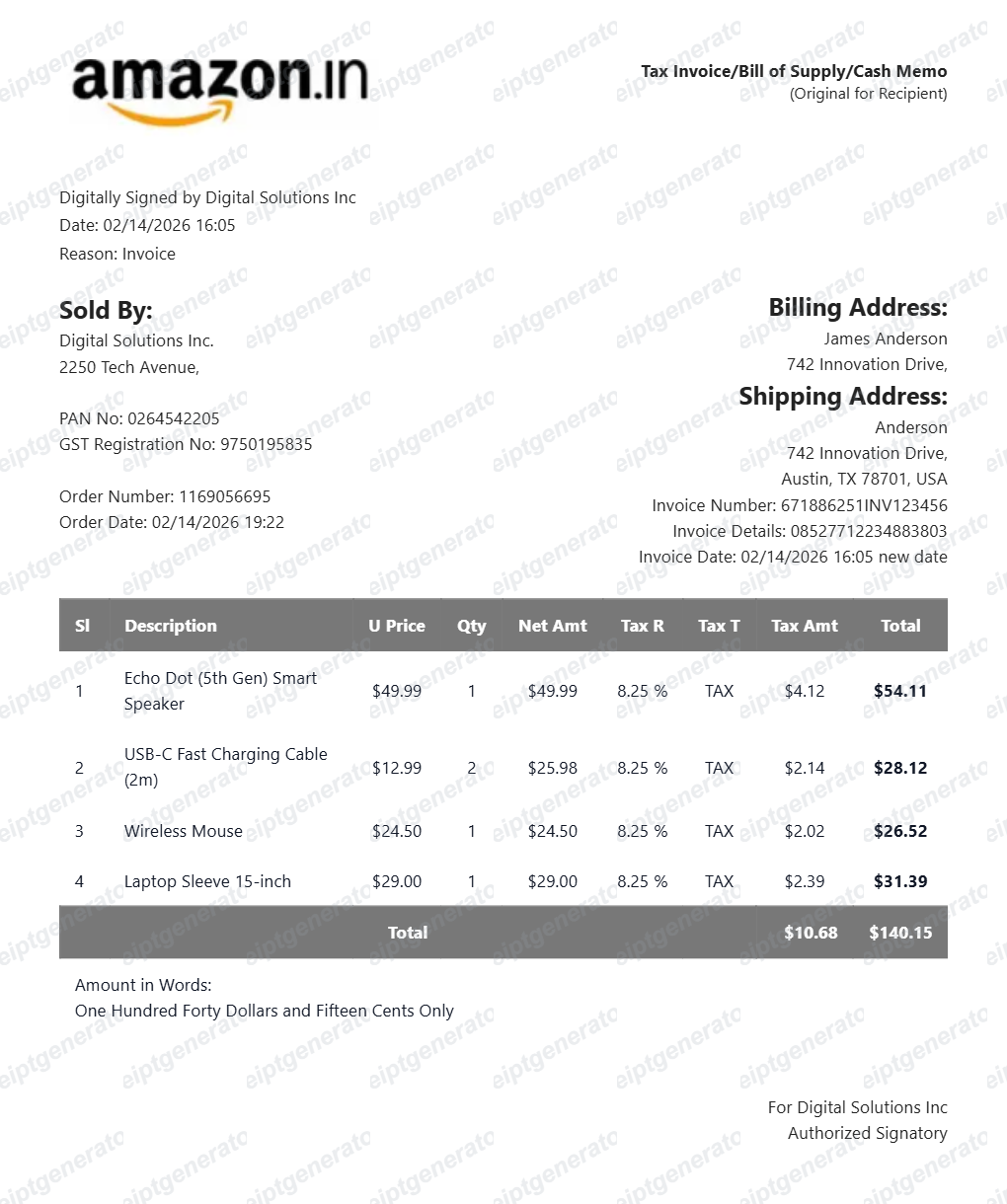
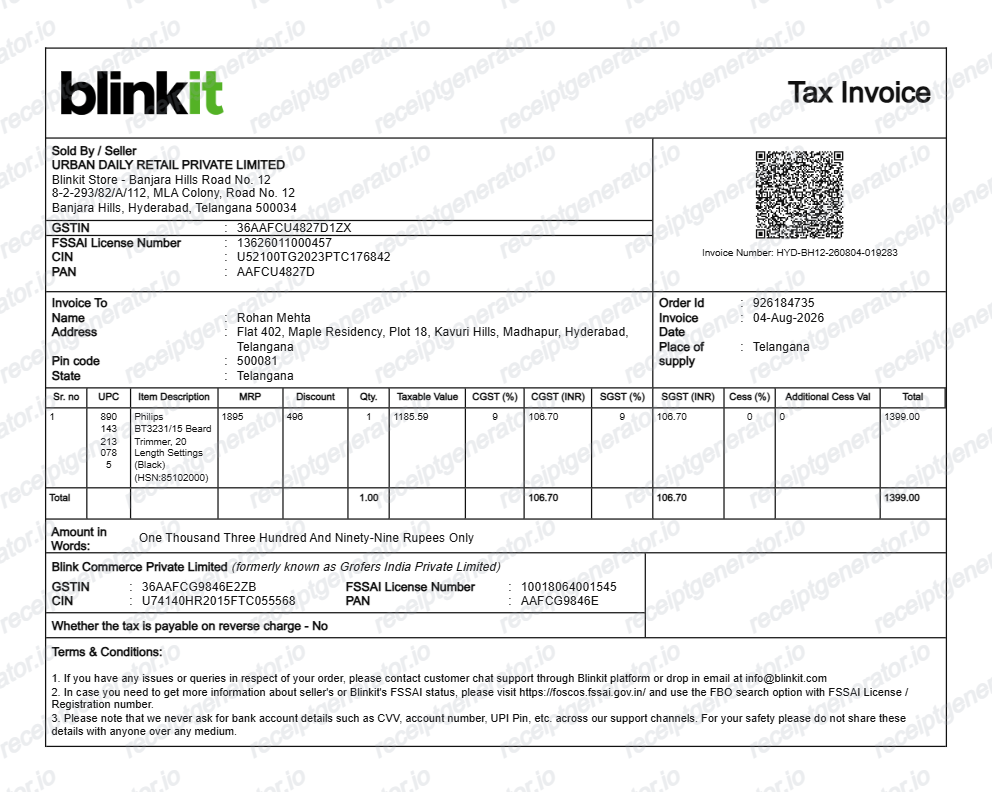
Amazon.in issues a GST tax invoice, not a simple order receipt, and it is a legal document generated by the marketplace seller. A credible replacement copy should match its GST-specific structure field for field.
The 'Tax Invoice/Bill of Supply/Cash Memo' header
Real Amazon.in invoices carry this combined header with the applicable type in effect. The document is issued by the sold-by seller - not Amazon itself - so it shows the seller's legal name, registered address, 15-character GSTIN, and PAN.
Order number plus a seller invoice number
The Amazon order number keeps the XXX-XXXXXXX-XXXXXXX format, but the invoice adds the seller's own invoice serial number and invoice date. Expense and GST records key off the invoice number, not the order number.
HSN code on every item line
Each product line shows its HSN classification code alongside unit price, quantity, discount, and taxable value. Since prices on Amazon.in are tax-inclusive, the invoice back-calculates the taxable value from the listed price.
CGST/SGST or IGST depending on the states involved
If the seller ships from the same state as the delivery address, GST splits into equal CGST and SGST lines; if the states differ, a single IGST line appears instead. The Place of Supply field printed on the invoice is what determines this split.
Reverse-charge declaration and amount in words
GST invoices state whether tax is payable under reverse charge (almost always 'No' for consumer orders) and spell out the grand total in words - two fields that distinguish a real Indian tax invoice from a US-style Amazon receipt.
Authorized signatory for the seller
The invoice closes with 'For [seller name]: Authorized Signatory' and a digital signature block. Bill-to and ship-to addresses are shown separately, which matters when a business address pays for a home delivery.
Create a print-ready Amazon India receipt
Edit the layout, watch it update live, then print, download PDF, or email.
Live Amazon India receipt preview
Watch the Amazon India receipt update in real time as you edit item rows, prices, and tax totals.
Print-ready PDF export
Download a clean, high-resolution Amazon India-style receipt in PDF format for bookkeeping or expense records.
Editable store & register fields
Customise store location, cashier or lane numbers, transaction reference codes, and payment details in ₹.
Mobile-friendly generator
Create and preview Amazon India receipts instantly on smartphone, tablet, or desktop browser.
Get Your Original Amazon India Invoice First
If the order is in your account, download the official document: go to amazon.in, open Your Orders, select the order, and click Invoice - the seller's GST tax invoice is usually available once the item ships. Amazon Business accounts can bulk-download GST invoices, and digital purchases keep theirs under Digital Orders. Use this template when the original is unavailable - a closed account, a seller invoice that never appeared, or an order placed by someone else.
Expense & reimbursement documentation
Document Amazon India purchases with itemized totals and tax lines for personal budgeting or expense reimbursement.
Lost receipt replacement
Recreate a clean itemized receipt record from transaction details when original thermal till slips are lost or faded.
Warranty & purchase recordkeeping
Maintain verifiable purchase documentation with date, time, and register references for inventory and record tracking.
Amazon India Receipt Formats
Choose the Amazon India receipt format that best matches your documentation and layout needs.
Standard Store Receipt
Standard Amazon India till receipt layout with item lines, subtotals, tax breakdown, and payment confirmation.
Itemized Detailed Receipt
Expanded layout with product SKU codes, quantity unit rates, discounts, and store register metadata.
Digital Order & Invoice
Clean electronic invoice format with customer reference numbers, transaction IDs, and payment method details in ₹.
Related Guides
Helpful guides on creating and using these invoices and bills.
Receipt guide
How to Download a Flipkart Invoice
Where to find your Flipkart GST tax invoice and how to rebuild a clean copy.
Explore How to Download a Flipkart InvoiceReceipt guide
GST Invoice Format
The mandatory fields a GST-compliant tax invoice needs in India.
Explore GST Invoice FormatReceipt guide
How to Download Your Amazon India GST Invoice
How to download a GST invoice from Amazon.in — open Your Orders, select the order, and download the tax invoice with the seller's GSTIN for business and reimbursement records.
Explore How to Download Your Amazon India GST InvoiceReceipt guide
Retail Receipt for Expense Reports
See which fields a store receipt needs to qualify for expense report or reimbursement submission.
Explore Retail Receipt for Expense ReportsRelated Templates
Browse our collection of receipt templates for various purposes.

More India Receipt Templates
Browse our collection of receipt templates for various purposes.
Amazon India Invoice FAQ
Common questions about creating an Amazon.in-style GST tax invoice.
Open the Amazon India invoice generator, edit the seller details and GSTIN, order number, invoice number, bill-to and ship-to, HSN line items, taxes, and grand total, then preview and download as a PDF.
Yes — the Amazon India tax invoice format includes the seller GSTIN, GST breakdown (CGST/SGST or IGST), and item-level detail in rupees.
Sign in at amazon.in, open Your Orders, select the order, and click Invoice, then Download. The GST tax invoice is generated by the marketplace seller and usually becomes available once the item ships. Amazon Business accounts can bulk-download GST invoices across orders, and digital purchases have their invoices under Digital Orders.
Only with a GST invoice that carries your business GSTIN as the buyer, which requires purchasing through an Amazon Business account with the GSTIN added before checkout. A regular consumer invoice without a buyer GSTIN does not support input tax credit, and this template is for records and reimbursement files - not for ITC claims.
The Amazon India invoice is a GST tax invoice in ₹ with seller GSTIN, PAN, HSN codes, and CGST/SGST or IGST — required for Indian orders. The US Amazon receipt uses a different format and currency.
Yes — export a clean A4 invoice PDF instantly, free with no sign-up.
A real Amazon.in invoice is headed 'Tax Invoice/Bill of Supply/Cash Memo' and shows the sold-by seller with their address, 15-character GSTIN, and PAN, the order number and date, a seller invoice number and date, bill-to and ship-to addresses, the place of supply, each item with its HSN code, the tax split (CGST plus SGST for same-state shipments or IGST across states), the total in words, a reverse-charge declaration, and an authorized signatory line for the seller.
Receipt Generator · Receipt Maker · 300+ Free Templates
Create your Amazon India receipt
Use the editable Amazon India receipt generator to add items, tax totals, and payment details, then export a clean PDF.