Noon Invoice Generator
Create a Noon-style VAT tax invoice with seller details and TRN, order number, bill-to details, line items, 5% VAT, and total in AED. Preview live and download a PDF.
Create a Noon-style VAT tax invoice with sold-by seller details, TRN, order number, invoice number, line items, 5% VAT, and total in AED. Download a print-ready PDF.

Choose
Noon Invoice selected

Customize
Fill in your details

Download
Save or share receipt
Edit the details once and the preview updates instantly.
Quick summary
Noon receipt template overview
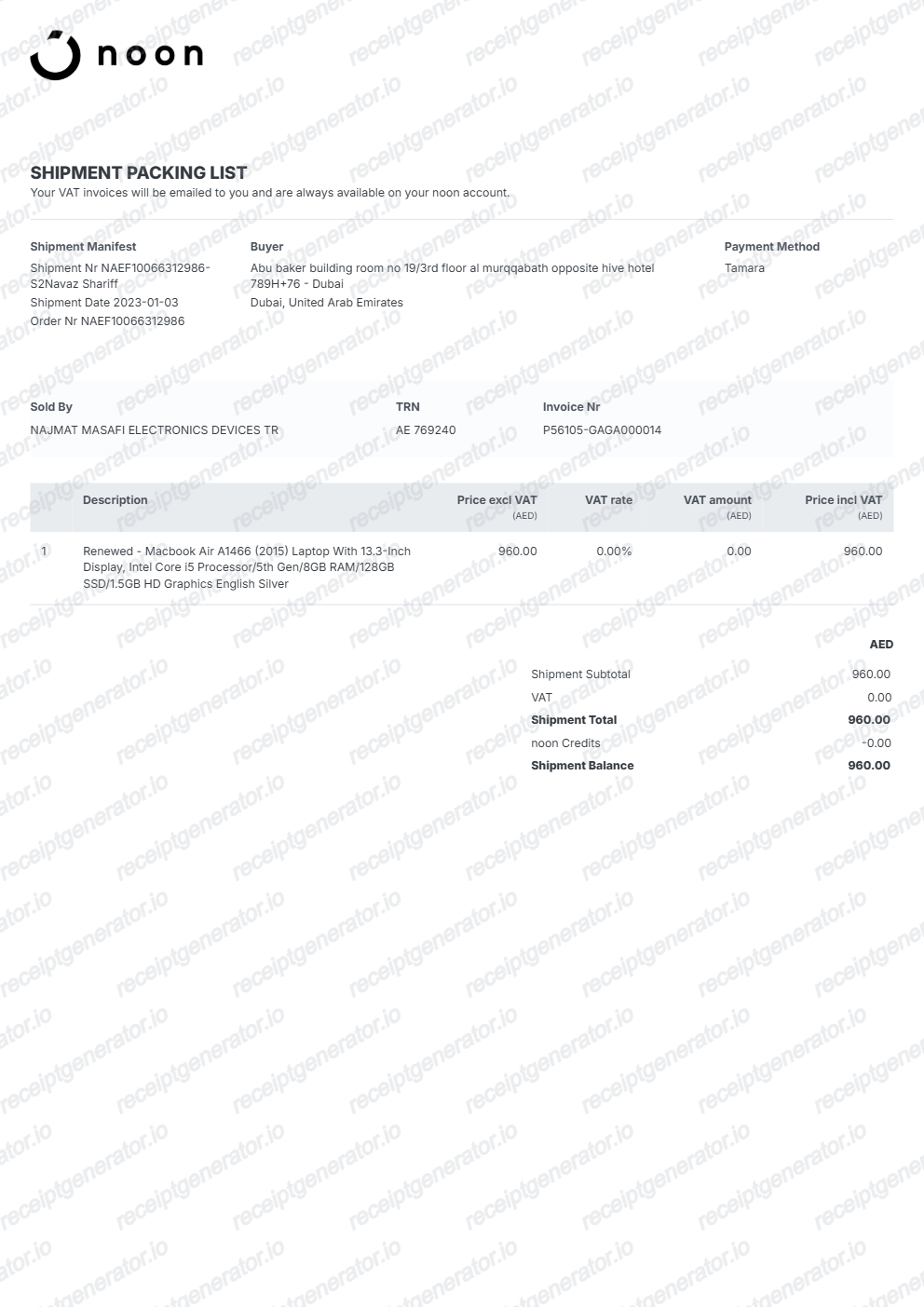
Create a Noon-style VAT tax invoice with seller details and TRN, order number, bill-to details, line items, 5% VAT, and total in AED. Preview live and download a PDF.
What Is on a Real Noon Tax Invoice?
Noon is a marketplace, and it raises the legal tax invoice to the customer on the seller's behalf. A credible replacement copy should match that VAT invoice structure field for field.
Sold-by seller with TRN
The invoice names the registered seller who fulfilled the order and shows the seller's tax registration number (TRN). In the UAE the TRN is a 15-digit number issued by the Federal Tax Authority, and it is the field VAT auditors check first.
VAT rate depends on the country
Noon operates across the UAE, Saudi Arabia, and Egypt, and the VAT line follows the market: 5% in the UAE, 15% in Saudi Arabia (in effect since July 2020), and 14% in Egypt. A UAE invoice showing 15% VAT would be an immediate red flag.
Order number plus serial invoice number
Each Noon invoice carries the noon order number and its own sequential invoice serial number. The serial number is a legal requirement for tax invoices in both the UAE and Saudi Arabia.
VAT-exclusive prices with a separate VAT line
Line items show the price excluding VAT, then the invoice totals the taxable amount, states the VAT charged as its own line, and ends with the grand total in AED or SAR.
Saudi invoices follow ZATCA e-invoicing rules
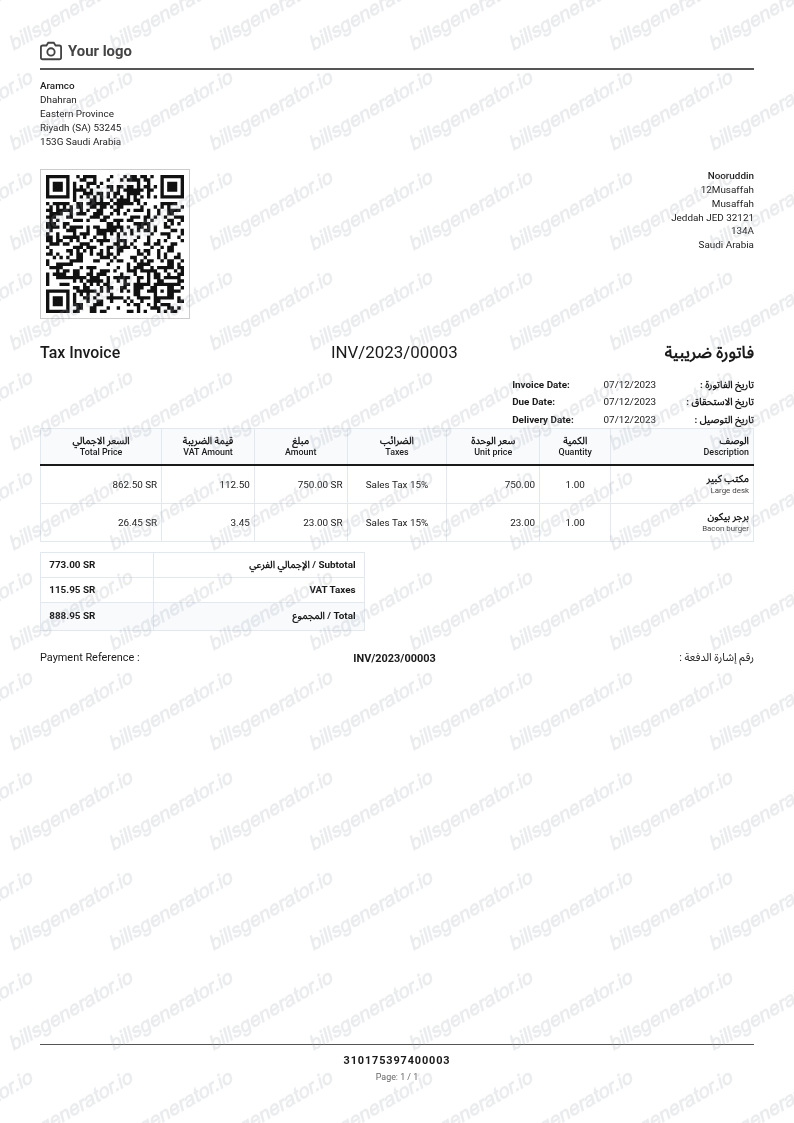
For noon KSA orders, invoices fall under the ZATCA FATOORA e-invoicing regime - simplified B2C tax invoices must carry a QR code, a requirement in force since December 2021.
Invoice available after delivery
The tax invoice appears on the order detail page in My Account once the order is delivered. Sellers and businesses can also pull monthly VAT invoice reports, so a real invoice is always traceable to an order in the system.
Create a print-ready Noon receipt
Edit the layout, watch it update live, then print, download PDF, or email.
Live Noon receipt preview
Watch the Noon receipt update in real time as you edit item rows, prices, and tax totals.
Print-ready PDF export
Download a clean, high-resolution Noon-style receipt in PDF format for bookkeeping or expense records.
Editable store & register fields
Customise store location, cashier or lane numbers, transaction reference codes, and payment details in $.
Mobile-friendly generator
Create and preview Noon receipts instantly on smartphone, tablet, or desktop browser.
Get Your Original Noon Invoice First
If the order is still in your account, the original is always better: open the noon app or site, go to My Account, then Orders, open the order, and download the tax invoice from the order detail page after delivery. Noon issues the legal VAT invoice on the seller's behalf, so that PDF is the official record. Use this template when the original is unavailable - a closed account, a delisted seller, or a purchase made by someone else.
Expense & reimbursement documentation
Document Noon purchases with itemized totals and tax lines for personal budgeting or expense reimbursement.
Lost receipt replacement
Recreate a clean itemized receipt record from transaction details when original thermal till slips are lost or faded.
Warranty & purchase recordkeeping
Maintain verifiable purchase documentation with date, time, and register references for inventory and record tracking.
Noon Receipt Formats
Choose the Noon receipt format that best matches your documentation and layout needs.
Standard Store Receipt
Standard Noon till receipt layout with item lines, subtotals, tax breakdown, and payment confirmation.
Itemized Detailed Receipt
Expanded layout with product SKU codes, quantity unit rates, discounts, and store register metadata.
Digital Order & Invoice
Clean electronic invoice format with customer reference numbers, transaction IDs, and payment method details in $.
Related Guides
Helpful guides on VAT invoices in the UAE.
Receipt guide
UAE VAT Invoice Format
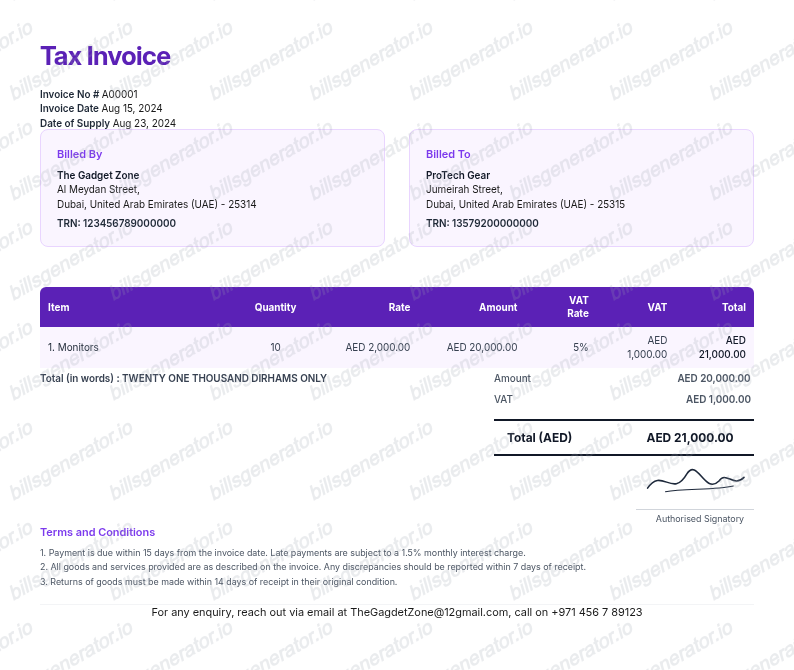
The fields an FTA-compliant UAE tax invoice must include at 5% VAT.
Explore UAE VAT Invoice FormatReceipt guide
Retail Receipt for Expense Reports
See which fields a store receipt needs to qualify for expense report or reimbursement submission.
Explore Retail Receipt for Expense ReportsRelated Templates
Browse our collection of receipt templates for various purposes.
Noon Invoice FAQ
Common questions about creating a Noon-style VAT tax invoice.
Open the Noon generator, edit the details, line items, charges, taxes, and total, then preview and download as a PDF.
Open the noon app or website, go to My Account, select Orders, and open the order - the tax invoice is available from the order detail page once the item is delivered. Noon issues the legal tax invoice on the seller's behalf, so the document you download is the official VAT record for that purchase.
Only a proper tax invoice supports input VAT recovery. VAT-registered businesses in the UAE need an FTA-compliant tax invoice showing the seller's TRN, and in Saudi Arabia a ZATCA-compliant invoice; the standard invoice from your Noon order page usually qualifies, but check that it shows the TRN and VAT amount before submitting it to your accountant.
Yes. Every field — line items, charges, taxes, and totals — is editable so the document matches your order.
A real Noon tax invoice names the sold-by seller with the seller's tax registration number (TRN), carries the noon order number and a serial invoice number, lists each item with its VAT-exclusive price, shows VAT as a separate line - 5% in the UAE or 15% in Saudi Arabia - and ends with the total in AED or SAR.
Receipt Generator · Receipt Maker · 300+ Free Templates
Create your Noon receipt
Use the editable Noon receipt generator to add items, tax totals, and payment details, then export a clean PDF.