POS Receipt Generator: Create Point of Sale Receipts Free

Ready to create your own? Use our free receipt generator — no account needed.
Browse Receipt Templates →On this page
A POS (point of sale) receipt is the printed or digital record of a transaction — what a cash register or terminal issues to the customer after payment. If you run a small business, pop-up shop, or market stall without a full POS system, our free online receipt maker helps you choose an editable format for recording confirmed transaction details.
Quick Answer
A POS receipt generator creates the same record a cash register would print — business name, items, tax, payment, and total — without needing a physical POS terminal or subscription software.
What Makes a Valid POS Receipt
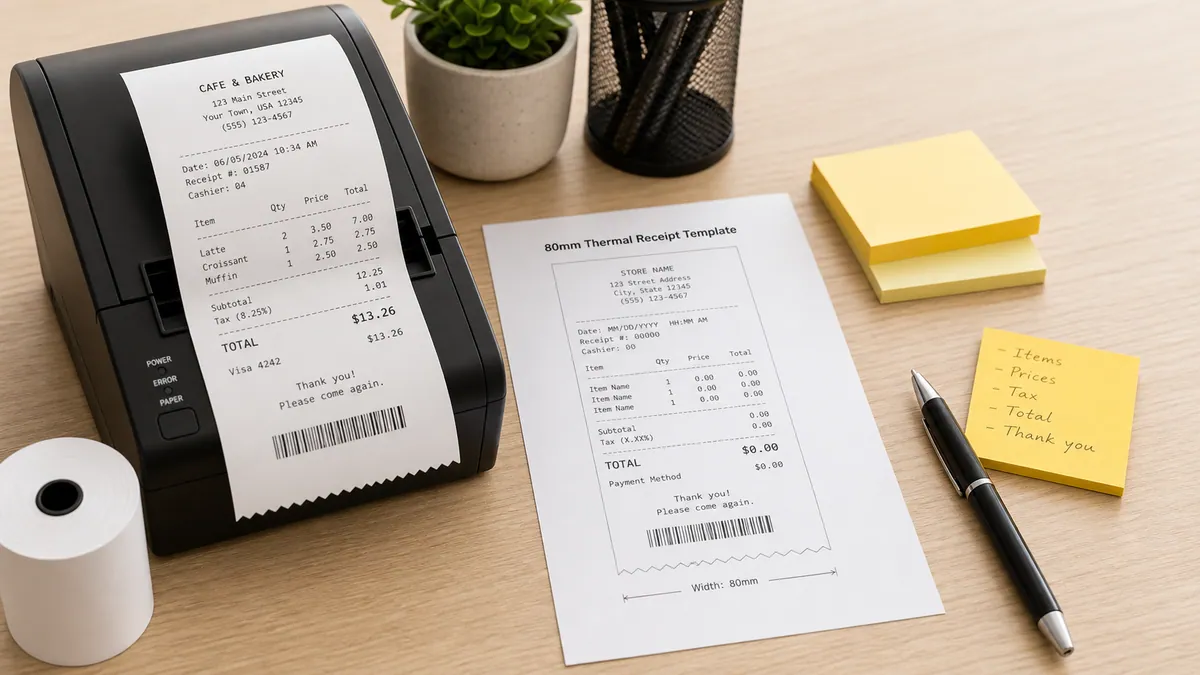
A professional POS receipt needs these core fields:
- Business name and address — identifies who issued the receipt
- Date and time — timestamps the transaction
- Transaction / receipt number — unique identifier for the sale
- Cashier ID — identifies who processed the transaction
- Line items — each product or service with quantity and price
- Subtotal — before tax
- Tax — rate and amount
- Total — final amount due
- Payment method — cash, card, contactless
- Change due (for cash transactions)
All of these fields are available in the POS receipt generator — no POS terminal required.
When You Need a POS Receipt Generator
Market stalls and craft fairs: You've made a sale at a market but your customer asks for a receipt. A POS receipt generator on your phone produces a professional record in under a minute.
Pop-up shops: Temporary retail setups often don't have a full POS system installed. A browser-based generator works on any device.
Small independent retailers: Early-stage shops that haven't invested in POS software yet can use a generator for all daily transactions.
Food trucks and mobile vendors: Mobile food businesses frequently operate without a permanent POS setup — especially at festivals, markets, and events.
Freelancers and service providers: Tradespeople, cleaners, tutors, and other service providers sometimes need a simple POS-style receipt rather than a formal invoice.
Replacement receipts: If a customer's receipt was lost, a regenerated POS receipt with the same transaction details serves as an accurate replacement.
POS Receipt Generator vs Full POS Software
| Feature | POS Receipt Generator | Full POS Software |
|---|---|---|
| Cost | Free | $30–$300/month |
| Setup time | Instant | Hours to days |
| Hardware required | None | Card reader, printer |
| Inventory tracking | ❌ | ✅ |
| Sales analytics | ❌ | ✅ |
| Receipt creation | ✅ | ✅ |
| Works on any device | ✅ | Depends |
| Best for | Vendors, pop-ups, small volume | Established retail, high volume |
For low-volume sellers and new businesses, a generator covers the receipt need entirely. As volume grows, dedicated POS software adds inventory and analytics value.
Create a POS Receipt for Your Business
Open the Cafe Thermal Receipt Generator
Create a professional cafe POS receipt with items, tax, payment, and loyalty details — print or download PDF instantly.
Available Thermal Receipt Template
Related Guides
Final Takeaway
A POS receipt generator removes the barrier between small businesses and professional documentation. If you sell anything — at a market, a pop-up, or a small store — you can create a proper point-of-sale receipt in under a minute, print it on the spot, or send it digitally.
FAQ
A POS receipt generator lets you create point-of-sale receipts online without a physical cash register or POS system.
You add your business details, items, tax, and payment method — then print or download as PDF.
Small business owners, market vendors, pop-up shops, food trucks, freelancers, and anyone who needs a professional receipt without a dedicated POS machine.
Yes. A POS receipt generated with accurate business and transaction details is a valid transaction record — the same information a physical till would print.