Aral Receipt Generator (Kassenbon)
Create a Aral-style fuel receipt with editable item rows, MwSt summary, PAYBACK, and payment details. Export a clean PDF in minutes.
Create a Aral-style receipt with fuel items, MwSt-inclusive totals, PAYBACK, payment, and footer text. Download a PDF for records.

Choose
Aral Receipt selected

Customize
Fill in your details

Download
Save or share receipt
Edit the details once and the preview updates instantly.
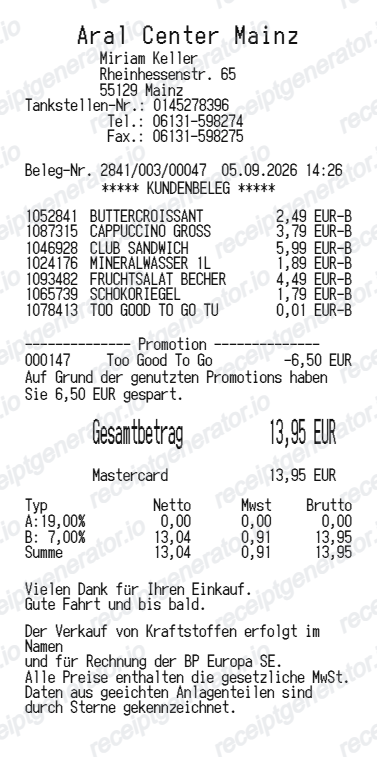
Quick summary
Aral receipt template overview
Use this Aral-style receipt template to build a compact Germany receipt with editable items, MwSt-inclusive totals, PAYBACK, barcode, and footer text.
What Is on a Real Aral Kassenbon?
Before you rebuild an Aral receipt, it helps to know what the original contains. German fuel receipts are shaped by fiscal law (KassenSichV) as much as by the brand, so several lines are legally required.
TSE fiscal signature block
Since 2020, German cash registers must use a certified technical security device (TSE). Every Kassenbon prints the TSE serial number, transaction counter, start and end times, and a cryptographic signature - a receipt without this block does not match a modern German register.
MwSt breakdown at 19%
Fuel is taxed at the standard 19% rate, and the receipt shows net amount, MwSt, and gross total. Shop items can mix rates - 19% (usually marked A) for most goods and 7% (marked B) for many food items - each totaled separately.
PAYBACK points with current balance
Aral is a core PAYBACK partner: members earn 1 point per 2 litres of fuel and 1 point per euro on lubricants, and at Aral the receipt prints your currently available points balance right on the Kassenbon.
Litres, price per litre, and pump number
The fuel line shows the grade (Super E5, Super E10, Aral Ultimate 102, Diesel), the pump (Säule) number, litres to two or three decimals, and the euro price per litre.
Station operator in the header
Aral stations are typically run by independent operators, so the header names the operator and the station address - the details tax offices expect on an expense document. Aral is Germany's largest fuel network, the BP group's brand in the country.
Shop and PetitBistro lines
Many Aral sites include a REWE To Go shop or PetitBistro, so real receipts often mix fuel with snacks, coffee, or car-wash items, each carrying its own tax-rate letter in the item column.
Create a print-ready Aral fuel receipt
Edit the layout, watch it update live, then print, download PDF, or email.
Live Aral receipt preview
See the Aral receipt update instantly as you edit items, totals, MwSt, and messages.
PDF download
Export a clean Aral-style receipt PDF for digital or printed records.
Mobile-friendly editor
Create and edit Aral receipts from desktop, tablet, or phone.
PAYBACK and MwSt support
Customise loyalty text, MwSt totals, barcode digits, and footer messaging.
Get Your Original Aral Receipt First
Aral's own FAQ points receipt-copy requests to the station where you fueled: contact that site with the date, time, pump, and amount, and staff can retrieve the transaction from the register records. PAYBACK Pay and Aral fleet-card users can also confirm transactions in their app or fleet portal. Use this template when the original is unavailable - a lost Kassenbon, a station you cannot reach, or a thermal print that faded.
Budget tracking
Keep a clear itemised record of Aral spending.
Lost receipt recreation
Recreate a Aral receipt-style document from your purchase details.
MwSt expense documentation
Prepare a receipt record with MwSt for reimbursement or bookkeeping.
Aral Receipt Formats
Use the Aral-style format that best matches your recordkeeping needs.
Standard Receipt
A Aral-style receipt with item rows and payment details.
PAYBACK Receipt
A Aral receipt layout with loyalty points and promotional footer messaging.
MwSt Receipt
A Aral-style receipt configured with EUR currency and a MwSt summary for Germany records.
Related Guides
Explore related guides to understand the receipt details, lookup steps, and documentation workflows.
More free receipt templates for Germany fuel shopping and retail expense records.
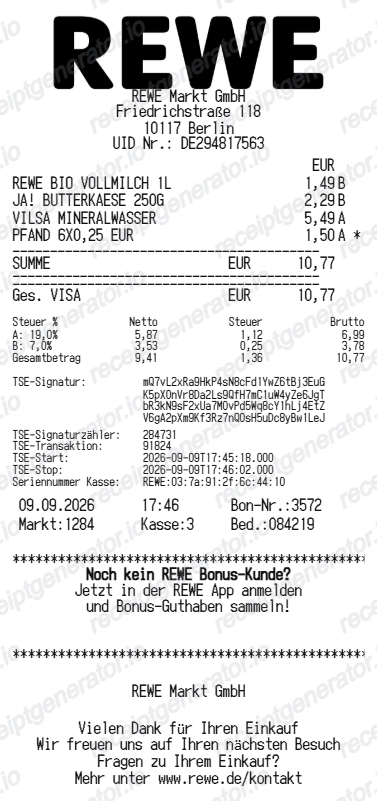
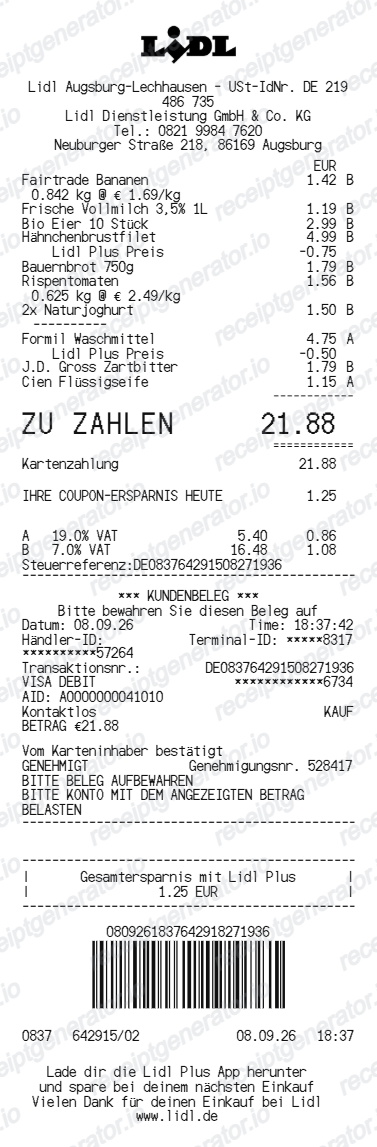
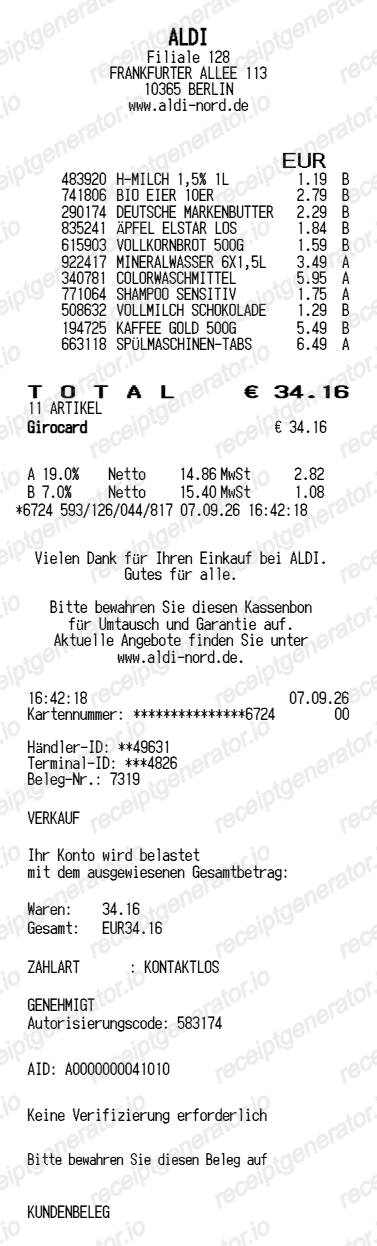
More Germany Receipt Templates
Browse our collection of receipt templates for various purposes.
Aral Receipt FAQ
Common questions about creating Aral fuel receipts for personal records, budgeting, and MwSt documentation in Germany.
Choose the Aral receipt template, edit the store header, add items and prices, set the total and MwSt, then download the receipt as a PDF.
Yes. You can create and preview Aral receipts for free. Watermark-free PDF downloads are available with paid plans.
Aral's customer service directs receipt-copy requests to the individual station where you fueled - contact that station with the date, time, pump number, and amount, and staff can usually retrieve the transaction from the register journal. If you paid with PAYBACK Pay or an Aral fleet card, the transaction history in the app or fleet portal can confirm the purchase details.
Yes. Fuel carries 19% MwSt, and German law treats receipts up to 250 euros gross as Kleinbetragsrechnungen - small-amount invoices valid for input VAT deduction without the buyer's name, as long as they show the seller, date, item description, gross amount, and tax rate. Above 250 euros, a full invoice naming your business is required.
Yes. The totals section includes a MwSt-inclusive total to match the format on Germany Aral receipts.
Yes. After editing the details, preview and download the Aral-style receipt as a clean PDF for records or budgeting.
A real Aral Kassenbon shows the station operator's name and address, the fuel grade (Super E5, Super E10, Ultimate 102, or Diesel) with litres and price per litre, a MwSt breakdown of net, tax, and gross amounts, the payment method, a PAYBACK points line with your current balance, and the TSE fiscal signature block required on German receipts since 2020.
Receipt Generator · Receipt Maker · 300+ Free Templates
Create your Aral receipt
Use the editable Aral receipt generator to add items, MwSt totals, loyalty text, and barcode details, then export a clean PDF.