Free Oakwood Receipt Generator
Create Free Fuel Station Receipts Online - Add Gallons, Price & Pump Details. Preview free; watermark-free PDF export requires a paid plan.
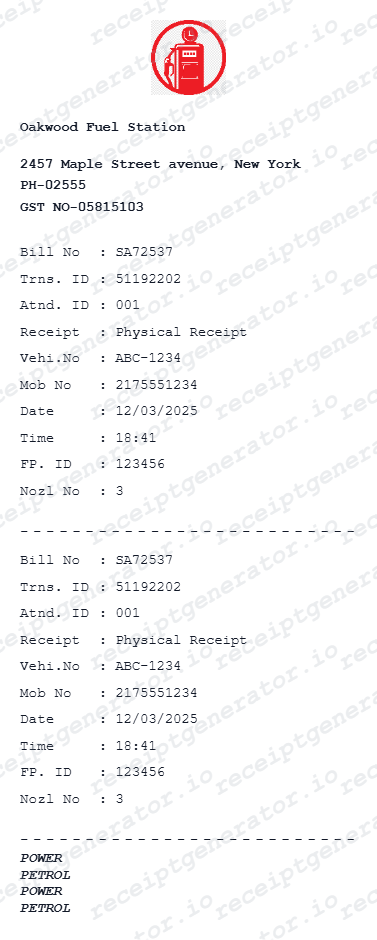
Create an Oakwood fuel receipt with pump details, gallons, taxes, and payment. Download a PDF for mileage logs, fleet records, or reimbursements.

Choose
Oakwood Receipt selected

Customize
Fill in your details

Download
Save or share receipt
Edit the details once and the preview updates instantly.
Quick summary
Oakwood receipt template overview
Create Fuel Station Receipts Online - Add Gallons, Price & Pump Details. Preview the layout before choosing a PDF export plan.
What Is on a Real Fuel Station Receipt?
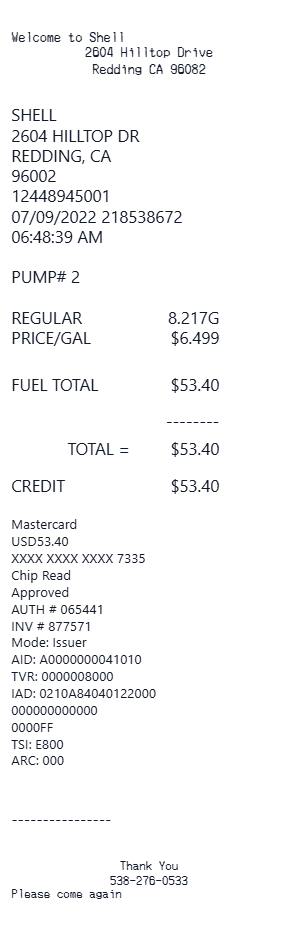
Independent and local fuel stations like Oakwood print receipts from the same point-of-sale systems the big chains use, so the layout is remarkably consistent. A credible replacement copy should match these fields.
Volume metered to three decimals
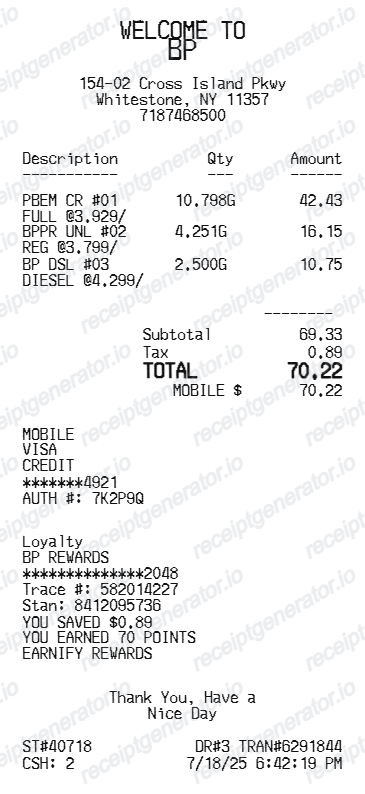
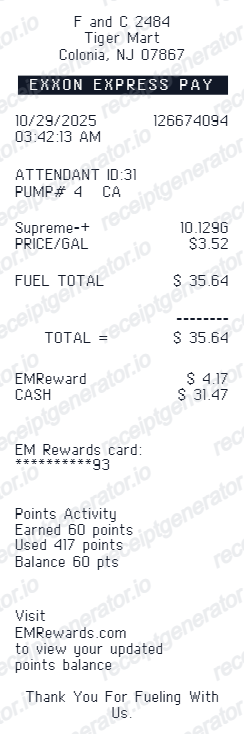
Fuel dispensers are regulated metering devices, so real receipts show gallons (or litres) to three decimal places - for example 12.408 GAL @ $3.599/GAL - with the price per unit often quoted to a tenth of a cent.
Pump number and station identifiers
The slip names the pump that dispensed the fuel plus a site, store, or terminal number, and a transaction or sequence number that ties the receipt to the station's electronic journal for reprints.
Fuel grade line
The grade prints as a product name - REGULAR, MID-GRADE, PREMIUM, or DIESEL - and fleet card receipts often add a numeric product code so back-office software can classify the purchase.
Fuel taxes built into the price
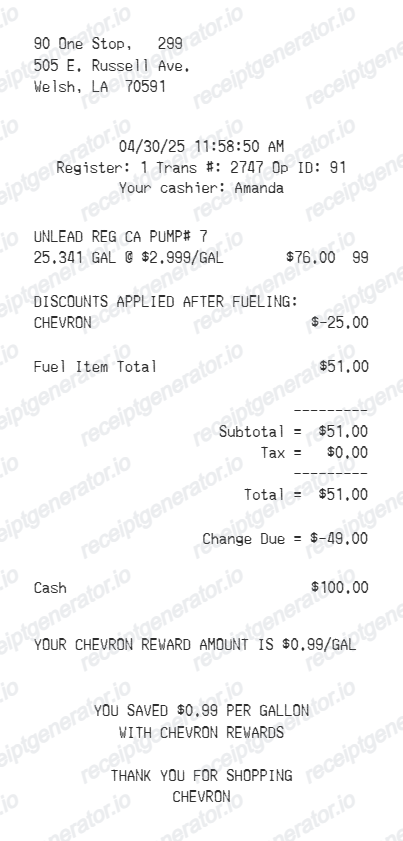
US pump prices already include the 18.4 cents per gallon federal gasoline excise tax (24.4 cents for diesel) plus state motor fuel taxes, so many fuel-only receipts print a $0.00 sales tax line rather than adding tax at checkout.
Payment and authorization details
Card purchases show the card type, masked number, and an approval or authorization code. Pay-at-pump sales begin as a pre-authorization hold, and the printed receipt reflects the final captured amount.
Fleet fields on commercial fills
Fleet card transactions commonly prompt for and print the odometer reading, vehicle or driver ID, and sometimes a job code - details fleet managers use to reconcile fuel spend per vehicle.
Print-ready fuel station receipts
Edit the layout, watch it update live, then print, download PDF, or email.
Live fuel receipt preview
Watch the receipt update as you enter gallons and price.
One-click print
Print your Oakwood receipt from the browser.
Download as PDF
Export a clean fuel station receipt PDF for records.
Mobile-friendly editor
Create fuel receipts from any device.
Get Your Original Fuel Station Receipt First
Most stations can reprint a recent transaction from the register journal: go back to the location and give the cashier the date, exact amount, and last 4 digits of the card you used. Fleet card fills also show up on the card program's statement, which finance teams often accept in place of the paper slip. Use this template when the original is unavailable - a pump that did not print, a faded thermal receipt, or a cash purchase.
Fleet fuel expense tracking
Document fuel station purchases for fleet vehicle expense reports.
Driver reimbursement
Submit fuel receipts for employee vehicle fuel reimbursements.
Business vehicle records
Track company vehicle fueling with itemized fuel station receipts.
Personal fuel budget tracking
Monitor monthly fuel spending with detailed fuel station receipt records.
Oakwood Receipt Types
Choose the fuel station receipt format for your vehicle fueling.
Standard Fuel Receipt
Fuel station receipt for a regular fill-up with grade and gallons.
Fleet Fuel Receipt
Fuel receipt with vehicle and driver details for fleet expense records.
Diesel Fuel Receipt
Fuel station receipt for diesel vehicle fueling documentation.
Related Guides
Explore related guides to understand the receipt details, lookup steps, and documentation workflows.
Related fuel purchase records templates
More free receipt templates for gas & fuel and retail expense records.


Oakwood Receipt FAQ - Fuel Station Documentation & Expense Records
Learn how to create Oakwood station receipts with gallons, grade, and PDF export for fleet expense and fuel documentation.
Choose the Oakwood receipt template, add station name, pump number, fuel grade, gallons, price per gallon, taxes, and payment method. Preview and download as PDF.
Yes. Fleet managers and business drivers use fuel station receipts to document fueling costs for vehicle expense reports and reimbursements.
Yes. Download a clean PDF for fleet expense reports, driver reimbursement, or personal fuel tracking.
A real fuel station receipt is a narrow thermal slip with the station name and address, a site or store number, the pump number, the fuel grade, volume metered to three decimal places, the price per unit, the fuel total, the payment method with masked card digits and an authorization code, and a date-time stamp with a transaction number.
Yes. Include vehicle plate number, driver name, and odometer reading for fleet fuel tracking.
Yes. Replace 'Oakwood' with any fuel station name and add a custom station address and phone number.
Return to the station where you fueled and ask for a duplicate - cashiers can usually reprint a transaction from the register journal if you provide the date, exact amount, and last 4 digits of the card. If the register cannot locate it, ask a manager, since reprints are often restricted to a manager screen. Fleet card purchases also appear on the card program's monthly statement.
Yes, when they are itemized. Employers and the IRS actual-expense method expect the station, date, volume, unit price, and total. If you deduct vehicle costs using the standard mileage rate, a mileage log is the primary record, but fuel receipts remain useful supporting evidence for fleet and company-car programs.
Receipt Generator · Receipt Maker · 300+ Free Templates
Create your Oakwood receipt
Use the editable Oakwood receipt generator to add items, tax totals, and payment details, then export a clean PDF.