Mobil Receipt Generator
Create a Mobil-style gas receipt with station details, pump number, fuel grade, gallons, price per gallon, Mobil Rewards savings, tax, total, and card payment details. Preview live and export a PDF.
Create a Mobil-style fuel receipt with editable station details, pump number, gallons, price per gallon, rewards savings, tax, total, and payment information. Download a clean PDF for fuel records or expense documentation.

Choose
Mobil Receipt selected

Customize
Fill in your details

Download
Save or share receipt
Edit the details once and the preview updates instantly.

Quick summary
Mobil receipt template overview
Use this Mobil-style receipt template to build a compact fuel receipt with station details, pump number, gallons, price per gallon, Mobil Rewards savings, tax, total, and card payment block.
What Is on a Real Mobil Receipt?
Mobil stations run on ExxonMobil's branded fuel and loyalty systems, so their pump receipts carry a few details you will not see at other chains. A credible replacement copy should match these fields.
Synergy fuel grade names
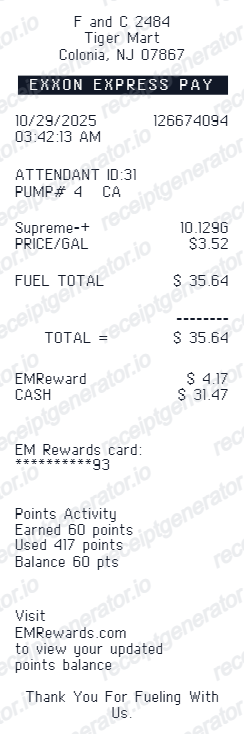
Mobil sells ExxonMobil's Synergy fuel line, so the grade on a real receipt reads as Synergy Regular, Extra, Supreme+ (the 91+ octane premium), or Synergy Diesel Efficient rather than a generic 'Premium' label.
Exxon Mobil Rewards+ line
Members earn points on every gallon - with bonus earning on Supreme+ premium for Premium Status members - and 100 points redeem for $1 in savings. Receipts for enrolled customers show points earned and any redemption applied to the price per gallon.
Gallons metered to three decimals
Like all US dispensers, Mobil pumps print volume to three decimal places with the price per gallon shown to a tenth of a cent, plus the pump number that dispensed the fuel.
Fuel taxes inside the pump price
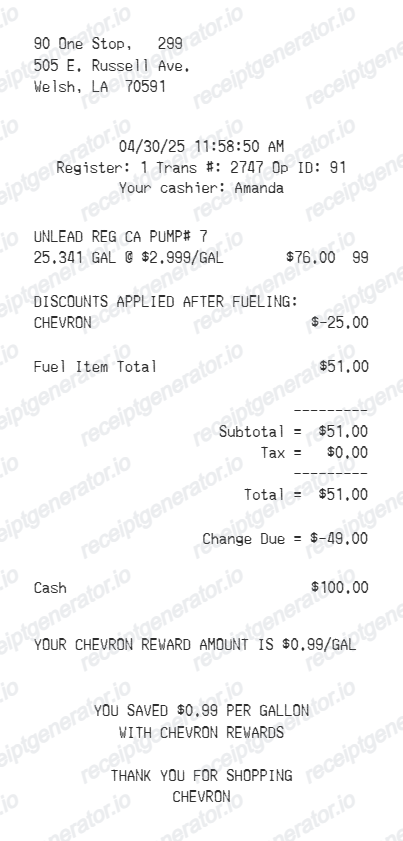
The per-gallon price already includes the 18.4 cents federal gasoline excise tax (24.4 cents for diesel) and state motor fuel taxes, which is why many Mobil fuel-only receipts show no separate sales tax line.
Card authorization block
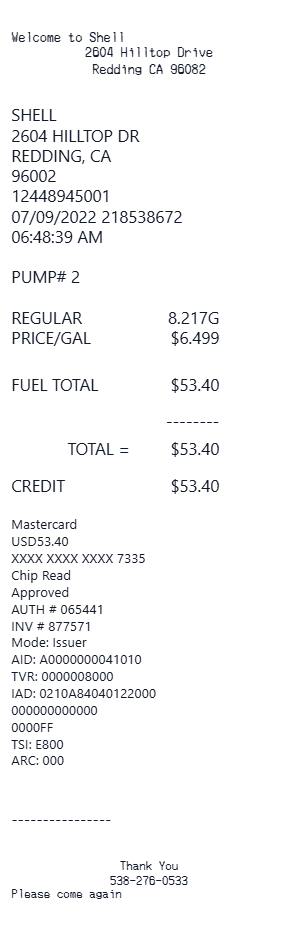
Pay-at-pump receipts print the card type, masked card number, an approval code, and a transaction reference. Purchases made through the Exxon Mobil Rewards+ app generate an e-receipt in the app's history instead of (or alongside) the printed slip.
Site identifiers and timestamp
A site or store number identifies the franchise location within the ExxonMobil network, and the date-time stamp plus transaction number let the station trace the sale in its electronic journal.
Create a print-ready Mobil fuel receipt
Edit the layout, watch it update live, then print, download PDF, or email.
Live Mobil receipt preview
Watch the receipt update instantly as you edit station details, fuel rows, rewards savings, totals, and payment information.
Fuel-specific fields
Use dedicated fields for pump number, fuel grade, gallons, price per gallon, and fuel total.
Download as PDF
Export a clean Mobil-style fuel receipt PDF for fuel records, reimbursement, or fleet logs.
Mobile-friendly editor
Create and edit Mobil receipts from desktop, tablet, or phone.
Get Your Original Mobil Receipt First
If you paid with the Exxon Mobil Rewards+ app, the original receipt is already saved in the app's transaction history, and you can enable automatic email e-receipts in the app settings. For card payments at the pump, return to the same station with the date, exact amount, and last 4 card digits - staff can usually reprint the transaction. Use this template when the original is unavailable - a pump that did not print, a faded thermal slip, or a cash purchase.
Fuel expense records
Document a Mobil fuel purchase with pump, gallons, price per gallon, tax, and payment details.
Mileage and fleet logs
Record fuel grade, gallons, price, rewards savings, and transaction details for vehicle fuel records.
Lost receipt recovery
Recreate a Mobil fuel receipt when the original printout was lost or the pump did not print.
Tax documentation
Create a detailed fuel receipt for business mileage and vehicle expense tax deduction records.
Mobil Receipt Formats
Choose the Mobil-style receipt layout that best matches your fuel expense, rewards, or fleet documentation needs.
Mobil Gas Receipt
A compact fuel station receipt with pump number, gallons, price per gallon, and total.
Mobil Rewards Receipt
A Mobil receipt with rewards savings, points earned, and loyalty program footer text.
Fleet Fuel Record
A fuel receipt for mileage logs, vehicle expense tracking, and fleet documentation.
Fuel Receipt Guides
Read supporting guides for gas receipts, fuel reimbursement records, and tax documentation.
Related Other Receipt Templates
More free receipt templates for gas stations, fuel records, and automotive expense documentation.
Mobil Receipt FAQ
Common questions about creating, editing, and downloading a Mobil-style fuel receipt for expense records, mileage logs, and fleet documentation.
Open the Mobil receipt generator, edit the station details, pump number, fuel grade, gallons, price per gallon, rewards savings, tax, total, and payment section, then preview and download as a PDF.
Yes. Update card type, masked card number, approval code, and transaction reference in the payment block.
If you paid through the Exxon Mobil Rewards+ app, every transaction receipt is saved in the app's history section, and you can turn on email e-receipts under Account, Settings, Notifications. If you paid at the pump with a card, go back to the same station with the date, exact amount, and last 4 card digits - the cashier or manager can usually reprint from the transaction journal.
Yes, if it is complete. Finance teams and the IRS actual-expense method expect the station name and location, date, gallons, price per gallon, and total. If you claim the IRS standard mileage rate instead, you need a mileage log rather than fuel receipts - but many employers still ask drivers to attach fuel receipts as supporting evidence.
Both. You can use these templates for reimbursements, bookkeeping prep, and internal documentation workflows.
Yes. Add reward savings amount, points earned, member number, and loyalty messaging to match the standard Mobil Rewards+ receipt format.
Yes. After editing the receipt details, preview and download the Mobil-style receipt as a clean PDF for fuel records or expense documentation.
A real Mobil pump receipt is a narrow thermal slip showing the station name and address, pump number, the Synergy fuel grade (Regular, Extra, Supreme+, or Diesel Efficient), gallons to three decimal places, price per gallon, the fuel total, the masked card number with an approval code, a date-time stamp, and - for members - an Exxon Mobil Rewards+ line with points earned or savings applied.
Add the store name, purchase date, line items, totals, tax, payment method, and any optional notes you need on your Mobil template.
This tool creates an editable Mobil style layout for documentation. It is not issued by the original merchant or brand system.
Receipt Generator · Receipt Maker · 300+ Free Templates
Create your Mobil fuel receipt
Use the editable Mobil receipt generator to add station details, fuel rows, rewards savings, and payment information, then export a clean PDF for your records.